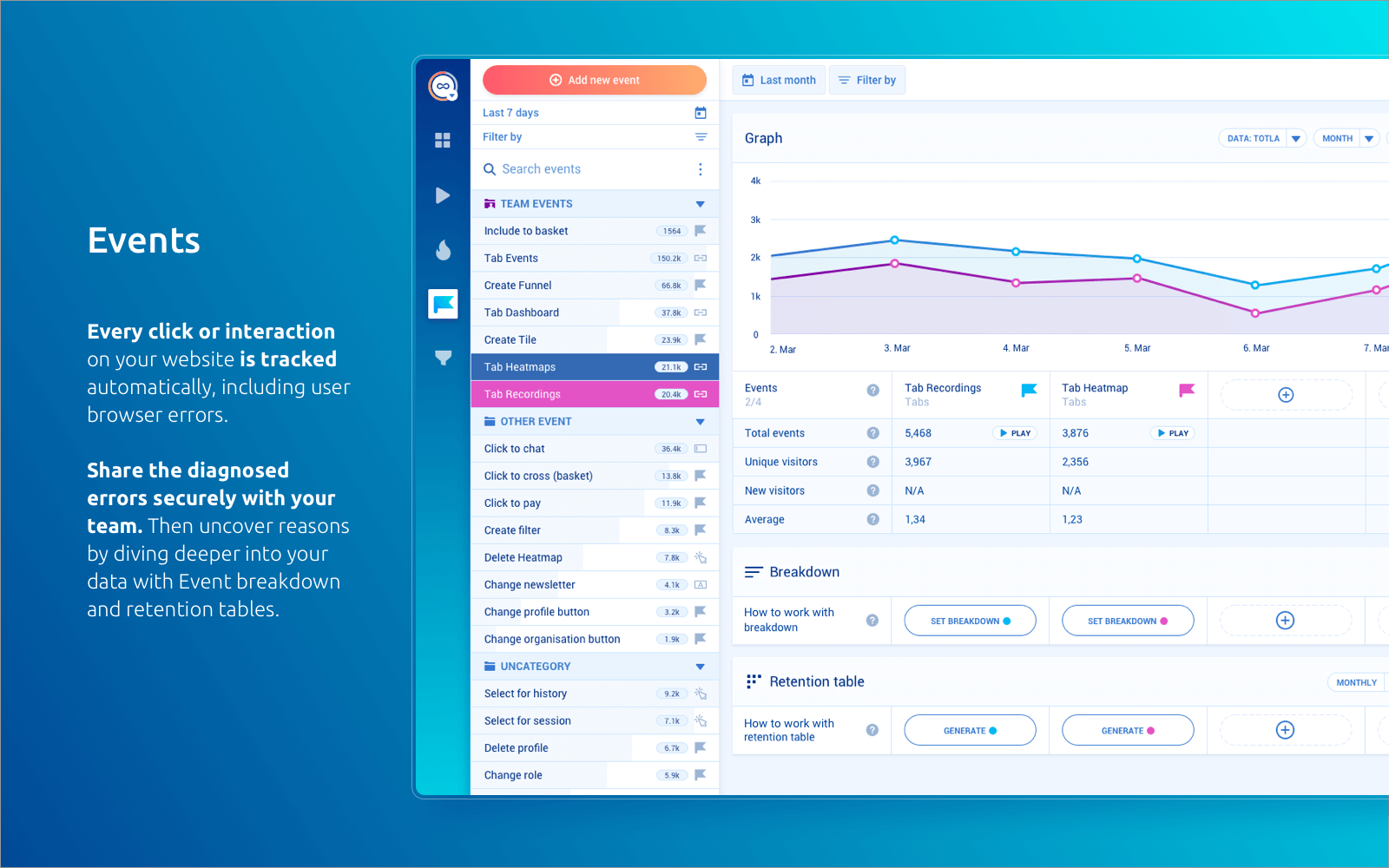
Smartlook is an analytics solution tool for websites, iOS/Android apps, and various app frameworks, that answers the "whys" behind users' actions. It helps users understand precisely how customers interact with website and app — watch recordings, create heatmaps, use automatic tracked events, and build conversion funnels. Data is seen on one central dashboard, which enables sharing and collaborating with colleagues. This is to support clear, data-driven decision-making for product managers,…
$55
per month 5000 sessions
Webtrends Analytics
Score 4.4 out of 10
N/A
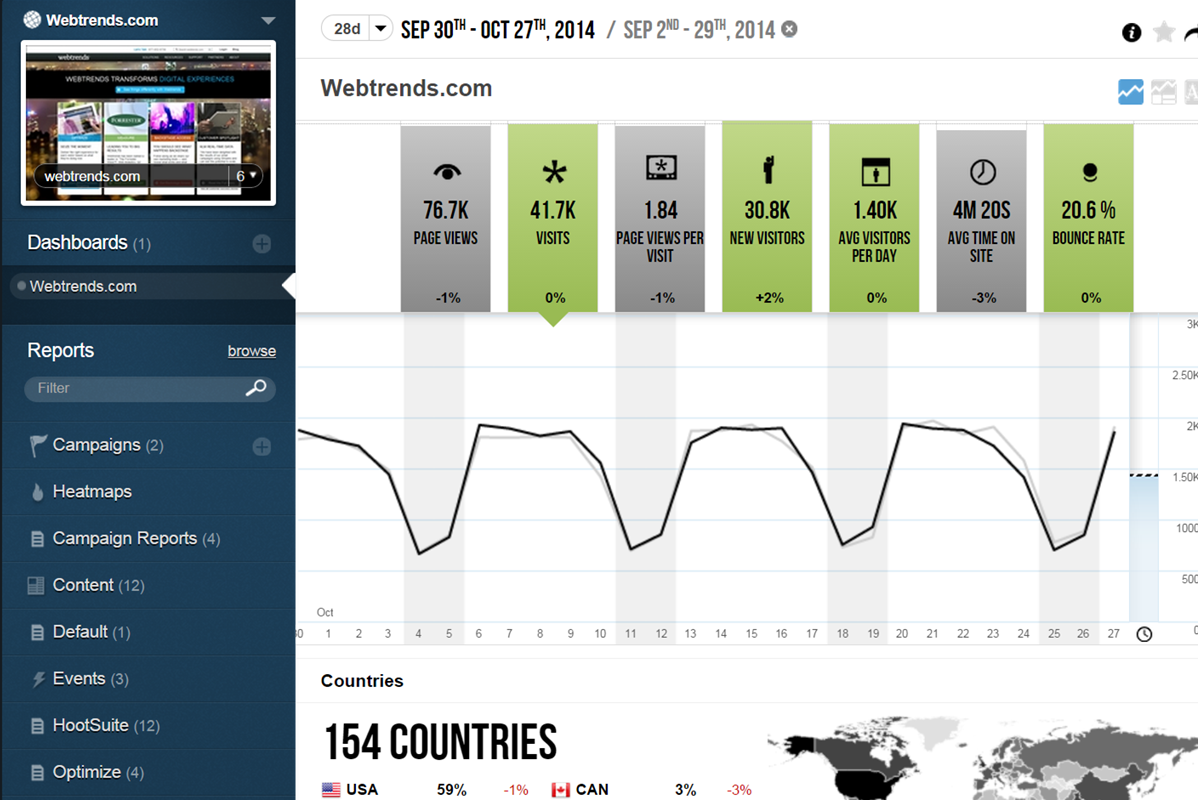
WebTrends provides an enterprise web analytics platform and, according to Forrester, has a strong focus on support for mobile and social channels and a very open platform. Webtrends competes directly with Adobe Site Catalyst, IBM Coremetrics. and comScore DigitalAnalytix.
N/A
Pricing
Smartlook
Webtrends Analytics
Editions & Modules
Pro
$55
per month 5000 sessions
Free
Free forever
per month 3000 sessions
Enterprise
Custom pricing
No answers on this topic
Offerings
Pricing Offerings
Smartlook
Webtrends Analytics
Free Trial
Yes
No
Free/Freemium Version
Yes
No
Premium Consulting/Integration Services
No
No
Entry-level Setup Fee
Optional
No setup fee
Additional Details
All Smartlook packages support both web and mobile app platforms.
Smartlook is best for screen recordings. Especially when you are running MVPs. However, its pricing is very high. If your daily visitors are too much then either you will have to lose many of your recordings or you will have to pay too much money.
Scenarios 1. If you want to use web server log files as input to your web analytics, then Webtrends will provides a good product, with great ease of implementation. Don't even think about being cheap on hardware, and make sure Webtrends runs on real servers, not in a VM environment. 2. If you want to use Data Tagging, similar to Google Analytics or Site Catalyst, Webtrends has a powerful product, just be prepared to pay. 3. If you are new to Web Analytics, but it is the strategic direction, start with Webtrends on Premises. Questions to Ask 1. What are you trying to accomplish? 2. Can you place a dollar value on the benefit that you expect/need from Webtrends? 3.Can you live with Webtrends running SaaS?
Webtrends Analytics makes complex situations understandable to a non-technical audience. The vast capabilities and ways to slice data is both a great tool, but can also cause a user/users many hours of frustration.
Visual data display is clean, to the point, and not overly convoluted with unneeded variables and standard (defualt) settings. Everything the end user sees is customizeable.
Exports of raw data collections was easy and accurate. Once the parameters of data collection are finally set up and working, its easy to get what you want from the UI and is delievered in a variety of options.
Events -- but I think this is something that we could improve ourselves in our system.
Create some suggestions for funnels and heatmaps.
Give general insights for a certain period of time, e.g. from Oct. 7th to 12th, 75 users left the checkout step and 60% of them left due to a payment issue. IDK just bringing some ideas!
Webtrends is not great at providing statistical data for analysis. You need to enable Log File Delivery or create an analysis export to perform this. This could theoretically be done with Streams.
Webtrends has difficulty identifying multi-visit users due to the inherent fragility of cookie-based tracking.
Webtrends Analytics does not provide Pathing capabilities for segments, only for the aggregate. However, this can be worked around with Scenario functionality selectively fired by a tag management system.
Segmentation by high-cardinality parameters tends to cause issues with table limits. Even after scrubbing and scrutinizing data, we commonly see up of 10K rows per dimension. Due to this, we use Webtrends Analytics to roll up data into larger segments and export all of our log data into our database for heavy duty number crunching.
As my ratings show, I have been absolutely delighted with Smartlook in terms of usability, cost, support, and its benefit to our organization. I have given it such high ratings because I think it has really benefitted our organization and I think it could do the same for other companies too.
The obstacles to renewing are 1) finding people to manage it who know it well and 2) frustration because of the lack of on-the-fly analysis. Usually, renewal prices are reasonable and the cost of switching to something else when you have a somewhat complicated setup far outweigh the renewal costs, especially if your implementation is sound and your reports are humming along. A lot of renewal decisions are going to hinge on the new product that will start to roll out this month.
Smartlook is very intuitive and simple for an average programmer (I don't know if it will be as simple for a normal user). We have never had to resort to looking for information on the web or ask for help for something we didn't understand or didn't work as expected.
If I could give it a 0, I would. Not having an intuitive user interface made it impossible to convince non-analytic business users to use the tool on their own. Even as a seasoned analyst, frequent calls were needed to get what should be simple tasks done. Account managers don't understand the tool either, and have to refer you to technical support
The v9 admin interface and v10 reporting interface work as well as expected, but have a tendency to be pokey, especially for bulky reports and whenever you're connected to wifi. I much prefer using the REST API for all reporting for this reason, which simply dumps out the data and doesn't bother with the user interface.
I am always very happy when a company offers the option to use online chat, as I do not like to call customer support and writing an email is just too slow and cumbersome. I did not even expect a reply right away, yet it took the customer support team less than a minute to respond to my problem.
The Webtrends Support Engineers are expert at what they do, and we get to speak to someone on the support team quickly. They provide great solutions when available, and when there is no solution, which can happen, they describe work-arounds.
The in-person training was comprehensive enough to get you started, but I strongly recommend having a more experienced person when beginning with the tool.
Webtrends provides several free webinars over the course of the year, many of which I would expect to pay for. The people providing the webinars seem to have a good feel for real-world application of the product.
Careful planning and patience. Use a non-public test site to fine tune tags and reporting. Despite best laid plans, there will be surprises when you collect the data, run the analysis and begin generating reports using the tool. Perform a tag audit to ensure tags fire as desired.
Like I mentioned, Smartlook is younger than FullStory and it seems like they're trying to improve. The dashboards are lacking. I wish I had more control over what I see there instead of the standard. We use the API to determine customer name and company and I'd like to see some custom dashboards.
Webtrends has its work cut out for itself considering you have the behemoth Google Analytics and Google Analytics Premium having a strong offering and brand recognition for the price of free. After reviewing the paid service I'd suggest you start off with GA as a cheaper alternative that is just as robust, if not much more flexible in regards to the reporting and goal tracking needs for our company.
We have increased the conversion rate from the beginning till now with 120%.
We redesigned our landing pages and decreased the bounce rate by 41%.
We rethinked and redesigned our menu structure and internal site linking to increase the time users spent on our site based on the data we got from Smartlook analysis.
Webtrends has had a positive impact on site visitation because it allowed us to understand the sources by domain for site traffic and find out ways to increase visits from those domains.
Webtrends has also allowed us to understand areas of optimization on the site, which has had a positive impact on the overall user journey on the site, likely leading to longer site duration and engagement.