SolarWinds Dameware Remote Everywhere (DRE) vs. RealVNC Connect

Overview
ProductRatingMost Used ByProduct SummaryStarting Price
SolarWinds Dameware Remote Everywhere (DRE)
Score 6.2 out of 10
N/A
SolarWinds Dameware Remote Everywhere provides help desk technicians a simple, cloud-based, remote-support solution to easily access endpoint devices. It features diagnostic and troubleshooting tools to help resolve issues more quickly. Using a laptop or a mobile app users can access end-device details, running sessions, and deep registry editing capabilities. The user can record sessions, add notes, view reports, and create customized surveys for additional end…N/A
RealVNC Connect
Score 7.0 out of 10
N/A
RealVNC® Connect is a secure remote access solution from RealVNC. It can be used to connect to a remote device anywhere in the world to view its desktop in real-time and take control as though sitting in front of it.
$8.25
per month (billed annually) per concurrent session
Pricing
SolarWinds Dameware Remote Everywhere (DRE)RealVNC Connect
Editions & Modules
No answers on this topic
Essentials
$8.25
per month (billed annually) per concurrent session
Plus
$16.50
per month (billed annually) per concurrent session (add up to 3)
Premium
$29.75
per month (billed annually) per concurrent session (add up to 5)
Enterprise
Custom Pricing
per year
Enterprise
Custom Pricing
Offerings
Pricing Offerings
SolarWinds Dameware Remote Everywhere (DRE)RealVNC Connect
Free Trial
YesYes
Free/Freemium Version
NoYes
Premium Consulting/Integration Services
NoNo
Entry-level Setup FeeNo setup feeNo setup fee
Additional DetailsPlans work on a Per Concurrent Session basis. Each plan gives access to a bundled number of devices, but limits apply to the amount of devices that can be connected at any given time. The Premium plan includes On-Demand Assist, a useful tool for providing just-in-time remote support to end-users without them needing RealVNC Connect installed on their device.
More Pricing Information
Community Pulse
SolarWinds Dameware Remote Everywhere (DRE)RealVNC Connect
Considered Both Products
SolarWinds Dameware Remote Everywhere (DRE)
Chose SolarWinds Dameware Remote Everywhere (DRE)
Much better product than above. Screen control is more comprehensive, better connectivity through reboots.

Chose SolarWinds Dameware Remote Everywhere (DRE)
We basically selected this for our one of the SolarWinds Project. In that we needed to take remote session and screensharing and do the analysis and troubleshooting. In our initial analysis itself we got the excellent result, and it was too quick. We were very much inspired …
Chose SolarWinds Dameware Remote Everywhere (DRE)
overall, we have been loyal to Solarwinds Dameware in the past, so moving to Dameware Remote Everywhere w=once it became more mature was a no-brainer.
Chose SolarWinds Dameware Remote Everywhere (DRE)
Dameware DRE is a powerhouse tool that in my opinion blows these other products out of the water. Each of these competitors offer great services but at a cost as they require multiple subscriptions or a pay to upgrade to the latest version (TeamViewer). DRE is a simple "one …
Chose SolarWinds Dameware Remote Everywhere (DRE)
The overall experience was more enjoyable using DRE over LogMeIn.
Chose SolarWinds Dameware Remote Everywhere (DRE)
DRE is in a league of its own.
Chose SolarWinds Dameware Remote Everywhere (DRE)
Its integration with Samanage and cost were the key deciding factors over TeamViewer (which can be VERY expensive despite how easy and nice it is to use) and it's just far more functional and less limited than VNC or RDP or Chrome Remote Desktop options or even the screen share …
Chose SolarWinds Dameware Remote Everywhere (DRE)
SolarWinds Dameware Remote Everywhere tops Microsoft Remote Desktop Connection Manager and Remote Desktop Protocol. It's feature set far outweighs the competition and is infinitely more secure than RDP.
SolarWinds Dameware Remote Everywhere also allows access to other operating …
Chose SolarWinds Dameware Remote Everywhere (DRE)
Teamviewer has better screen sizing - but the connection is not as good. SolarWinds definitely feels more secure and gives me an environment that I feel is more functionally pleasing.
Chose SolarWinds Dameware Remote Everywhere (DRE)
A very similar product, both deliver nearly identical functionality. The interface for Dameware is easier to manage.
RealVNC Connect
Chose RealVNC Connect
We selected RealVNC Connect due to their support of different OS's and having a mobile client.
Chose RealVNC Connect
Security is a big deal, even more so these days. We needed a remote access tool that we could trust to be secure and constantly evolve to modern standards. VNC Connect came at eh right price for us and provides all the tools we need.
Chose RealVNC Connect
VNC is light and sleek with the quick setup, was impressed with the quick setup despite poor Internet connection outdoor. Teamviewer is good, but the pricing is not as good as VNC. Both do the basic job, but VNC still outperform Teamviewer in terms of performance and ease of use.
Chose RealVNC Connect
TeamViewer is another easy to use remote connectivity software that I like for fast connection and little lag. TeamViewer is good for screen sharing. I often prefer VNC Connect for its cross platform compatibility and its mobile access capability. TeamViewer is a little …
Chose RealVNC Connect
The best part is that [the] VNC Connect application supports multi-platform compatibility with Windows and Linux systems. In addition, it is simple, and the session is approved or unapproved, which enables us to provide quick support in the business process. The running service …
Chose RealVNC Connect
It is good for one-shot use and not having to pre-configure remote devices, but we felt that the interface for connecting was not as simple.
Chose RealVNC Connect
With so many things tech-related we have many options and ways to accomplish the same thing. I think one of the important things to remember is the companies track record and support record for their users. In our experience, VNC Connect has been able to be competitive in all …
Chose RealVNC Connect
VNC Connect works just as well as the top products on the market. At the time VNC Connect was priced better and provided us with a simple reliable tool. VNC Connect works well cross-platform which is important to our institute as we are a 60/40 PC to Mac ratio. Reliability …
Chose RealVNC Connect

Remote desktop - works well but not as easy to initiate

Teamviewer - works well, easy to initiate but more expensive

Chose RealVNC Connect
VNC is much easier to use than any of the listed platforms.
Chose RealVNC Connect
There is no comparison. pcAnywhere was terribly buggy and was never reliable. VNC connect is 99% reliable.
Chose RealVNC Connect
I like VNC over TeamViewer and Microsoft Remote Desktop Services. Teamviewer seems slower than VNC and is more expensive. Microsoft RDP takes over the console so users cannot interact in any way.
Chose RealVNC Connect
VNC is way faster and has more features than Chrome Remote Desktop.
Chose RealVNC Connect
I have used TeamViewer and while both are great programs, VNC just seem more minimalist and tuned to doing EXACTLY what I need it to do.
Chose RealVNC Connect
Overall the VNC Connect software outperforms the TeamViewer software in most areas however, the TeamViewer billing model can be more appropriate for some situations.
Chose RealVNC Connect
VNC Connect stacks up very well to other competitors. With this simple program, you can remotely connect and access other computers with the same VNC Connect agent installed. The only reason we're moving away from using this is that our current Ninja RMM Tools computer …
Chose RealVNC Connect
Like I have mentioned before, depending on what you need, RealVNC may not be the best fit. It's the does-it-all Enterprise ready version produced by the original manufacturers. Installation's pretty simple, it's deployable if needed and it sports a lot of party tricks. …
Chose RealVNC Connect
I'm afraid that the only thing VNC has going for it is that it's free. Otherwise ConnectWise is an infinitely superior product and one which I would heartily recommend. We also looked at Bomgar, but the pricing there was astronomical in comparison with Connectwise. The free …
Chose RealVNC Connect
VNC works really well. It gives a superior level of access compared to far more expensive products such as GoToAssist or WebEx Support Center, and does so at a tiny fraction of the cost. It also consumes far fewer resources than either of those two competing products. It's an …
Chose RealVNC Connect
At the time of our switch to GotoAssist, we we seeking a solution that allowed admin access to workstations. GotoAssist met our requirements for this problem.
Chose RealVNC Connect
We have been using VNC for many years now and continue to use VNC due to its reliability and ease of use. When we need quick access to a remote computer for troubleshooting, VNC doesn't glitch or cause disconnects. Sometimes it may run slow but that is due to network issues, …
Chose RealVNC Connect
TeamViewer seems to crash often, causing the TeamViewer host to have to be restarted. The performance isn't comparable to RealVNC and the GUI isn't very intuitive. TeamViewer does shine better when using it for external connections, but RealVNC is moe lightweight and adaptable …
Chose RealVNC Connect
Screen quality compared to others like ScreenConnect, Bomgar, and others is not as good. But I don't need quality screens. I just need the minimal when connecting to servers so RealVNC fits that need very nicely.
Features
SolarWinds Dameware Remote Everywhere (DRE)RealVNC Connect
Remote Administration
Comparison of Remote Administration features of Product A and Product B
SolarWinds Dameware Remote Everywhere (DRE)
9.1
Ratings
11% above category average
RealVNC Connect
7.3
Ratings
11% below category average
Screen sharing8.10 Ratings9.00 Ratings
File transfer10.00 Ratings8.00 Ratings
Instant message10.00 Ratings6.10 Ratings
Access to sleeping/powered-off computers9.00 Ratings6.00 Ratings
Over-the-Internet remote session9.00 Ratings9.00 Ratings
Initiate remote control from mobile10.00 Ratings9.00 Ratings
Remote management of servers & workstations9.00 Ratings4.70 Ratings
Centralized management dashboard9.00 Ratings7.10 Ratings
Session record9.00 Ratings8.00 Ratings
Annotations5.90 Ratings5.30 Ratings
Monitoring and Alerts9.90 Ratings7.00 Ratings
Multi-platform remote control10.00 Ratings9.00 Ratings
Secure remote access with Smart Card authentication00 Ratings7.00 Ratings
Best Alternatives
SolarWinds Dameware Remote Everywhere (DRE)RealVNC Connect
Small Businesses
Getscreen.me
Getscreen.me
Score 9.7 out of 10
Getscreen.me
Getscreen.me
Score 9.7 out of 10
Medium-sized Companies
Remote Desktop Manager
Score 9.0 out of 10
Remote Desktop Manager
Score 9.0 out of 10
Enterprises
Remote Desktop Manager
Score 9.0 out of 10
Remote Desktop Manager
Score 9.0 out of 10
All AlternativesView all alternativesView all alternatives
User Ratings
SolarWinds Dameware Remote Everywhere (DRE)RealVNC Connect
Likelihood to Recommend
9.0
(0 ratings)
8.0
(0 ratings)
Likelihood to Renew
-
(0 ratings)
8.0
(0 ratings)
Usability
-
(0 ratings)
8.0
(0 ratings)
Support Rating
8.1
(0 ratings)
8.0
(0 ratings)
Online Training
-
(0 ratings)
7.0
(0 ratings)
Implementation Rating
-
(0 ratings)
8.0
(0 ratings)
User Testimonials
SolarWinds Dameware Remote Everywhere (DRE)RealVNC Connect
Likelihood to Recommend
There was one project wherein we wanted the fast result, and the deadline was quick for one day. We used SolarWinds Dameware Remote Everywhere (DRE) as a virtual network remotely. We took RDP of that and took connection. The result what we got was too quick like within some hours. We showed the same to our clients and received their appreciation once it went LIVE. Thank you so much team for this. Apart from this I never found this less appropriate
Read full review
It is very easy to use if the remote device is already set up to receive connections, so if you are setting up devices before deploying them, it is a great tool to have. It is well-suited to use when shadowing users or using it as a teaching tool. There are other products that are better if you are trying to help someone on a one-use basis.
Read full review
Pros
  • Remote control is solid, rarely loses connection
  • Allows for control of the desktop prior to login
  • Allows for scripts to be executed in the background without disturbing users
  • Allows for batch rollout of scripts across multiple machines
  • Allows us to see the end users' desktop - as opposed to RDP
Read full review
  • Allow remote connection to pc and servers that are located within our WAN. The connection is stable with fast response (no lag)
  • Allow remote connection to pc and servers that are located outside. The connection is stable with fast response (no lag)
  • It allows chat function with the user, and pasting capability from local desktop and mapped a drive to the remote system.
Read full review
Cons
  • Connectivity to a helpdesk/knowledgebase would be nice feature so users can do self-help
  • Offering a branded version of the client/agent would be a nice touch for businesses
  • A web-only version of the technician console for remote support would be a nice feature
Read full review
  • Some of the confusion of VNC upon installation is you need to be connected to the internet for it to function. This is not the case, but is unclear upon installation.
  • The licensing model is not ideal for locations that do not use the internet and function off of the grid.
Read full review
Likelihood to Renew
No answers on this topic
VNC is a solid product for the price. It simply works and its reliable across different platforms. Some products state they work well in the Mac environment but don't deliver. This one does what it says. Connections are reliable, but of course, this depends on internet connections. The product works well over wireless connections as well. It delivers on what a remote tool should deliver on. My technicians are happy with the product and customers appreciate the ease of use when letting us connect to their systems. Some also appreciate the remote support while they are multi-task.
Read full review
Usability
It's a good tool overall, but could be better.
Read full review
It's a niche product and in that niche they try to cater to as many use cases as they can. Other as a TCO aspect i don't see many use cases where you can't use this product as the one tool for all remote session use cases in your company
Read full review
Support Rating
SolarWinds Dameware Remote Everywhere is an easy to use software package. The manuals are easy to understand, and the installation is simple and straightforward. The Maintenance and support costs are relatively reasonable, and we maintain support and maintenance strictly for the upgrades rather than support. Over the years, SolarWinds has released numerous feature enhancements to the software package, making SolarWinds Dameware Remote Everywhere indispensable on our network.
Read full review
VNC Connect is a reliable product that has been around for a long time. It is reasonably priced and works well in the Mac & PC environment. When you have a small team that supports many users we need tools that we can rely upon and that will get the job done on the first try. Many customers appreciate the quick assistance and can multi-task while our team works on their computer issues remotely. From a customer service point of view, this tool gives us transparency and efficient effectiveness.
Read full review
Online Training
No answers on this topic
The training is very informative, quick and to the point. All of the details one would need are present so the user doesn't have to go searching for additional information just to use the application. The layout of the training was also neat and concise, some of the other training sessions for other companies I've done in the past were confusing and not well thought out, this one is much more superior
Read full review
Implementation Rating
No answers on this topic
No problem at all, love the product.
Read full review
Alternatives Considered
Its integration with Samanage and cost were the key deciding factors over TeamViewer (which can be VERY expensive despite how easy and nice it is to use) and it's just far more functional and less limited than VNC or RDP or Chrome Remote Desktop options or even the screen share with Microsoft Teams (which only works when using the installed Teams app). It's important to note the deployment methods are nice and powerful too and support has been great so far.
Read full review
VNC Connect stacks up very well to other competitors. With this simple program, you can remotely connect and access other computers with the same VNC Connect agent installed. The only reason we're moving away from using this is that our current Ninja RMM Tools computer monitoring agent includes the TeamViewer tool for us to use.
Read full review
Return on Investment
  • seamless installation of MSI or EXE
  • No Codes to enter when installing agent
  • Agent automatically connects to cloud dashboard
  • our deployment tool has messed up a couple of times, so agents get uninstalled or not installed when this occurs, and we can't see a computer in the dashboard
Read full review
  • I have just used the software for about 1 month and so far so god. I am saving time whenever I can access my client's computers from my desk as opposed to having to leave my office to go to their offices. Saves me time and the client money.
Read full review
ScreenShots

SolarWinds Dameware Remote Everywhere (DRE) Screenshots

Screenshot of Fast remote controlScreenshot of Live chatScreenshot of Remote desktop on mobileScreenshot of Reporting engineScreenshot of Secrets vaultScreenshot of Session information details

RealVNC Connect Screenshots

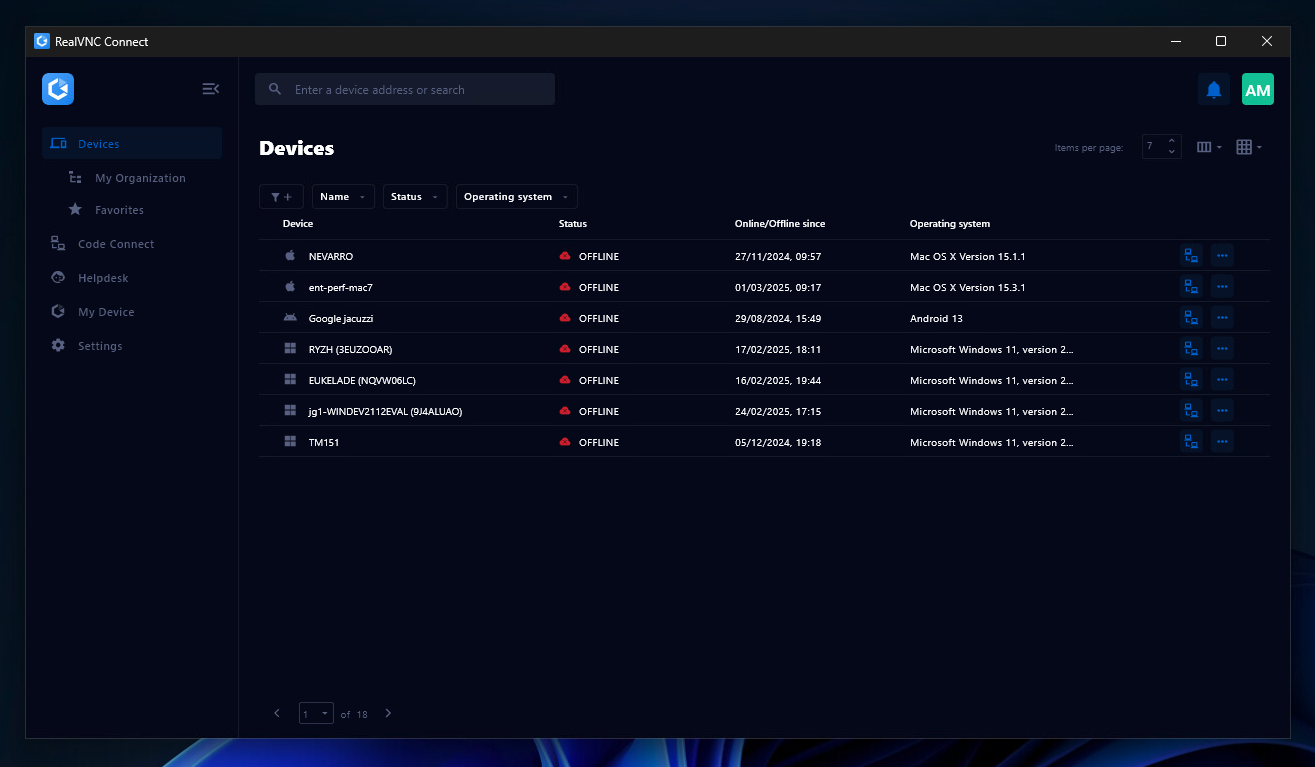
Screenshot of the Device List in the Connect v8 desktop appScreenshot of On-Demand Assist, which can be used to start a remote support session using a single-use code.