TidyCal vs. Zoho Calendar

Overview
ProductRatingMost Used ByProduct SummaryStarting Price
TidyCal
Score 9.8 out of 10
N/A
A tool to make scheduling the next meeting easier with calendar integrations, booking pages, and customization. Trying to schedule a meeting can lead to the hassle of back-and-forth emailing to find a time that works. (“Next month is a no-go, too. Should we try for 3 p.m. CT after the next solar eclipse?”) Also coordinating between time zones and tracking availability across personal and work calendars can be a challenge. TidyCal is presented as an…
$39
one-time fee per user
Zoho Calendar
Score 9.8 out of 10
N/A
Zoho Calendar is an online business calendar designed to make scheduling easy. It can be used to stay on top of a schedule, or to share scheduled events with peers.N/A
Pricing
TidyCalZoho Calendar
Editions & Modules
TidyCal
$39
one-time fee per user
TidyCal Agency Plan
$79
one-time fee per user
No answers on this topic
Offerings
Pricing Offerings
TidyCalZoho Calendar
Free Trial
NoNo
Free/Freemium Version
YesYes
Premium Consulting/Integration Services
NoNo
Entry-level Setup FeeNo setup feeNo setup fee
Additional Details
More Pricing Information
Community Pulse
TidyCalZoho Calendar
Considered Both Products
TidyCal
Chose TidyCal
In google calendar, we can't do advance booking. First, we have to collaborate on confirming a time suitable for everyone before scheduling a meeting this may lead to time waste for all the parties, this problem can be solved with the help of TidyCal resulting in better time …
Chose TidyCal
Tidycal have the 90% of the features of Calendly but for 29$ it is the best relation price-performance.
Tidycal is very simple to set up and use.Very easy integration with zoom/365/google calendar
If you need to integrate with PayPal it is easy and no extra cost (We do not use)
Chose TidyCal
TidyCal was a cleaner product and integrated well with our existing Google environment. For certain positions, IT for example, it was a clear choice and users on both ends found it good.
Chose TidyCal
I can use the free plan, which includes unlimited monthly meetings and appointments. However, I can only link one calendar. The free plan calendar supports Google Calendar and Office 365
Chose TidyCal
Because TidyCal has more features, more user friendly and no issues with integration or worries about any errors or overlaps that might occur. On top of that, knowing that more features will come into play in the future, it is truly an amazing application that helps in my line …
Chose TidyCal
I did not select TidyCal. Ultimately I selected Appointlet because I found the interface easier to work with. They also had a very generous free program and allowed you to take payments. From what I've seen it doesn't seem like you can easily take payments directly through …
Zoho Calendar
Chose Zoho Calendar
It's almost the same. Both are wonderful applications. I have been using Zoho for quite a long time that's why much familiar with the features and functionalities. I find it a bit easy to use and sync up.
Chose Zoho Calendar
It as easy access, it provides platform for every member to collaborate, and it makes event management easier It sends invitations easily. It helps to schedule meetings easily with SMART ADD. We can set the reminder for events each and every member of team has access to Zoho …
Chose Zoho Calendar
Zoho calendar allows us to schedule, manage and track your appointment, meetings, birthdays, and other important dates. And also collaborate, share and publish your daily activities. Zoho Calendar also provides you to make it more creative by changing the themes. Event …
Chose Zoho Calendar
Zoho Calendar has easy-to-use interface. It can be used by anybody and everybody for event scheduling, event tracking, sending/receiving invitations and setting reminders. Zoho Calendar can easily integrate with Google Calendar, outlook, and Zoho Apps, which CloudApp can't. …
Chose Zoho Calendar
As a team leader, Zoho Calendar is the greatest option for scheduling meetings quickly, effortlessly sharing a calendar with your team, syncing your calendars, and much more. Zoho Calendar is on the same level as other solutions and, more significantly, offers a free tier so …
Chose Zoho Calendar
Using Zoho Calendar, I am able to keep track of my appointments and meetings, issue invites and manage RSVPs, and market our calendars to friends and co-workers for free. The Zoho Calendar app is now available on my phone. Sending and receiving invites is easy with Zoho Calendar.
Chose Zoho Calendar
The other software I used when Zoho Calendar was having issues was by far a much better option. The business I was working for at the time chose Zoho Calendar because it was a cheaper alternative and served basic functions that were useful to my superiors. After using the …
Chose Zoho Calendar
Zoho Calendar is a free online calendar that allows me to keep track of my appointments and meetings, send invitations and track RSVPs, and share and advertise our calendars. I can also use my phone to access the Zoho Calendar. With Zoho Calendar, it's simple to send and accept …
Chose Zoho Calendar
Prior to the Zoho calendar, we were using google calendar. And don't find anything different except for the user interface both products are very good. My organization has purchased Zoho product for internal communication from Zoho after that we are using Zoho calendar to keep …
Chose Zoho Calendar
It is at the same level, Zoho Calendar has everything other solutions have and more importantly provide a free tier to start working with them immediately.
Chose Zoho Calendar
Since we use the full suite of Zoho modules, I'm not really sure how to answer this one, but we do occasionally use Zoho Bookings, which is like Calendarly but integrates with our Zoho Calendar when sending booking/appointment links to clients or vendors. For us, we always want …
Best Alternatives
TidyCalZoho Calendar
Small Businesses
CoSchedule Marketing Suite
Score 10.0 out of 10
CoSchedule Marketing Suite
Score 10.0 out of 10
Medium-sized Companies
CoSchedule Marketing Suite
Score 10.0 out of 10
CoSchedule Marketing Suite
Score 10.0 out of 10
Enterprises
Google Calendar
Google Calendar
Score 9.5 out of 10
Google Calendar
Google Calendar
Score 9.5 out of 10
All AlternativesView all alternativesView all alternatives
User Ratings
TidyCalZoho Calendar
Likelihood to Recommend
9.8
(0 ratings)
8.3
(0 ratings)
User Testimonials
TidyCalZoho Calendar
Likelihood to Recommend
Maybe if you are needing a large enterprise solution you may need something else but we have found that it fits all of needs as a 32 people team. It has worked flawlessly since we installed it. I keep focusing on this but it is a 30 min set up and that’s it.
Read full review
Zoho Calendar is appropriate for every scenario because it reminds you of your upcoming meetings. I am using the product to manage my team meetings in my current project and also in the past projects as well. It integrates well with other applications well and cross functional tool to manage your schedule.
Read full review
Pros
  • The ability to create multiple booking types and personalize them
  • The integration of Zoom and payment types
  • The ability to create scheduling polls for group meetings
Read full review
  • I can see that Zoho Calendar allows for multiple tab use which seemed to be a rare and useful function to have.
  • I like how the search function is advanced and you can put specific info to find what you require.
  • I like the visual freedom the app gives in terms of the day, month, and workdays, 2-month views, and selecting colours as well, etc.
Read full review
Cons
  • There is a learning curve it takes some time for new user to understand the process.
  • UI can be made attractive.
  • Integration with other video conference tools like Amazon's chime
Read full review
  • It needs better software integration for use with other services and programs
  • It needs a better source code so that it doesn't crash or lock up as often
  • It should incorporate better customer service for dealing with the issues it creates.
Read full review
Likelihood to Renew
No answers on this topic
I subscribe to Zoho One so I use many of the modules that come with that single subscription. I've had intermittent issues with scheduled Zoho Meetings through Zoho CRM not appearing in my Zoho Calendar. Zoho has been working on the issue but it will be fixed for a while and then I'll miss a meeting because it wasn't appearing.
Read full review
Usability
Usability is ridiculously easy.
Read full review
Since there are lots of preference options, it can be a little confusing when setting up. It does integrate with other calendars where you can choose one or two way syncing which is helpful if you keep separate personal and work calendars. You can set your start day of the week which for me I have it set to Monday. There are also time zone options which are great but still a bit confusing to me.
Read full review
Support Rating
No answers on this topic
Support has been excellent. As always, they are quickly responsive, and I feel they genuinely wish to address and fix any issues. It's unfortunate that my issues with meetings created in Zoho CRM don't always appear in my Zoho Calendar. While they mostly appear, my confidence level on any given week that I can see what is on my schedule is decidedly lacking.
Read full review
Alternatives Considered
I can use the free plan, which includes
unlimited monthly meetings and appointments. However, I can only link one
calendar. The free plan calendar supports Google Calendar and Office 365
calendar integration. The software has been tried and tested by numerous employees from different backgrounds in our organizations. The interface was a hit with the majority of them, and they found it to be incredibly useful.
Read full review
It as easy access, it provides platform for every member to collaborate, and it makes event management easier It sends invitations easily. It helps to schedule meetings easily with SMART ADD. We can set the reminder for events each and every member of team has access to Zoho Calendar It is easy to understand and use it is not that complicated .
Read full review
Return on Investment
  • It cut my Scheduling time by at least 50%.
  • It impresses my clients and saves them time.
  • It's the reason some of my clients end up hiring me.
Read full review
  • Efficient and time saving and within minutes we can create events and meetings.
  • No paperwork and time saving which results in saving money and overhead cost spent on this.
  • No booking of any rooms of places we can now do visual meetings.
Read full review
ScreenShots

TidyCal Screenshots

Screenshot of

Zoho Calendar Screenshots

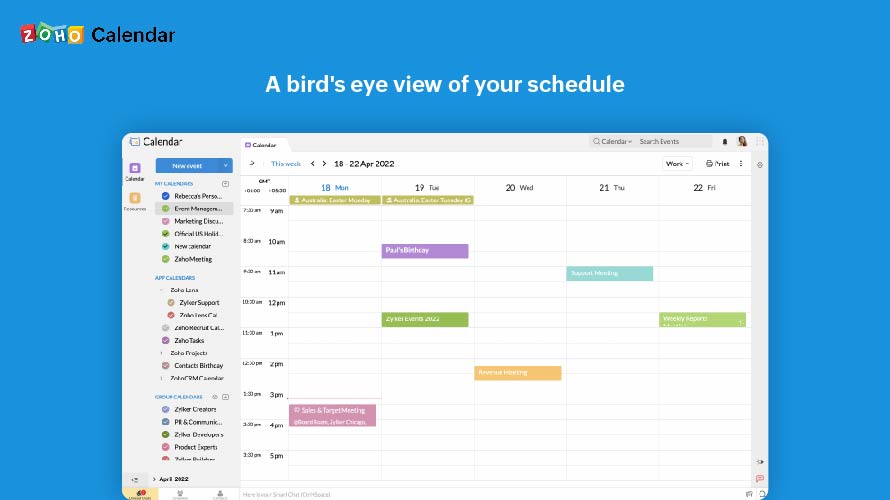
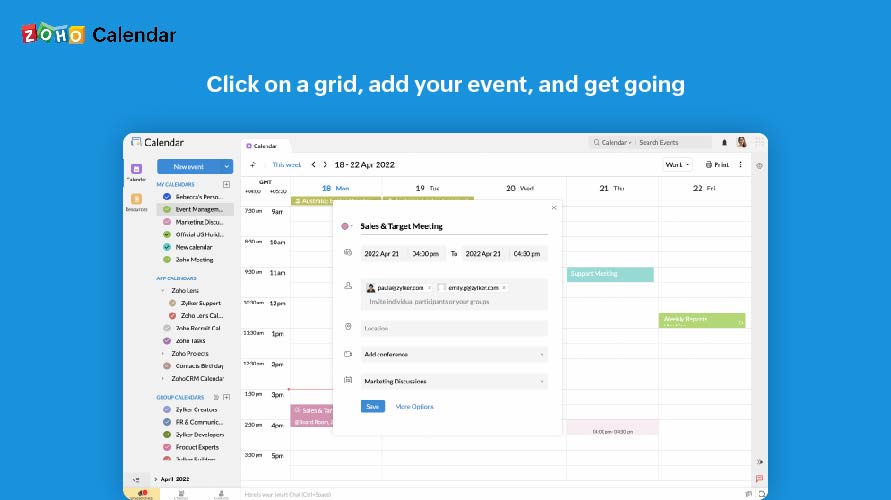
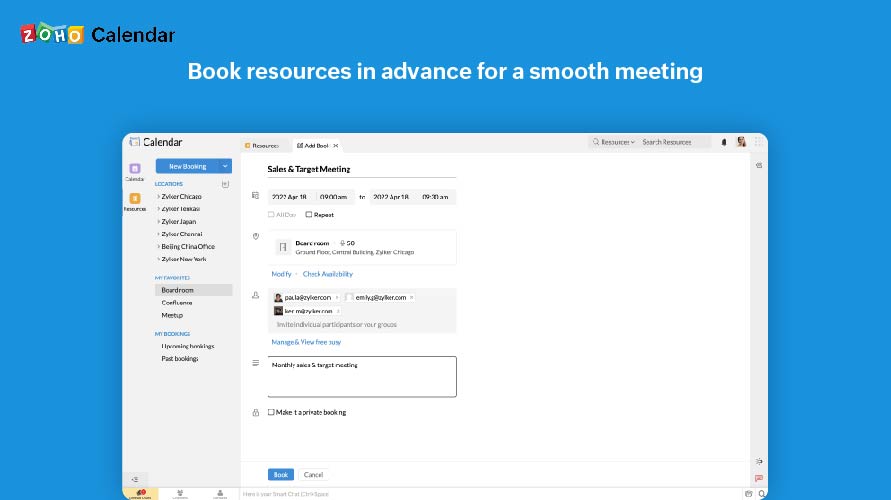
Screenshot of A bird's eye view of your scheduleScreenshot of Click on a grid, add your event, and get goingScreenshot of Skip the steps, one click is all it takesScreenshot of Book resources in advance for a smooth meetingScreenshot of Know what's available and what's not