
Emma Lotter
Marketing Communications Manager
Chose Constant Contact
I haven't used any other email marketing platforms.

| Product | Rating | Most Used By | Product Summary | Starting Price |
|---|---|---|---|---|
 Constant Contact | N/A | Constant Contact is a full-featured email marketing solution with capabilities such as social media integration, drag-and-drop editing, and real-time reporting. It is a bulk email tool designed for SMB customers. Since 2019, Constant Contact also offers marketing automation features, a website and landing page builder, and other tools to support midsize businesses. | $12 per month | |
 Zoho Campaigns | N/A | Zoho Campaigns is an email marketing and social networking campaigning tool for smaller companies that helps create, send, and track effective email campaigns. It features list management and segmentation, A/B Testing, tracking and reporting, automation, and mobile campaign management. | $0 |
| Constant Contact | Zoho Campaigns | |||||||||||||||
|---|---|---|---|---|---|---|---|---|---|---|---|---|---|---|---|---|
| Editions & Modules |
|
| ||||||||||||||
| Offerings |
| |||||||||||||||
| Entry-level Setup Fee | No setup fee | No setup fee | ||||||||||||||
| Additional Details | The SMS Marketing tool can be added to any Standard or Premium Constant Contact account. SMS is only available in the US for Standard and Premium paid plans. SMS can be added when logged in to an account after purchase. Plans start at $10/month for up to 500 messages. | — | ||||||||||||||
| More Pricing Information | ||||||||||||||||
| Constant Contact | Zoho Campaigns | |
|---|---|---|
| Considered Both Products |  Constant Contact Emma Lotter Marketing Communications Manager Chose Constant Contact I haven't used any other email marketing platforms.  Kelly Shields Social Media Director Chose Constant Contact Constant Contact destroys Microsoft 365 when it comes to mass emailing. Microsofts max email recipients is like twenty people at once. Constant Contact you can email thousands at a time WITH dynamic content. Meaning if some clients are in New York and some in New Jersey, you …  Rebecca Lee Marketing Communications Director Chose Constant Contact Constant Contact seems more reputable  David Moss Development Director Chose Constant Contact It's been a long time since I used MailChimp. I do remember being impressed the first time I used Constant Contact after having used MailChimp exclusively for a couple of years.  Kendra Kuiken Marketing Coordinator Chose Constant Contact Constant Contact allows a more in-depth look at our audience, what they like, etc.  Lisa Parshan Digital Content Manager Chose Constant Contact I know what CC offers (but not sure if the others offer this or Retargetting - CC automatically retargets any of our customers with abandoned carts. We also set triggers on our promotional email system, and for follow-ups. This has been very helpful in targeting and retargeting …  Valeria Sisson Real Estate Advisor Chose Constant Contact Constant contact is more user friendly.  Siobhan Strickland Internet Marketing Coordinator Chose Constant Contact Hands down easier to use  Joseph Alleruzzo Client Lead Chose Constant Contact Overall, Constant Contact is the easiest to use with one of the lower price points. It is a great entry-level tool for a beginner in order to graduate into more sophisticated platforms. The design features are a good start along with the subject line testing which is helpful …  Elena Mincy Public Grants Coordinator Chose Constant Contact N/A |  Zoho Campaigns  Swadesh Padhi Marketing Ambassador Chose Zoho Campaigns Zoho Campaigns is lower in cost than ActiveCampaign. ActiveCampaign definitely was much powerful and easier to use, but Zoho Campaigns works for us.  Joseph Daniel Finance and Operations Specialist Chose Zoho Campaigns We didn’t like the pricing of Maropost and we have found Zoho best when it comes to pricing and the other reason to move from Maropost to Zoho was the leaders that were less as compared to that offered by Zoho Campaigns. Moreover, Zoho has created much ease in our work. It is …  Brandon Stuhr COO (Chief Operating Officer) Chose Zoho Campaigns While we still believe that Mailchimp has more options for expansion at this point, Zoho Campaigns works better for us so we don't have to leave the Zoho suite of programs so much. Since our main e-mail is through Zoho Mail, the integration of both products is integral.  Alyssa Storm Senior Designer Chose Zoho Campaigns Zoho Campaigns is not for beginners to email marketing, but it’s an excellent choice for those who want to send out a lot of emails with few restrictions and great reporting. It’s a no-brainer if you’re already a Zoho user, as Campaigns is included in Zoho One subscriptions and …  Matthew Christensen CEO (Chief Executive Officer) Chose Zoho Campaigns The main reason we picked Zoho Campaigns was that we needed to use Zoho Books. QB Desktop, Online and Xero all didn't support the features we needed so we went with Zoho Books. It was the best decision we made. We now get Zoho CRM, Campaigns, Inventory, and 20+ other major …  Stacy Venditto Executive Consultant Chose Zoho Campaigns I have not chosen Zoho Campaigns over any other solution, I use all of them for different business scenarios and various client initiatives. I use smaller campaigns under 5k subscribers and use the other solutions for larger campaigns.  Vincent Frisina Director of Marketing Chose Zoho Campaigns Zoho Campaigns is a clumsy attempt to further bring your customer management under the Zoho umbrella. Contact management and CRM integration need a lot of work. Master style definitions, custom templates, and deliverability statistics would be good improvements. On the other …  Mehdi Aherraki General Manager Chose Zoho Campaigns We chose Zoho Campaigns because we already use their suite of applications, and the UI/UX is quite the same. Zoho Campaigns is a quite excellent and powerful app for campaign management, but other products are more developed technically and visually. But Zoho Campaigns gets the …  Jared Hansen Research Assistant Chose Zoho Campaigns I've used MailChimp before, which is a great tool (I might prefer it in many situations), but for our needs in our organization, we went with Zoho Campaigns. This decision was made because of the painless integration with Zoho CRM, which we already use and love. This was the …  Alexis Correa Dueño principal Chose Zoho Campaigns In my experience, I liked Mailchimp a lot because of the many features it has. In comparison with Zoho Campaigns, I feel that it is superior but what I find most helpful, and the main reason why I use Zoho Campaign, is that the applications I use can be integrated and I can see …  Jason Ensign Marketing Manager Chose Zoho Campaigns Campaigns came with Zoho CRM, so that's the ONLY reason I use this product. I can't justify paying for MailChimp when I have a free product. BUT, if I paid for this I would have switched a long time ago. In fact, I would have never picked it because it doesn't even compare …  Justin Roodman Program Expert Chose Zoho Campaigns We already use Zoho CRM so it made sense to use Zoho Campaigns to make importing from the CRM easier. MailChimp and Zoho both have an editor for editing HTML directly, so there was no clear advantage there. Mailchimp was slightly more expensive than Zoho Campaigns (by about …  Jon Porreca Project Support Chose Zoho Campaigns Mailchimp is great, and probably a bit more intuitive, but the seamless integration with Zoho CRM won it over for us with Zoho Campaigns. That and the ability to choose from two different pricing structures. Another thing to mention, the saved template feature, which is a basic … |
| Constant Contact | Zoho Campaigns | ||||||||||||||||||||||||||||||
|---|---|---|---|---|---|---|---|---|---|---|---|---|---|---|---|---|---|---|---|---|---|---|---|---|---|---|---|---|---|---|---|
| Email & Online Marketing |
| ||||||||||||||||||||||||||||||
| Reporting & Analytics |
| ||||||||||||||||||||||||||||||
| Pre-Send Testing |
|
| Constant Contact | Zoho Campaigns | |
|---|---|---|
| Small Businesses |  Mad Mimi Score 10.0 out of 10 | Mad Mimi Score 10.0 out of 10 |
| Medium-sized Companies |  VerticalResponse Score 10.0 out of 10 | VerticalResponse Score 10.0 out of 10 |
| Enterprises |  Emma by Marigold Score 9.4 out of 10 | Emma by Marigold Score 9.4 out of 10 |
| All Alternatives | View all alternatives | View all alternatives |
| Constant Contact | Zoho Campaigns | |
|---|---|---|
| Likelihood to Recommend | 8.3 (0 ratings) | 6.2 (0 ratings) |
| Likelihood to Renew | 9.9 (0 ratings) | 10.0 (0 ratings) |
| Usability | 9.0 (0 ratings) | - (0 ratings) |
| Availability | 9.0 (0 ratings) | - (0 ratings) |
| Performance | 10.0 (0 ratings) | - (0 ratings) |
| Support Rating | 10.0 (0 ratings) | - (0 ratings) |
| Online Training | 10.0 (0 ratings) | - (0 ratings) |
| Implementation Rating | 10.0 (0 ratings) | - (0 ratings) |
| Configurability | 10.0 (0 ratings) | - (0 ratings) |
| Product Scalability | 10.0 (0 ratings) | - (0 ratings) |
| Constant Contact | Zoho Campaigns | |
|---|---|---|
| Likelihood to Recommend |
|
|
| Pros |
|
Jason Ensign Marketing Manager |
| Cons |
 Nick Salerno Senior Software Engineer |
Jon Porreca Project Support |
| Likelihood to Renew |
 Ty Swartz, CPP, USN Ret. Multimedia Communications Supervisor |
Stacy Venditto Executive Consultant |
| Usability |
 Giselle Aguiar Owner, Consultant | No answers on this topic |
| Reliability and Availability |
| No answers on this topic |
| Performance |
| No answers on this topic |
| Support Rating |
| No answers on this topic |
| Implementation Rating |
| No answers on this topic |
| Alternatives Considered |
|
Alyssa Storm Senior Designer |
| Scalability |
| No answers on this topic |
| Return on Investment |
|
|
| ScreenShots | Constant Contact Screenshots      | Zoho Campaigns Screenshots 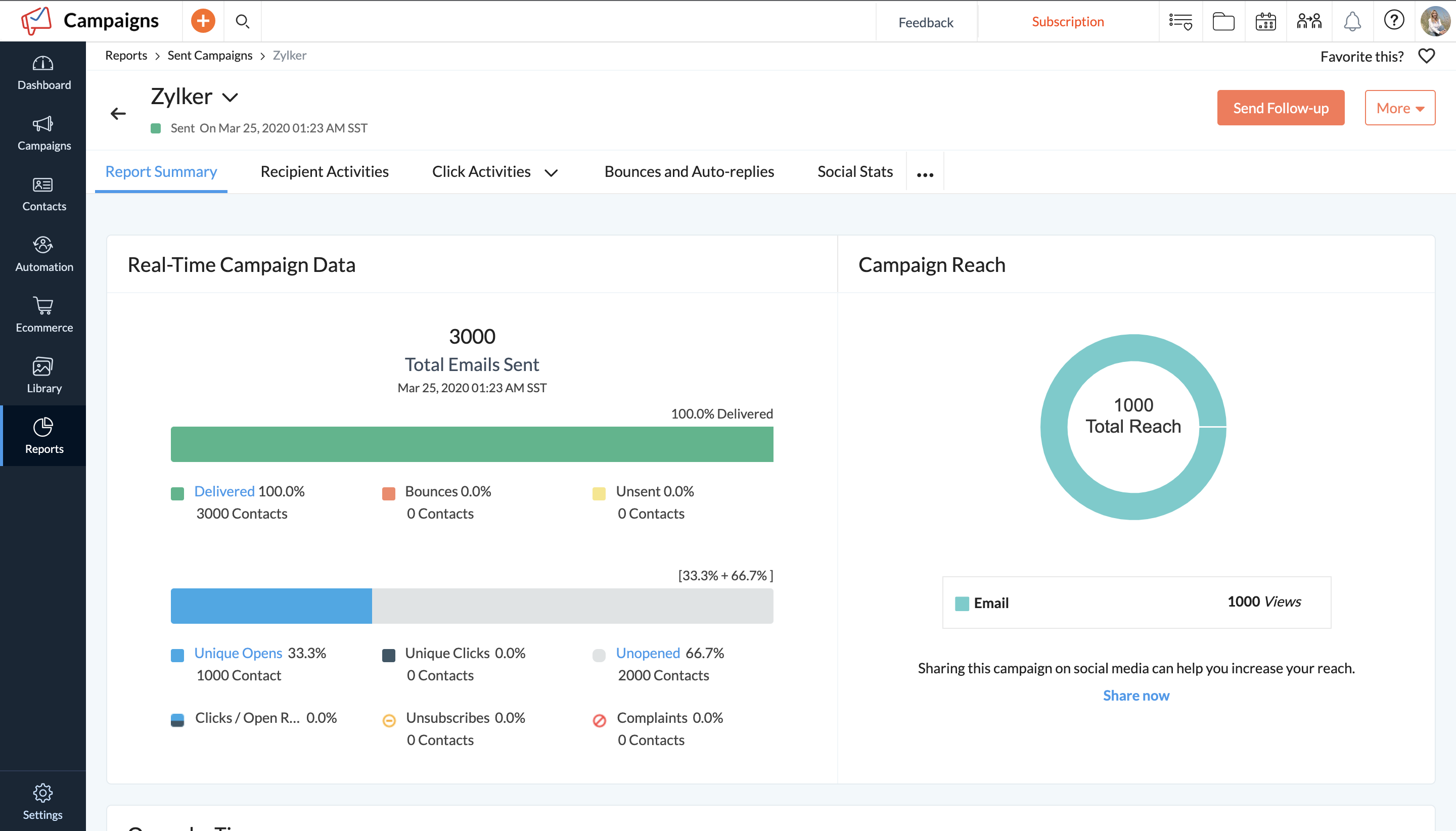 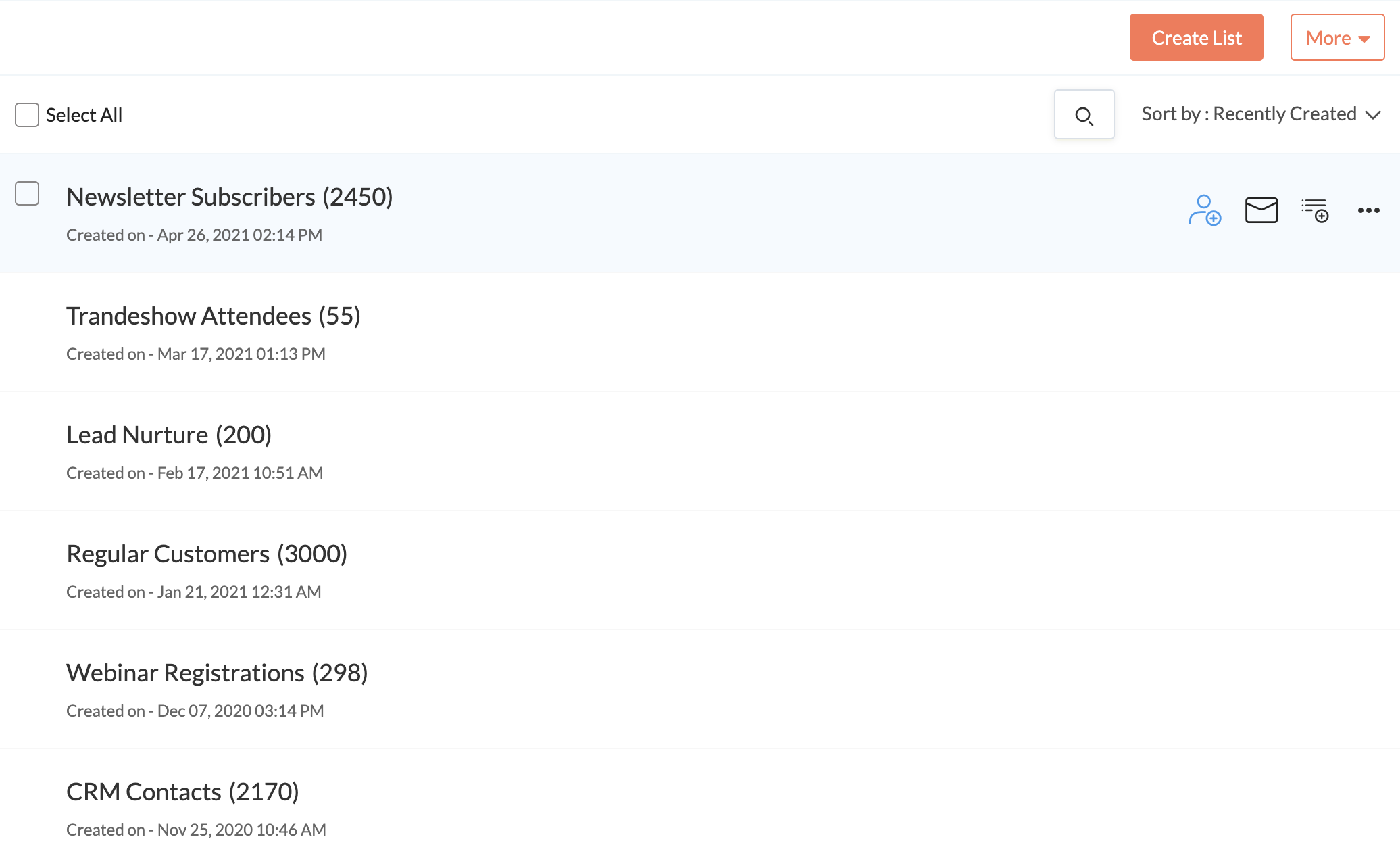 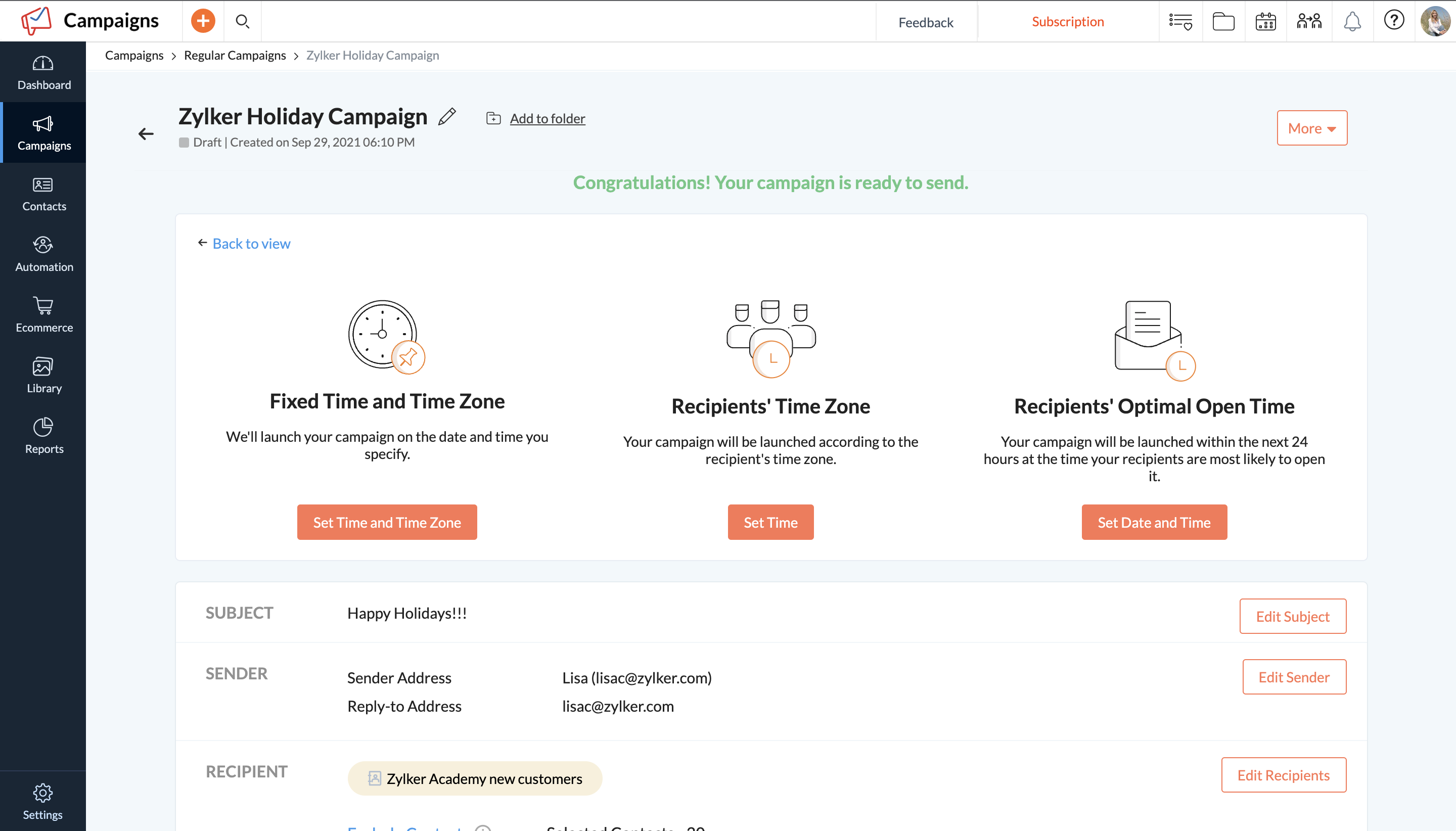   |