
TrustRadius: an HG Insights company

Balsamiq

Score7.6 out of 10

106 Reviews and Ratings

What is Balsamiq?

Balsamiq is a wireframing tool that helps lean product teams turn early ideas into clear, actionable direction. The tool helps product managers, founders, and engineers worldwide share concepts, reduce rework, and build better products.

Categories & Use Cases

Media

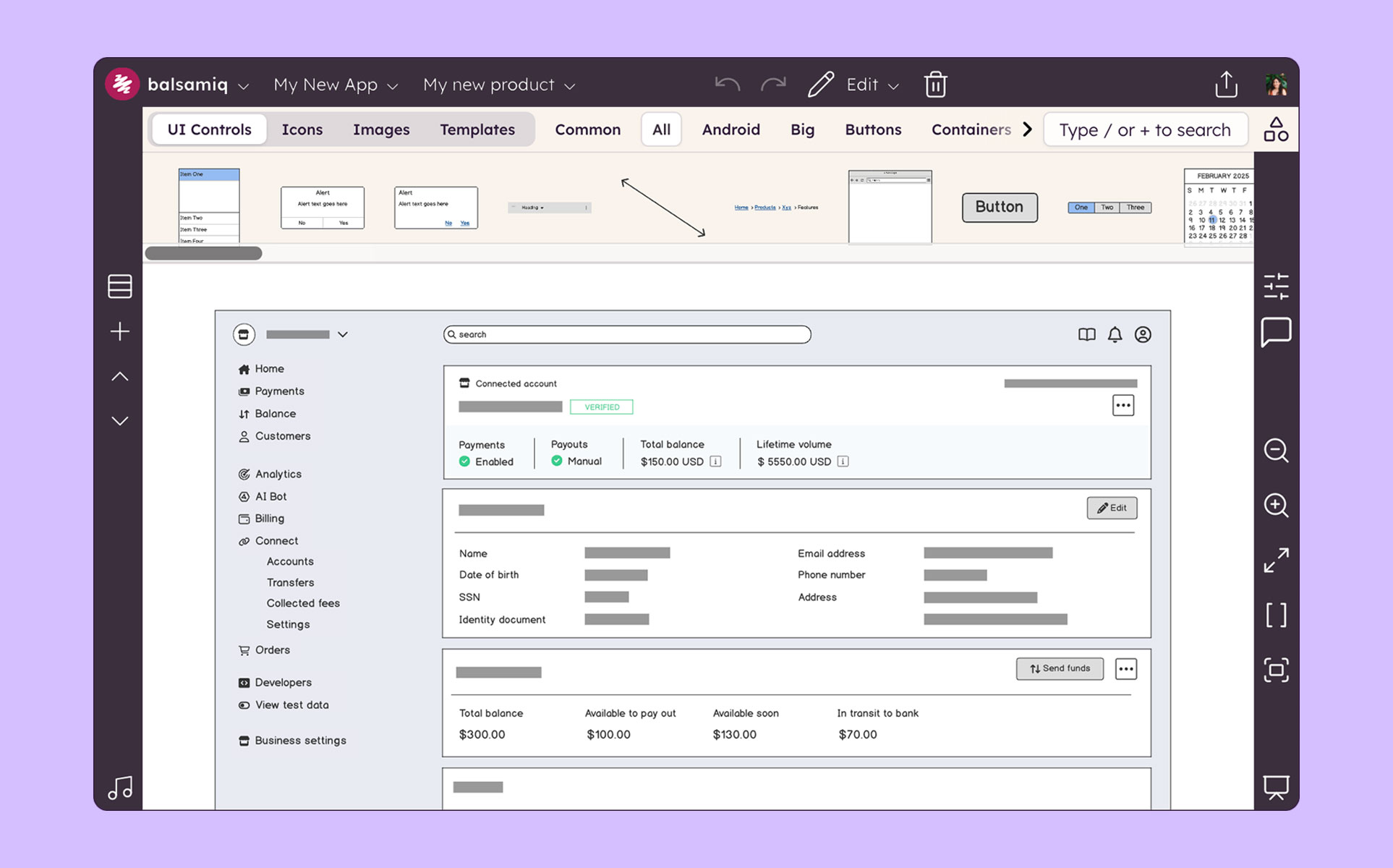
the Balsamiq user interface
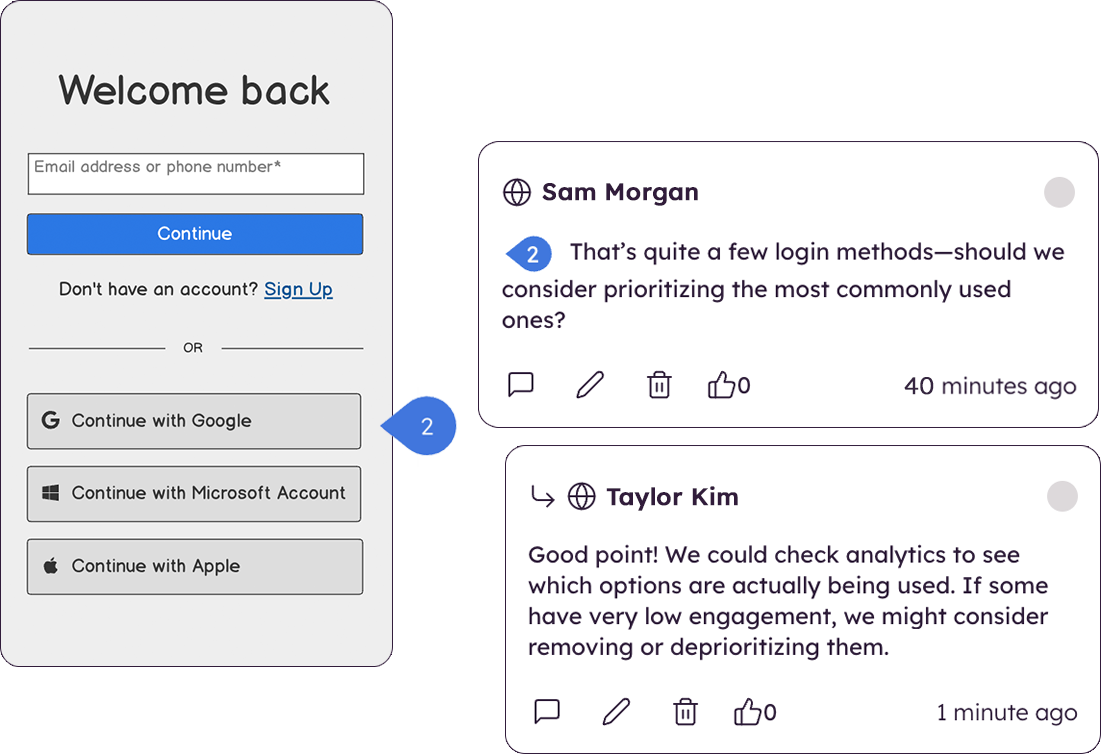
the commenting feature, which supports collaboration
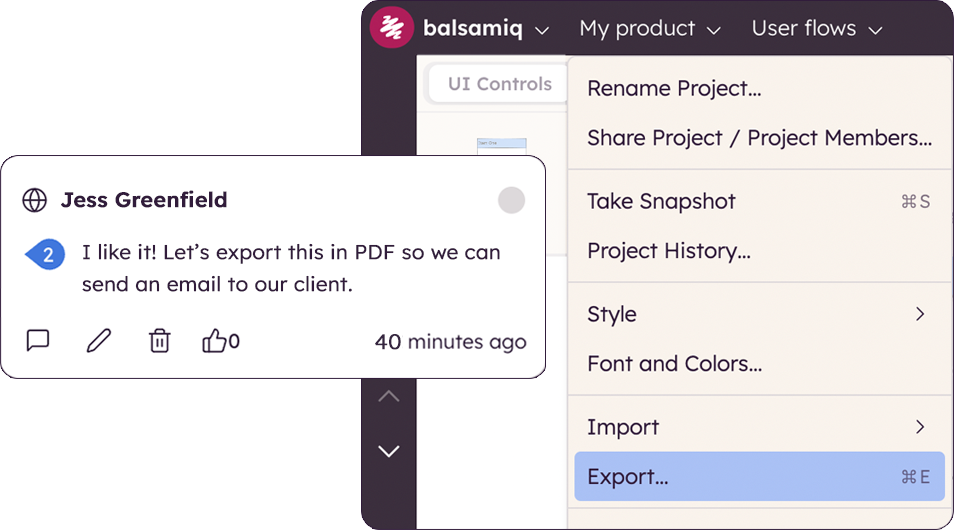
where to export wireframes to PDF and PNG
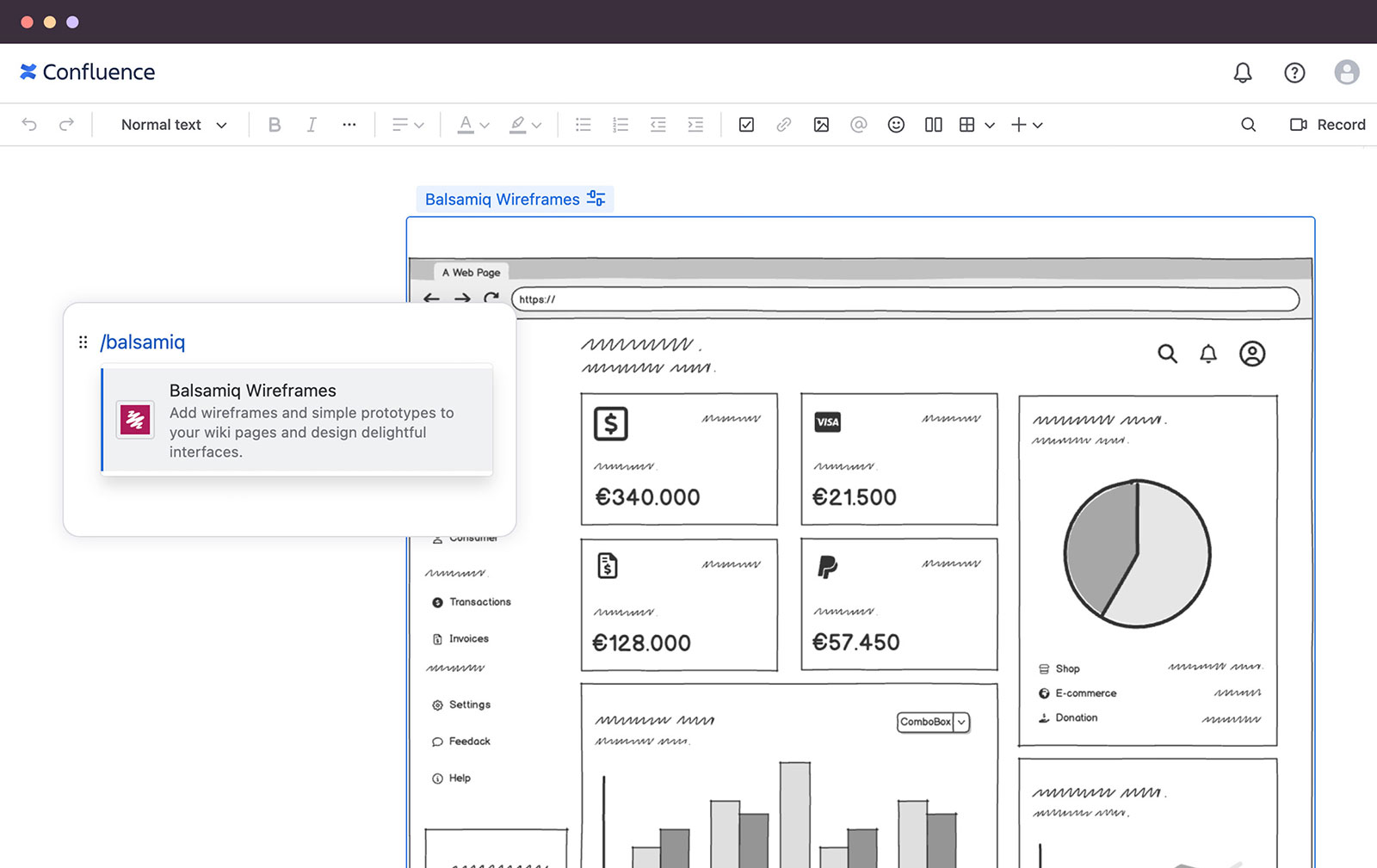
where to add wireframes to Confluence pages to clarify ideas, make specs visual, and align teams
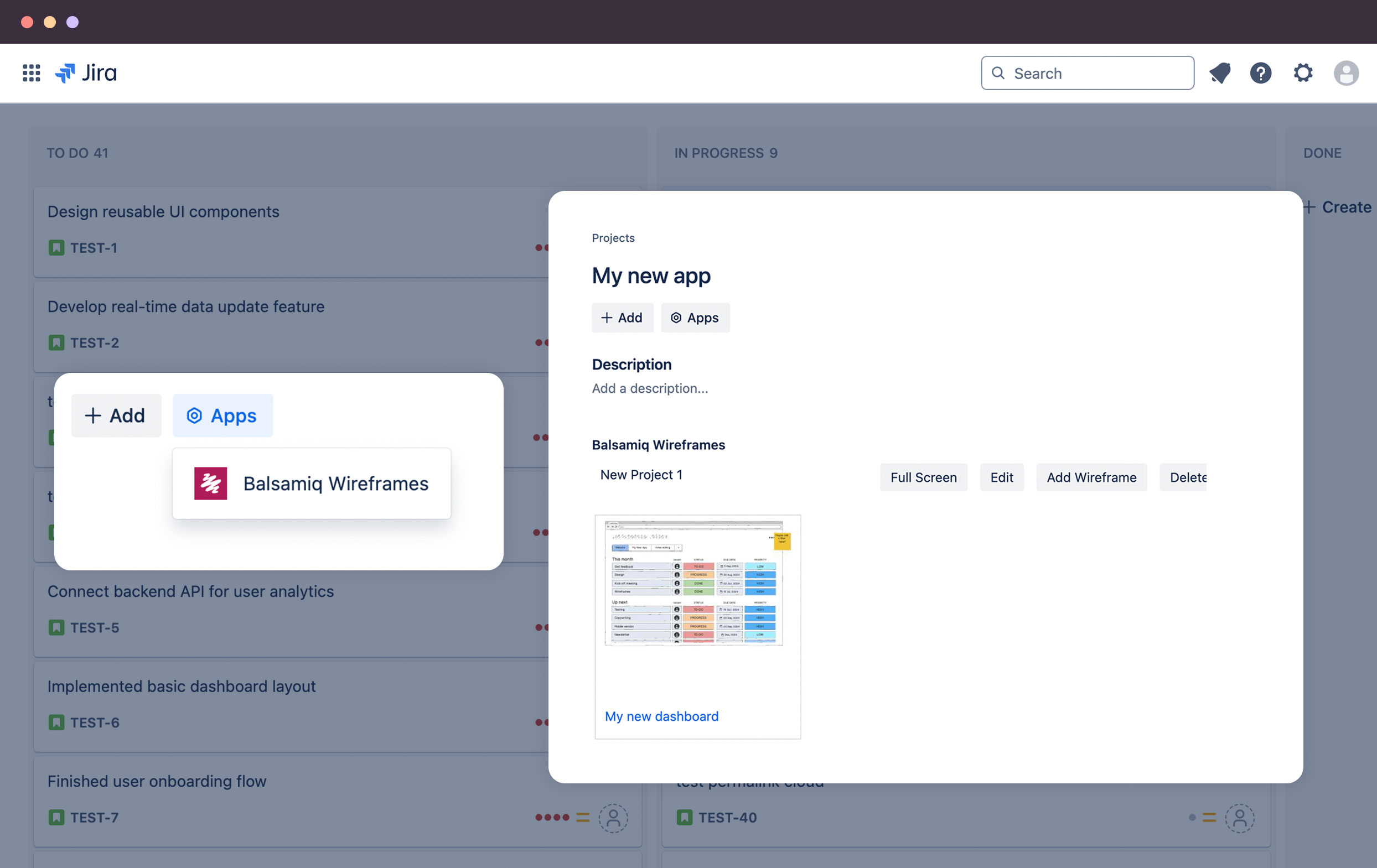
where to add wireframes to Jira issues to clarify specs, reduce rework, and help teams build the right thing

1 / 5

Simple and speedy mockup tool to visualize your ideas before they slip your mind

Use Cases and Deployment Scope

I use Balsamiq for a range of applications. Firstly, I use it for ideation and creating mock ups to flesh out ideas. Secondly, I use it to create wireframes for quick communication with clients. Lastly I use it for verification and collaboration with clients. I find that it is much more effective for requirements elicitation to have something visual drawn up and Balsamic is fast and easy.

Pros

  • Produce mockups quickly for discussion
  • Producing wireframes
  • Great lofi look and feel gives a unified style
  • Outputs in a variety of formats which makes it easy to share

Cons

  • If there was an option for a grid view of the UI library that would be great

Return on Investment

  • Increase client engagement
  • Reduce time and effort for creating wireframes
  • Increase discussion and team collaboration
  • Save money from not having to scan drawings
  • Reduce rework when going to prototype

Alternatives Considered

Figma

Other Software Used

Microsoft Visual Studio Code, Postman, Figma

Good Tool for Quick Mockups

Use Cases and Deployment Scope

As a Product Manager, I use Balsamiq to create Low low-fidelity mockups of the UI Screens to visually orient the Cross-Functional Teams of the Proposed Solutions. The solution in terms of new features is created post due diligence of the Business Problem Statements and is shared with the cross-functional team to get their agreement on clarity in problem statement and scope. Balsamiq helps in this process to make the cross-functional teams aware of the UI solution & scope way before the actual high-fidelity wireframes are created.

Pros

  • Ease of Use: The application is very intuitive and needs no to minimum hands on before actually using it.
  • Support for different screens: As the application provides pre-built templates for different devices (web, Tablets & Phones) it saves a lot of time in re-mocking the same UI for different devices from scratch.
  • Good Amount of Wireframing Aid: The application supports an exhaustive list of UI Controls, Icons, Images & Templates which helps in saving time while creating wireframes.
  • Ease of File Managements: Its easy to manage the created Projects.

Cons

  • Black & White UI: the application UI is very boring in terms of color. The entire application is in mostly Black & White which can cause eye fatigue after some time.
  • Lack of colors also leads to lack of muscle memory and hence making the app less intuitive.
  • Conversion from Low to High Fidelity wires: if there was a feature which converted Low Fidelity to High Fidelity wires it would have been great.

Return on Investment

  • Better Collaboration: This helps me do better collaboration with the cross-functional teams. It helps to make any layman understand the problem statements & their solutions & scope in a visual format.
  • Time Saving: its quick to mock up the UI that you want to get developed and hence the lead time reduces.
  • Early Feedback: the wires can be shared with the entire team at the beginning of the dev cycle to get early feedback on the UI.

Alternatives Considered

MockFlow and Figma

Other Software Used

Miro, Lucid Visual Collaboration Suite

Balsamiq is Sweet

Pros

  • Toolbar at the top makes sure everything is at your fingertips.
  • Options available are generous and suited to laying out processes.
  • Viewing wireframes easy to see process down the left side of the screen.
  • Adding notes easy for collaboration.

Cons

  • Some of the objects aren't very easy to edit.
  • Adding items to a list not intuitive.
  • Resizing columns isn't easy or sometimes possible.

Return on Investment

  • ROI is neutral. We've used it enough to justify the price.
  • People like the interface, so we use it mainly on customer-facing projects.
  • We also have Visio, so if it doesn't work well in Balsamiq, we go over to Visio.

Alternatives Considered

Microsoft Visio

When you need to create rough mockups, Balsamiq is the fastest choice.

Pros

  • Creating layouts and mockups to get a rough feel for how something looks.
  • Quickly getting your ideas on paper.
  • Preventing you from overthinking design details and keeping you focused on the big picture.

Cons

  • No collaboration ability, would be much stronger if web-based.
  • Support for images is awkward and a bit clumsy.
  • No ability to share files via the web.

Return on Investment

  • Faster iteration time on website development.
  • Little time spend learning new tools.
  • Low cost of software.

Alternatives Considered

OmniGraffle

Other Software Used

OmniFocus, Slack, Drift

Mockups in a Jiffy makes Basalmiq a welcome tool for agile marketing groups

Pros

  • UX design
  • Easy to learn, easy to pick up and implement for marketing associates without much design experience.
  • Integrates well on browsers and thus makes it easy to present.

Cons

  • Menu interface for adding design elements can be confusing to a newcomer
  • Text input function can be a bit clunky
  • Less-than-stellar performance on non-traditional browsers

Return on Investment

  • Reduced dev cycle time on affiliate websites by 40%

Alternatives Considered

InVision

Other Software Used

InVision, VWO, Hotjar