TrustRadius: an HG Insights company

PiiQ by Cornerstone

Score8.7 out of 10

64 Reviews and Ratings

What is PiiQ by Cornerstone?

Cornerstone’s PiiQ is an SMB offering formerly known as Sonar6. PiiQ is aimed at small-to-medium sized businesses and includes core learning management and performance management systems, including content creation, mobile accessibility, and in-product reporting.

Media

PiiQ Performance Employee Review
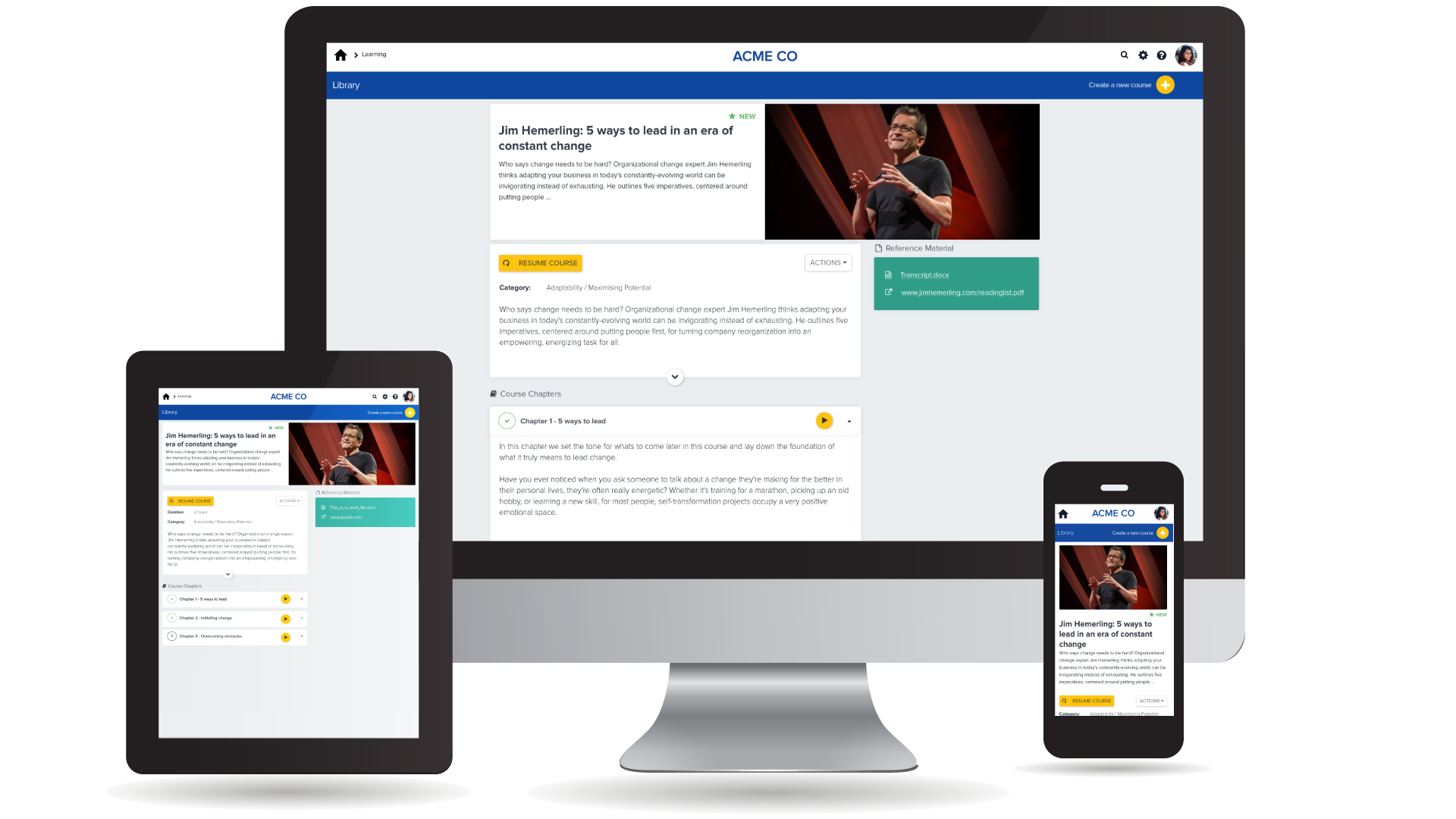
PiiQ Learning on Devices
PiiQ Manager/Employee Check-ins
PiiQ 9-box Talent Matrix
PiiQ Learning Publish New Content
PiiQ Learning Searchable Library & Self-registration
PiiQ Learning Assign, Track, & Monitor Progress
PiiQ Learning Employee Engagement

1 / 8

Top Performing Features

  • Mobile friendly

    Students or employees can access content from mobile devices. Course authors can develop responsive learning content.

    Category average: 7.4

  • Learning reporting & analytics

    Provides insights into course completion, engagement with learning content, etc.

    Category average: 8.1

  • Course catalog or library

    Learning content is organized into a course catalog or browsable library.

    Category average: 8.3

Areas for Improvement

  • Progress tracking & certifications

    The system tracks individuals’ progress on courses, scores, transcripts, certificates, etc.

    Category average: 8.3

  • Course authoring

    Users can develop and assemble online learning content.

    Category average: 8.5

  • Compliance management

    Users can identify potential risks and ensure that requirements are met and that certifications are up to date.

    Category average: 8.4

Very Good Electronic Performance Management Solution for Emerging Growth Companies.

Pros

  • The tool is flexible allowing managers and staff to add as much or as little content as they like.
  • 9-Box Analysis is useful for looking at across a single department or the entire company.

Cons

  • It would be great if the scoring was a little more flexible, the interplay in ratings for goals versus competencies.

Return on Investment

  • Improve employee engagement.
  • Gave us a data driven mechanism to help with pay for performance.

Usability

It's an Efficient System

Pros

  • User-friendly.
  • It's easy to update goals and to complete reviews.
  • We're able to have peer reviews.

Cons

  • Adding new roles and assigning goals to each specific role can be time-consuming.
  • We would like to be able to have the option of typing the weights.

Return on Investment

  • Professional development.
  • Employee efficiency.
  • Learning and training plans.

Usability

Long-time Customer

Pros

  • Check-Ins (New feature)
  • Customization
  • Year by year tracking progress, usage and trends

Cons

  • I detest the mandatory training stuff that appears on my entire enterprise's dashboard. if we don't use, we should be able to opt out.
  • Previous version of the software (i.e. Sonar6, CSB, etc.) allowed for a training plan to be introduced for all employees. Not available except as a workaround (i.e. making part of the evaluation).
  • 360 offering is not customizable--should be as robust as other features.

Return on Investment

  • PiiQ is cost-effective--competitive with other options that are more expensive and less robust.
  • We use PiiQ as the key metric in our multi-million dollare employee bonus plan each year.

Usability

PiiQ by Cornerstone - a Snappy Online Tool backed by Superior Service

Pros

  • Excellent customer service - when all else is equal, customer service will win the day.
  • Ease of use helps us get everyone on board with the goals and ratings.
  • The analytics are helpful to senior managers - we can compare how managers rate as well as how employees perform.

Cons

  • I had a difficult time getting started. I wasn't sure what template would work best for my organization. Most of the pre-set goals and competencies seemed to be geared toward sales - not our business model at all. It would have been helpful to have some one-on-one assistance - with someone asking critical questions, such as, what is your main purpose in using this program? And - it would have been good to have been able to try each of the three setups to see which one fit best, but to switch templates, all is lost in the template you've been trying out. It's like trying test driving cars without being able to look at them side by side.
  • I would like for 2nd level managers to be able to see the reviews and the check-ins. Right now, only one supervisor/manager can review - unless they have admin access which isn't appropriate for all managers to have. If I can't see how my next level employee is reviewing his/her staff, how can I rate him/her on effective performance management?

Return on Investment

  • Two years in, we are still working out the way to best use this system.
  • Following a reorganization, it was a little like starting from scratch.

Usability

Very positive. Highly recommended.

Pros

  • The check-in feature is extremely valuable in providing and documenting regular conversations and feedback.
  • The employee review process is easy to manage and provides excellent reporting for monitoring and summarizing review process.
  • The learning module has extensive and quality offerings in a number of categories.

Cons

  • Being able to schedule check-ins with employees and have it calendarized in Outlook.
  • 9 Block definitions used to show up in analysis. Don't see them anymore in latest versions.

Return on Investment

  • The program has helped make us more efficient, consistent and timely in the review process.
  • It has helped us formalize and provide better content for learning.

Usability
