TrustRadius: an HG Insights company

Filestage

Score9.9 out of 10

7 Reviews and Ratings

What is Filestage?

Filestage is an online workspace to share, review and approve videos, audios, documents and designs with clients and co-workers, from the company of the same name in Stuttgart. The platform is tailored to the needs of advertising, design, film, sound, media and creative professionals.

Categories & Use Cases

Media

The online proofing software that helps you hit your deadline
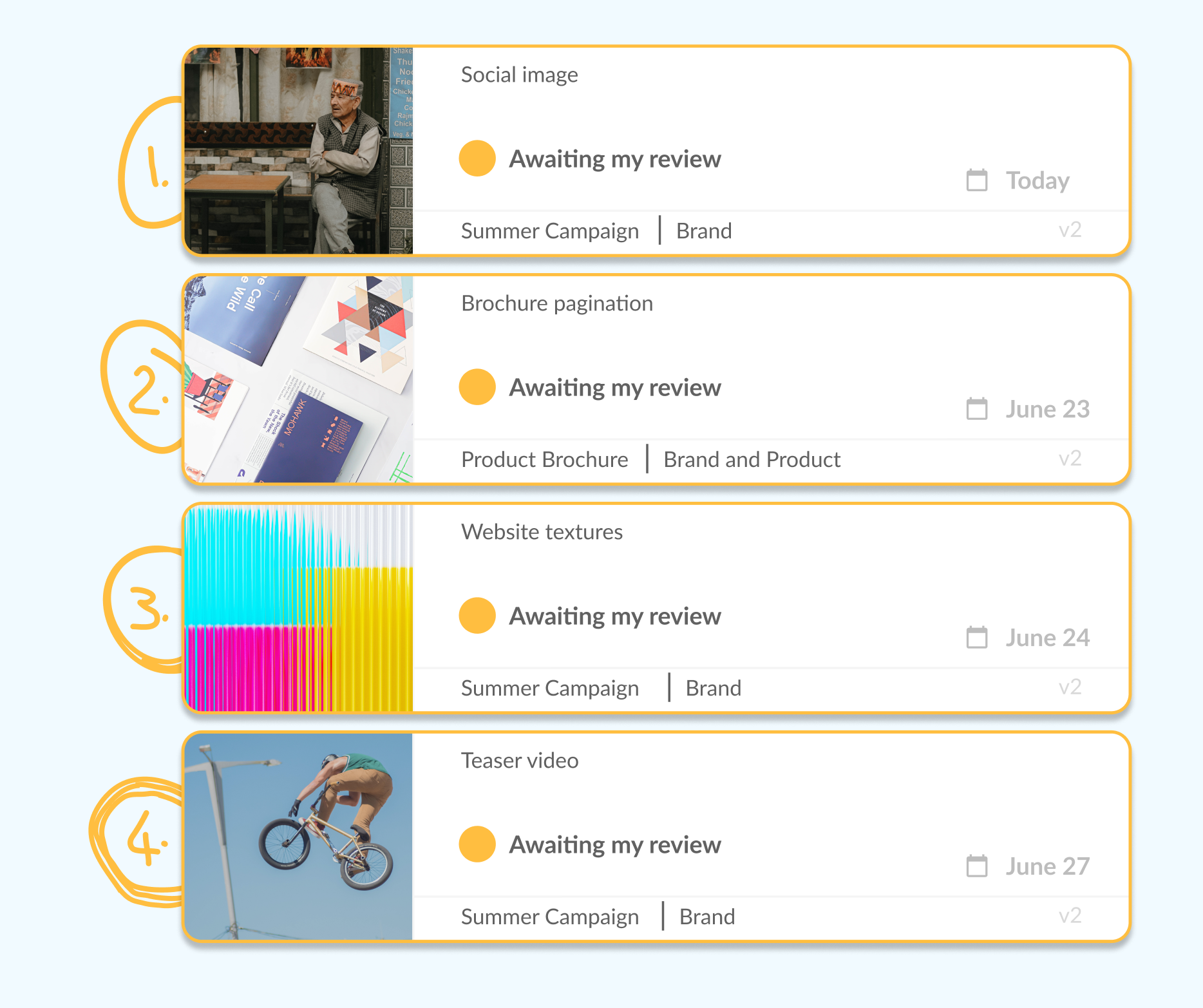
See the status of every file from your project dashboard
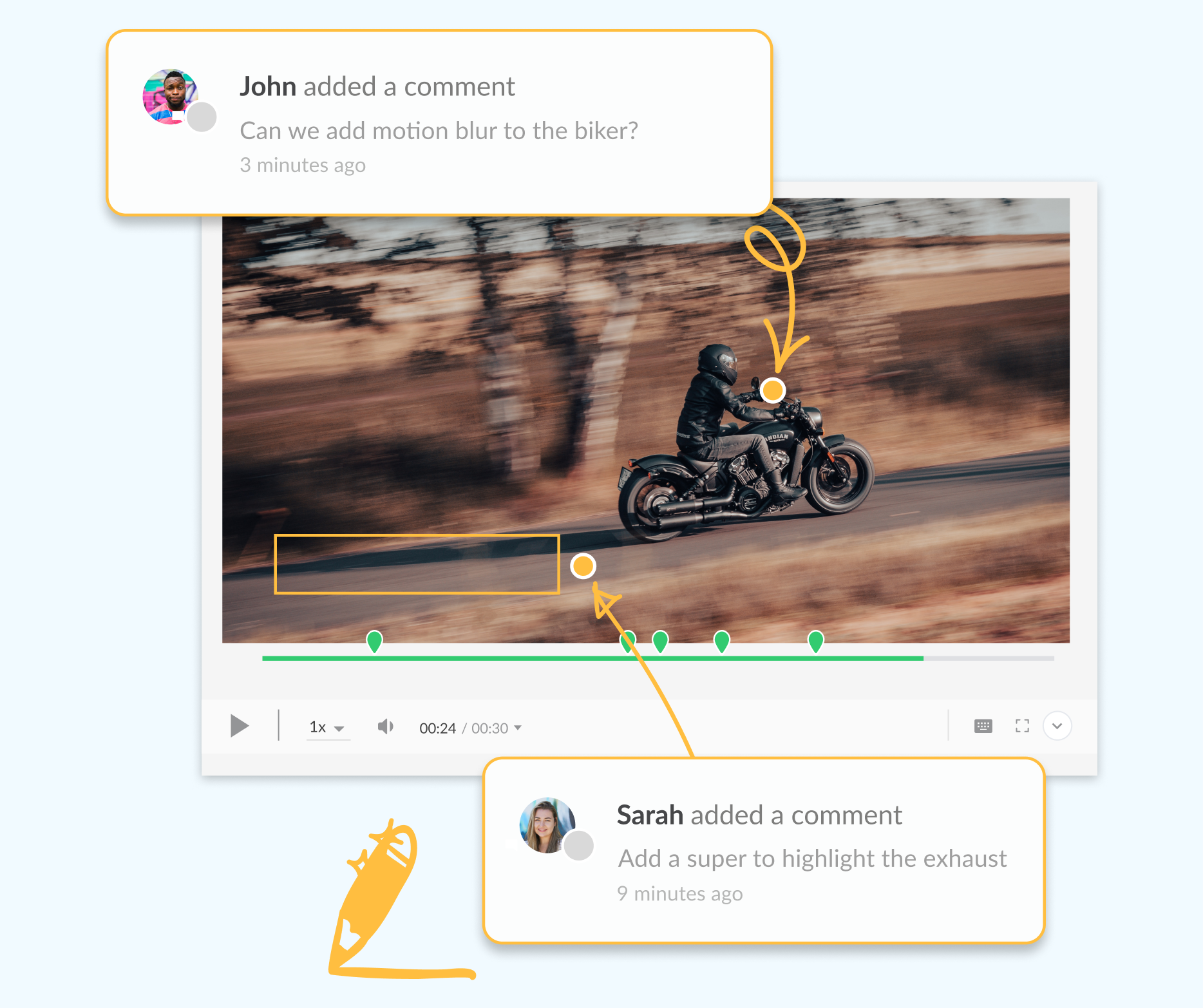
Get crystal clear feedback and discuss comments in context
Make it easy for stakeholders to prioritize reviews, for free
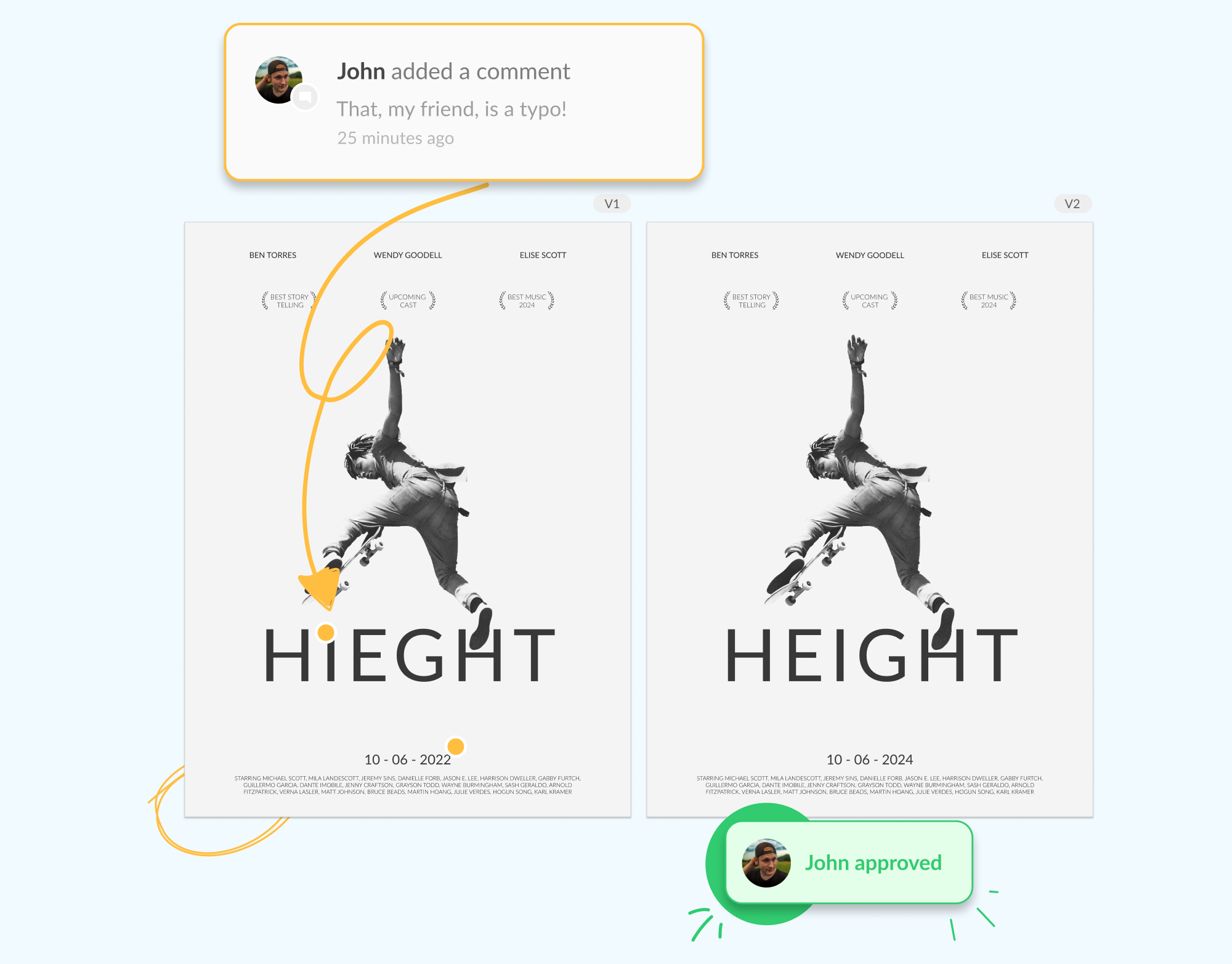
Compare versions to check all the changes have been made

1 / 5

Filestage is the key for the team to perform their best

Use Cases and Deployment Scope

We use Filestage to organize, proof, and get approvals for any type of collateral we are producing. It allows us to create pieces from concept to final press-ready mechanicals. Everyone knows at all times where the project is in the process and knows when it is time for them to move forward with their contribution. Everything is documented, so there is never confusion about how we got to the final piece.

Pros

  • Compares past and present versions.
  • Makes commenting easy.
  • Easy navigation.

Cons

  • Alerts can be improved.
  • Would love to have this be an application on my desktop so I don't have to go through my browser every time.

Return on Investment

  • In general, it has saved the company time (which is money) by keeping us organized and having everyone on the same page continuously.

Alternatives Considered

Slack

Other Software Used

Adobe Illustrator CC, Adobe InDesign, Adobe Acrobat Reader DC

Great, Easy-to-Use Solution for Creative Teams

Use Cases and Deployment Scope

Filestage is used for our Creative Team to manage projects amongst our writers and graphic designers

Pros

  • Version control
  • Organization of projects
  • Collaboration

Cons

  • Notifications can be buggy
  • Google Docs implementation - currently if you use a static Google Doc it doesnt allow you to strike or highlight text like it does with PDFs
  • Perhaps not allowing the person who submits a document to also be the reviewer of it

Return on Investment

  • It has helped us to stay organized and keep on top of our projects
  • It has helped to keep everything in one place
  • It has helped streamline the review process and get us out of emails

Alternatives Considered

Wrike, Trello and ClickUp

By far, the Easiest and Most Affordable Proofing Software I've Used in my 12yrs Designing!

Pros

  • Filestage makes it very easy to add new collaborators without any hassle. All you need is their email address and Filestage takes care of the rest.
  • Managing who can and cannot see a project is very easy with Filestage. You control when a project gets in front of the right people at the right time.
  • Staying organized is a walk in the park when using Filestage. Adding project folders and projects is easy and intuitive.

Cons

  • I would like to see a little more control over sending reminders to review a project. Maybe a notification to let the level of urgency for a rush job for tight turnarounds would be helpful.
  • I would like to have maybe one more level of the folder structure to separate a large group of projects by the user.

Return on Investment

  • The biggest ROI comes in the form of time. Automatic reminders, and ease of use saves me from micromanaging the process and allows me to tackle other tasks while a project is in review.

Alternatives Considered

Workgroups DaVinci and Kodak PRINERGY Workflow

Other Software Used

Adobe Illustrator CC, Adobe PhotoShop, Adobe InDesign

Filestage: The Virtual Tabletop Your Team Needs

Use Cases and Deployment Scope

Filestage is the best collaboration tool for your team, especially if you have team members working remotely in different locations. It provides what feels like a virtual tabletop situation for everyone to participate in the proofing process for nearly everything, with easy-to-use commenting features and text editing features as well. As a remote copywriter, this has been an essential software that has simplified the editing process immensely.

Pros

  • The user experience is beautiful and fairly intuitive.
  • Filestage allows for easy collaboration on projects.
  • Filestage sends helpful notifications about projects when changes are requested.

Cons

  • The mobile version of the site needs a little fine-tuning.
  • The notification system could be a little better.
  • I wish you could comment while comparing versions of a document.

Return on Investment

  • Saves time when proofing and editing work.
  • Creates a unified place for feedback from team members.
  • Allows all editing and review to happen in one place.
  • Allows for versioning and version comparison.