TrustRadius: an HG Insights company

PowerSchool SIS

Score8.4 out of 10

72 Reviews and Ratings

What is PowerSchool SIS?

The PowerSchool Student Information System covers administrative needs, such as scheduling, attendance, reporting, data management, faculty management, emergency/medical and health management, registration, and more for K-12 schools and districts. It is easy to use and boasts an industry-leading gradebook, PowerTeacher Pro. Users enjoy a fully web-based SIS that is flexible, configurable, and scalable with real-time updates on any operating system, browser or device.

Media

Screenshot of Student attendance
Screenshot of Standards-based grading
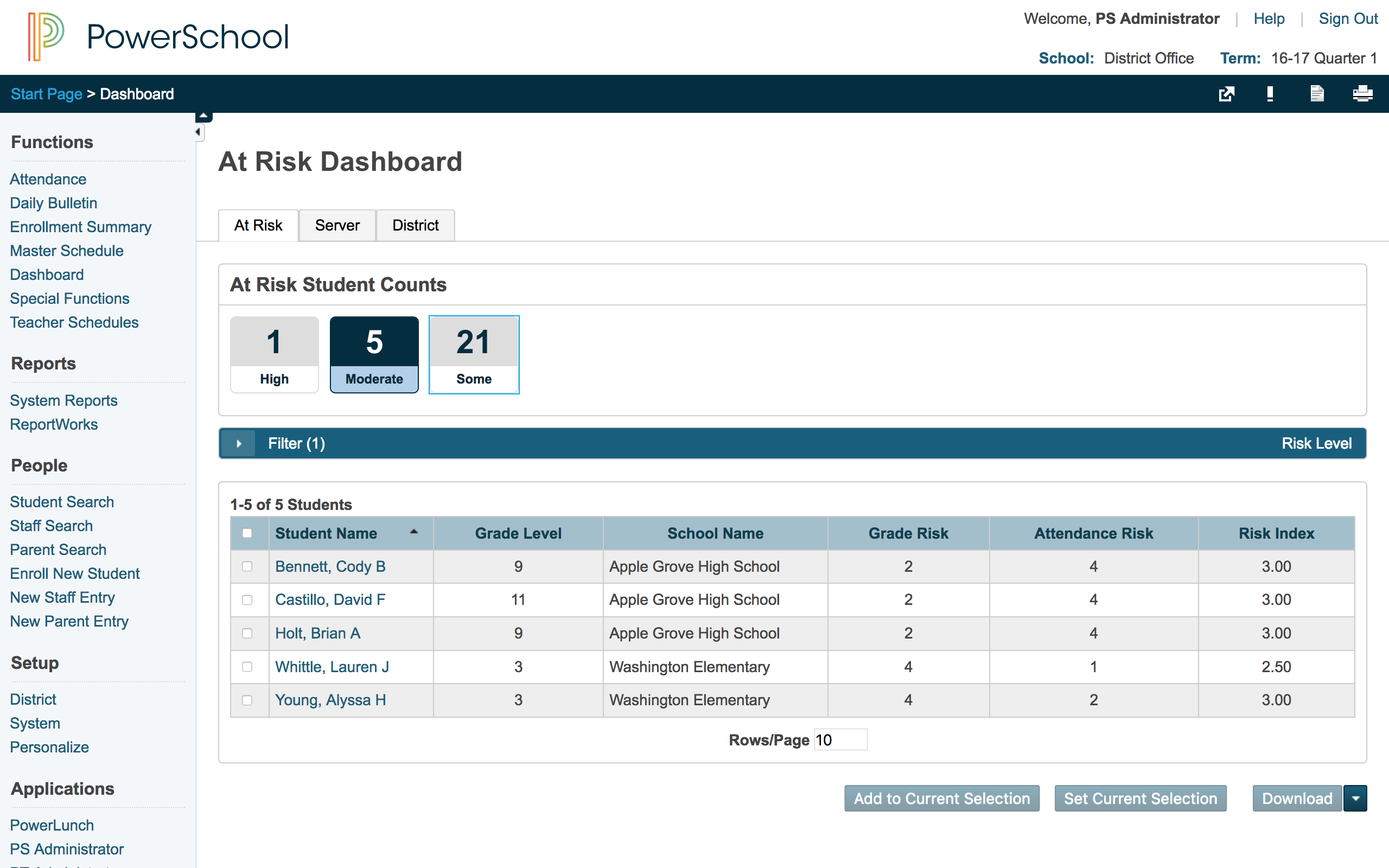
Screenshot of At-risk dashboard
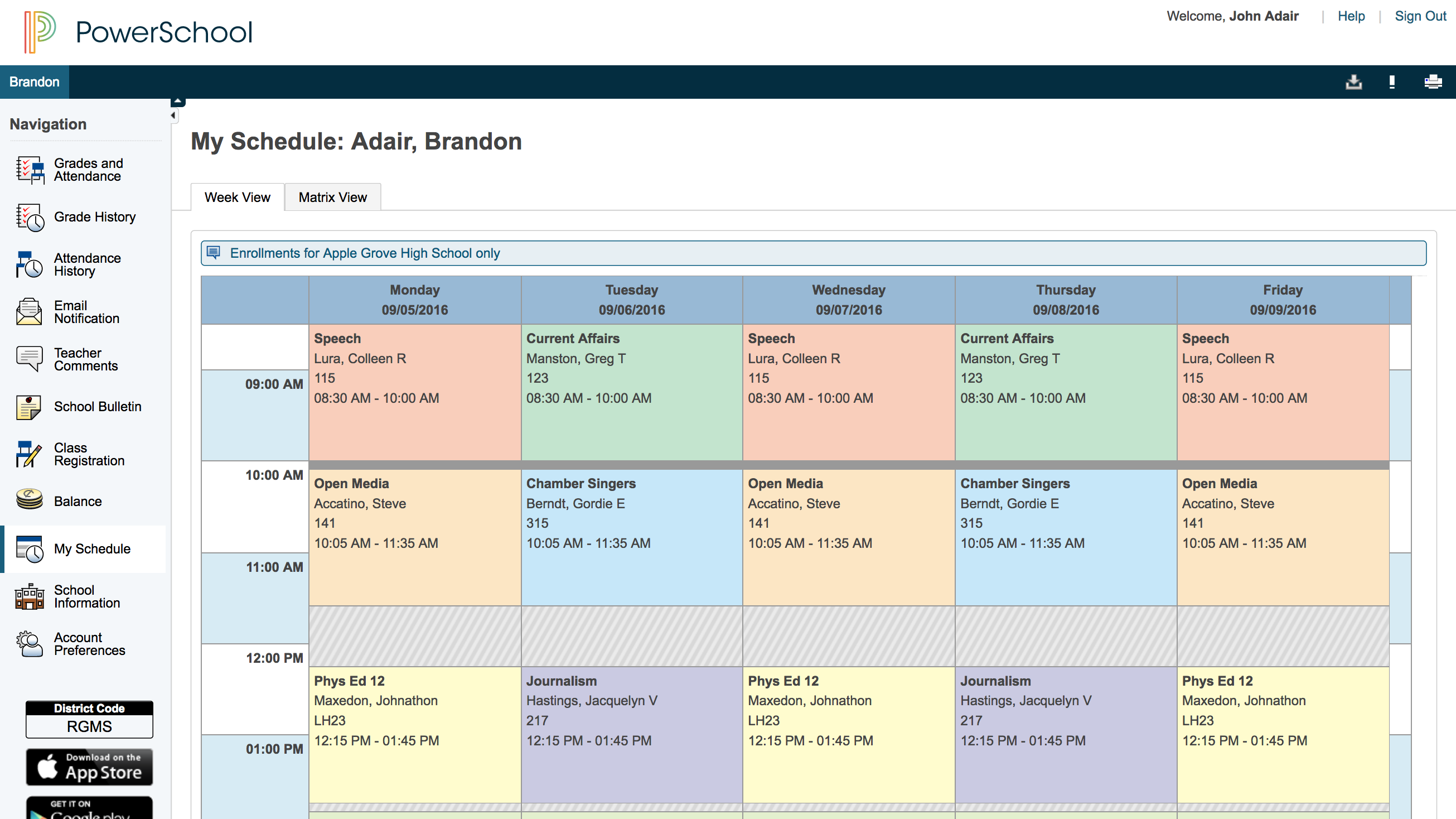
Screenshot of Parent view of student schedule

1 / 4

Screenshot of Student attendance

Top Performing Features

  • Online Registration Management

    The system supports administrative setup and management of registration processes, and allows students to register for classes online.

    Category average: 8.9

  • Student Data Security

    The system has security checks and technology in place to prevent unauthorized access to, editing of, or leaking of sensitive student data

    Category average: 9

  • Class Scheduling

    Administrators can easily set up and manage class schedules for the school prior to course registration windows.

    Category average: 9

Areas for Improvement

  • Compliance Support

    The effectiveness of resources, tools, and in-platform processes for maintaining and demonstrating regulatory compliance.

    Category average: 8.3

  • Community Support

    There are community resources from other users of the platform to help users troubleshoot and optimize their use of the system.

    Category average: 8.4

  • State and National-level Reporting

    The system provides prebuilt reports or build-your-own reporting tools for necessary state and national-level reports.

    Category average: 8.1

The most efficient student information system!

Use Cases and Deployment Scope

I am currently employed as an administrative support manager at a local educational firm. During the time of my employment, the major problem our management had was to find a solution for proper data and information integration between the company, students, parents, and the teachers. This problem got us to investigate many learning management software but an LMS couldn't offer what we were looking for. This is when we were introduced to Power School Student Information System which seemed to be a pretty cool problem solver at that time as it offered us the ability to simplify student registrations online via web forms which happened to be an amazing stress reliever for the company.

Pros

  • Admissions management.
  • Proper student/parent documentation management.
  • Payment process management.

Cons

  • Social media integration of the educational institute could be added.
  • Website of the educational institute could be integrated.
  • A main dashboard with student statistics could be added.

Most Important Features

  • Payment processing.
  • Web forms management.
  • Role-Based permission management.

Return on Investment

  • Increased employee productivity.
  • Time saving due to digital transformation.
  • Increased cost efficiency.

Alternatives Considered

Veracross and Edmodo

Other Software Used

Edmodo, Veracross, Webex App

PowerSchool Keeps Everything in One Place!

Use Cases and Deployment Scope

We use Power School to manage our student information, and student enrollment, schedule classes, give grades and report cards and communicate grades to parents and guardians. It is our go-to place for student management and a place to store information. We use Power School throughout our county in all of the schools.

Pros

  • Scheduling students.
  • Grades
  • Integration with other products.

Cons

  • Scheduling students could use a more streamlined approach.
  • Learning how to use PowerSchool can seem intimidating at first.
  • Some of the selections in the program are small and hard to read or see.

Most Important Features

  • Scheduling
  • Grades
  • Integration with other products.

Return on Investment

  • Keeps our student information, health information, schedules, and grades all in one place.
  • Easily accessible for parents through the app which helps with our goal of communication with parents/guardians.

Other Software Used

Renaissance Star Assessments, Renaissance Accelerated Reader

PowerSchool SIS Powers up!

Use Cases and Deployment Scope

I use PowerSchool Student Information System everyday in the morning for checking attendance, for synching grades from Schoology, for monitoring students' grades quarterly and throughout the school year in all subjects, log entries, login details , demographics and medical alert. PowerSchool SIS resolves issues in grading student's works and daily attendance.

Pros

  • keeping and recording grades
  • checking attendance
  • keeping students' academic records
  • keeping student's private information

Cons

  • PowerSchool Student Information System is better if it has the capacity of sending emails to parents and students
  • PowerSchool Student Information System is better if it has the capacity of sending alerts to parents if student is late or tardy or absent in class

Most Important Features

  • attendance checker
  • grades keeper
  • report generator
  • information keeper

Return on Investment

  • 100% student information management
  • 100% attendance checking
  • 100% effective grading system

Other Software Used

Schoology Learning

PowerSchool is a powerful tool for teachers and students to maintain schedules .

Pros

  • Student Grades
  • Teacher Gradebook
  • Parent Portal
  • Course management
  • Attendance
  • State Reports

Cons

  • Student Data Management
  • Speed of Page loads are long
  • Analysis of student information
  • Contacts

Most Important Features

  • Attendence
  • Grades
  • Student Demographics
  • Parent Portal
  • Class registration

Return on Investment

  • State Reports
  • Student Transcripts
  • Student Schedules
  • Parent Information

Alternatives Considered

Skyward Student Management System and Infinite Campus

Useful but needs work

Pros

  • Allows for weighting of assignments.
  • Logging discipline notes that follow the student from grade to grade.
  • Calculates grades accurately.

Cons

  • Does not consistently communicate with related software such as Illuminate for Special Education Students.
  • Drop down menus frequently refresh as data is entered which slows down the user's ability to enter information.
  • Icons are sometimes unclear and not easily understandable. Word labels for some items might be more effective.

Most Important Features

  • Communication with Illuminate software.
  • Allow for alternate grading systems besides typical percentages.
  • FTE counts are not always accurate and need to be altered manually.

Return on Investment

  • It serves the purpose for which it is intended but not much more.

Other Software Used

Illuminate Data & Assessment (DnA), Google Drive, Zoom Video Webinar