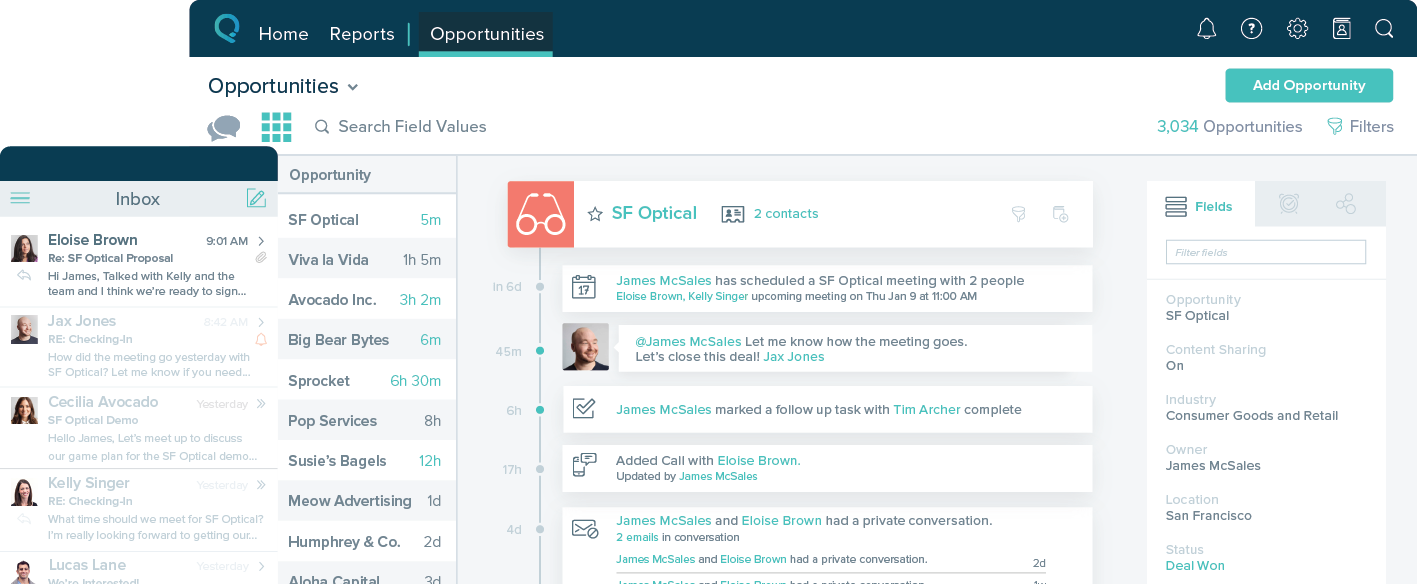
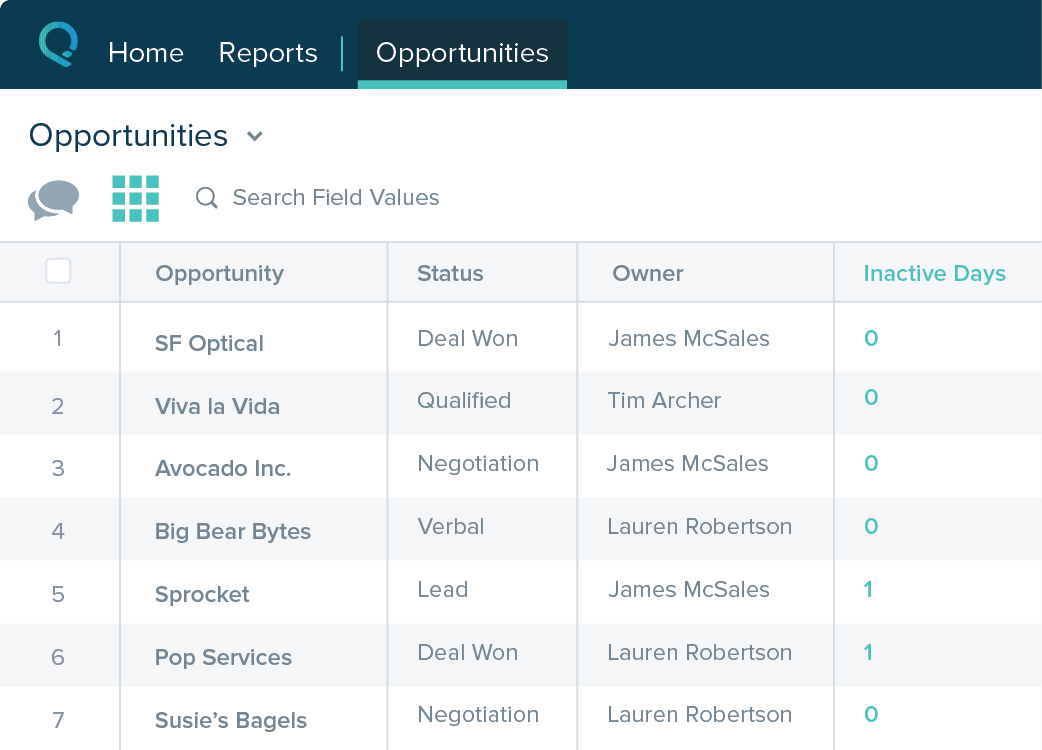
Salesforce Starter (formerly Salesforce Essentials) is a small business CRM that replaces the former SalesforceIQ product. It is priced at $35 per user, on a monthly basis, or at $25 per month for if billed annually ($300) and can be tried free for 14 days on a trial.
A de minimis incentive was given to thank the reviewer for their time. The incentive was not used to bias or drive a particular response, nor was the incentive contingent on a positive endorsement. More Info
Verified User
Consultant in Information Technology (11-50 employees employees)
Use Cases and Deployment Scope
We need to get a CRM that is easy to install and to use for the office. Previously we used Saleforce Essentials so this was an upgrade.
Pros
Able to track the sales process end-end.
Can sync up with 3rd party apps like Docusign
Use macros to consolidate multi tasks.
Return on Investment
It made the job more efficient for staff so they can spend time doing other tasks rather than configuring and maintaining Salesforce Starter.
A de minimis incentive was given to thank the reviewer for their time. The incentive was not used to bias or drive a particular response, nor was the incentive contingent on a positive endorsement. More Info
Verified User
Director in Human Resources (1-10 employees employees)
Use Cases and Deployment Scope
Salesforce is a great platform for building sales leads and working together as a team. I would recommend you set up the dashboard before officially using the system, as it can get complicated if you don't know how to use it. The system and staff are very friendly and helpful in building a great sales funnel and lead generation.
A de minimis incentive was given to thank the reviewer for their time. The incentive was not used to bias or drive a particular response, nor was the incentive contingent on a positive endorsement. More Info
internal it in Information Technology at FM (201-500 employees employees)
Use Cases and Deployment Scope
this provides the basic self service for all the users to organize and manage the client information. easy to pick up and gives them the information on demand verse waiting for a report writer to template stuff up.
Pros
easy to organize the data
gives simple reports on demand and on the fly to the users with minimal training
Cons
sharing templates to others
Return on Investment
quick to learn and pick up either by self study or peer guidance
self service report generation so that no additional resouces is needed
A de minimis incentive was given to thank the reviewer for their time. The incentive was not used to bias or drive a particular response, nor was the incentive contingent on a positive endorsement. More Info
Verified User
Executive in Engineering (51-200 employees employees)
Use Cases and Deployment Scope
Salesforce Starter is used to consolidate many interdepartmental workflow functions into one central place, in the cloud, secure and easily accessible to all involved. It also provides a place to hold records for many different processes, eliminating the use of separate excel files. Report generation of this data is easy to do within Salesforce Starter, and those can be automated.
Pros
Report Generation
Table view customization
Global Searching
Cons
Table views can be sorted by column. Filters can be applied, but only to one column. Multi-column filtering like Excel allows would be extremely useful and a big improvement.
The ability to quick copy data in a table view would also be helpful, like (ctrl ') in excel.
Return on Investment
ROI would mostly be based on efficiency improvements and time savings. These can be hard to quantify.
Tracking of Leads & Opportunities can be tied to revenue generation offsetting the investment.
A de minimis incentive was given to thank the reviewer for their time. The incentive was not used to bias or drive a particular response, nor was the incentive contingent on a positive endorsement. More Info
Sr. Salesforce Admin in Information Technology at Cloud Trailz (11-50 employees employees)
Use Cases and Deployment Scope
Starter edition provides a comprehensive toolset for small businesses to get up and running in a matter of days, instead of weeks or months. The package includes sales, service, marketing, map capabilities, and email/phone processes built in. More than that, this edition makes it very easy to scale using starter automation with workflows/flows. Then as you expand, you can easily upgrade to professional and enterprise/unlimited editions with further integration capabilities.
Pros
Sales CRM with built-in guidance and reminders to manage and track opportunities.
Self-service for customers and internal employee needs. Integrates forms and chatbots very easily into your existing website.
Guided setup with inherent flows to make transitioning from legacy systems to new age cloud-based technologies
Integrates with Outlook and Gmail extremely well. Includes the Salesforce Inbox mobile app to link records with calendar and email. Email reminders included automatically.
The Salesforce Mobile App comes with Starter, making it super easy to work on the go, even in remote areas.
Cons
Certain items look like they are included. For example, sales cadences with call flows are an additional cost.
Customizing certain business processes during the guided setup, without having Salesforce dev or admin experience.
I wish it included lower-tier marketing tools for sendable contacts with subdomains for domain health.
Return on Investment
It provides a clean and easy way to cover a large majority of business sales processes.
It makes it simple to track and manage activities and performance across a team.
It provides simple quote generation and management out the box, with the ability to forecast across a team, overall or specific to products and services.
Alternatives Considered
Formstack for Salesforce, Salesforce Field Service, Salesforce Inbox, Salesforce Sales Cloud, Salesforce Service Cloud, Salesforce Maps, Salesforce Experience Cloud, Salesforce Mobile, Salesforce Sales Cloud Lightning Dialer, Salesforce Marketing Cloud and HubSpot CRM