TrustRadius: an HG Insights company

WORKetc

Score7 out of 10

47 Reviews and Ratings

What is WORKetc?

WORKetc is a cloud-based business management system. With integrated CRM, project management, billing, help desk, reporting, and collaboration, teams can access one system for all relevant information. The system supports popular third-party apps such as Google Workspace, Xero Accounting, Quickbooks Online, Outlook, Dropbox, and Evernote.

Media

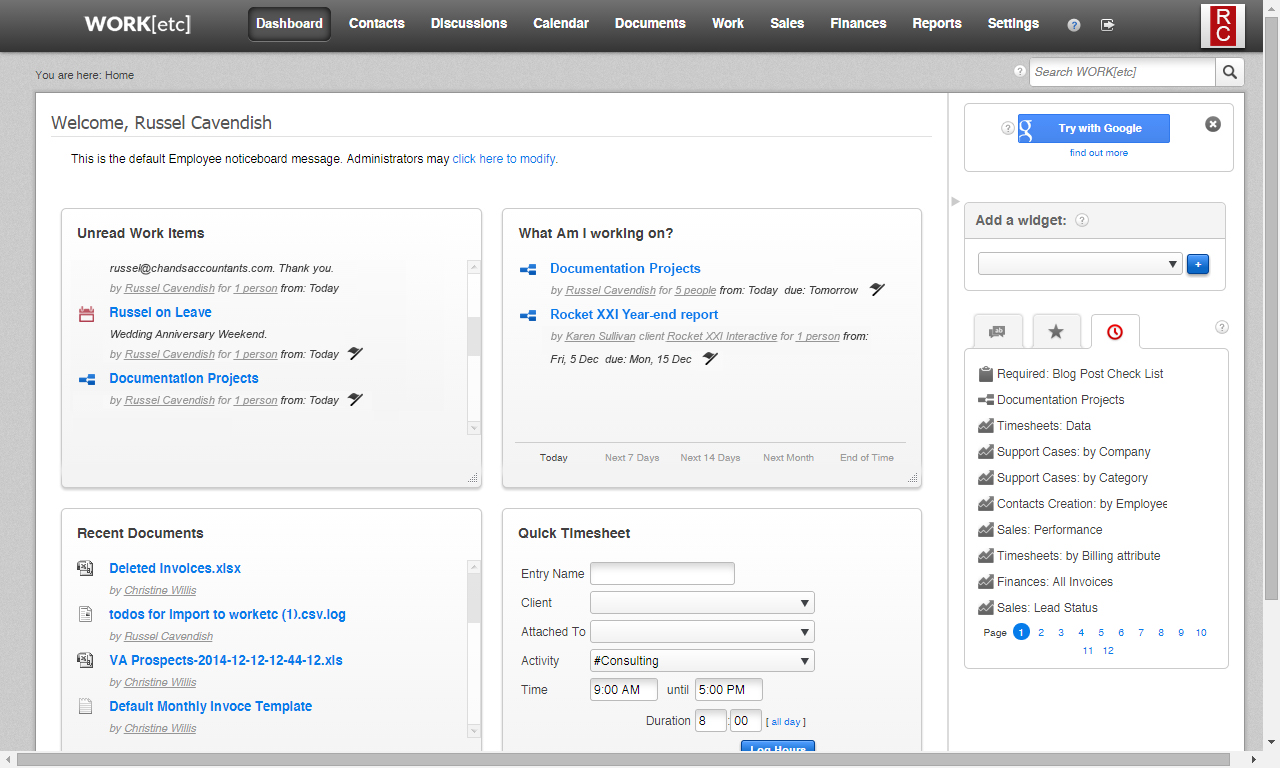
Screenshot of WORKetc's customizable dashboard - gives an instant bird's eye view of data. A summarized widget for all of WORKetc's modules can be added to the dashboard, while those that are not needed can be hidden and the most important can be dragged to the top.
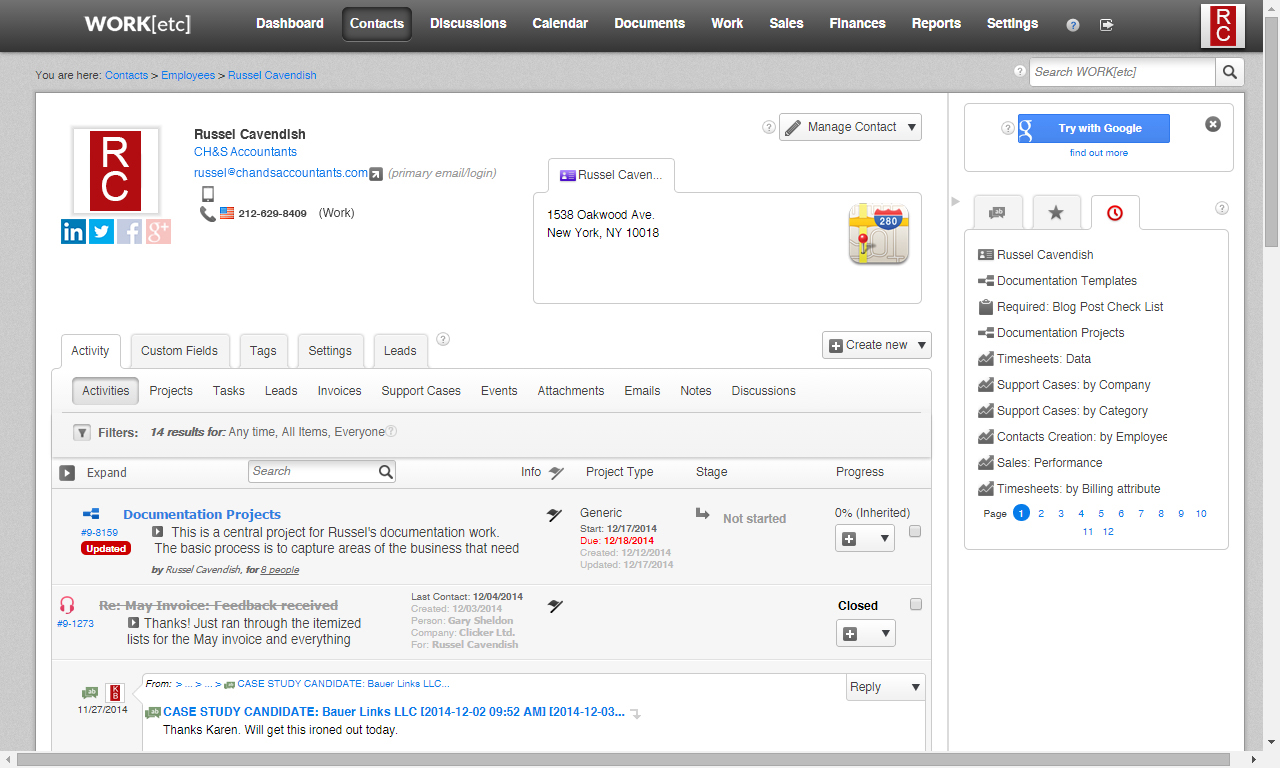
Screenshot of WORKetc contacts - organized in a single location. Every item created, every activity worked on, and all email correspondence can be traced back to a contact. These automatically become accessible and trackable from that contact's activity history stream, a filterable, customizable list that tracks the relationship with that contact.
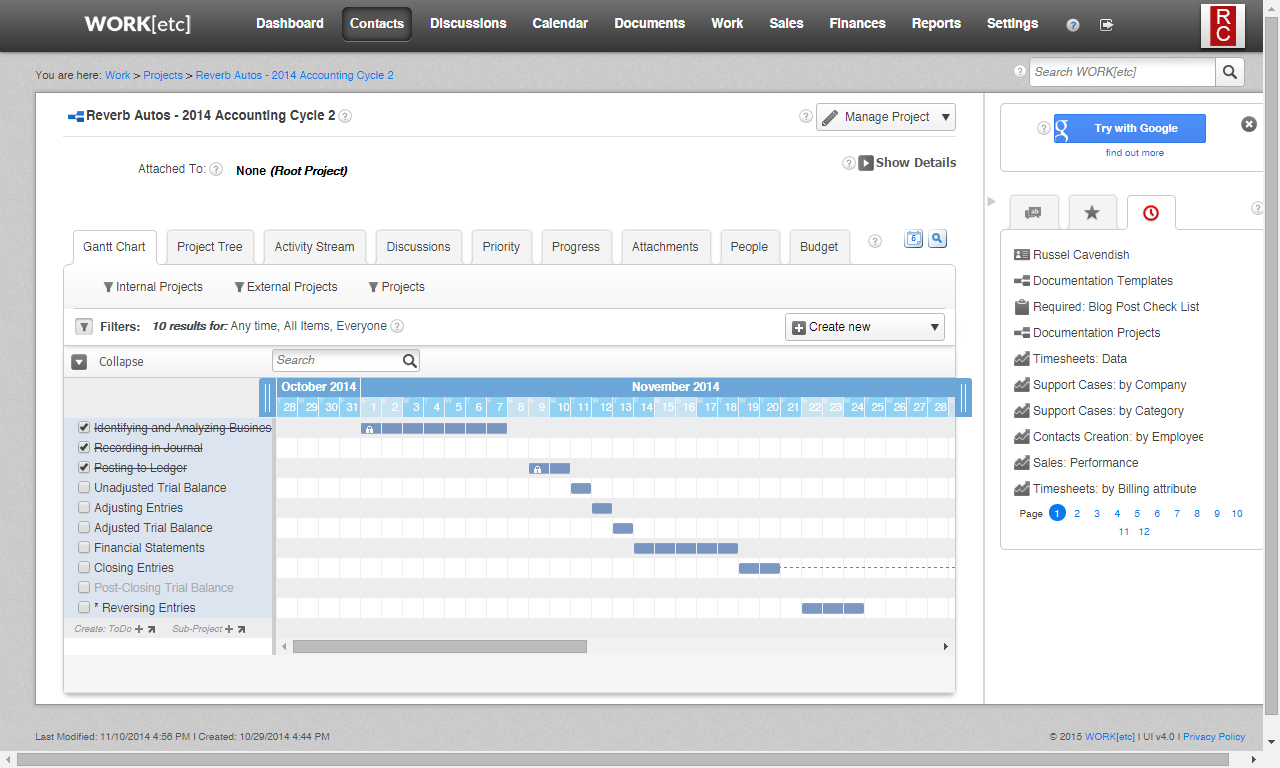
Screenshot of WORKetc's projects - the bins for everything related to a client including tasks, sub-projects, discussion, files, timesheets, expenses, and other items. WORKetc allows unlimited nesting of sub-projects within projects and an unlimited number of tasks within each sub-project. Multiple project views are available, including project tree view and a Gantt Chart.
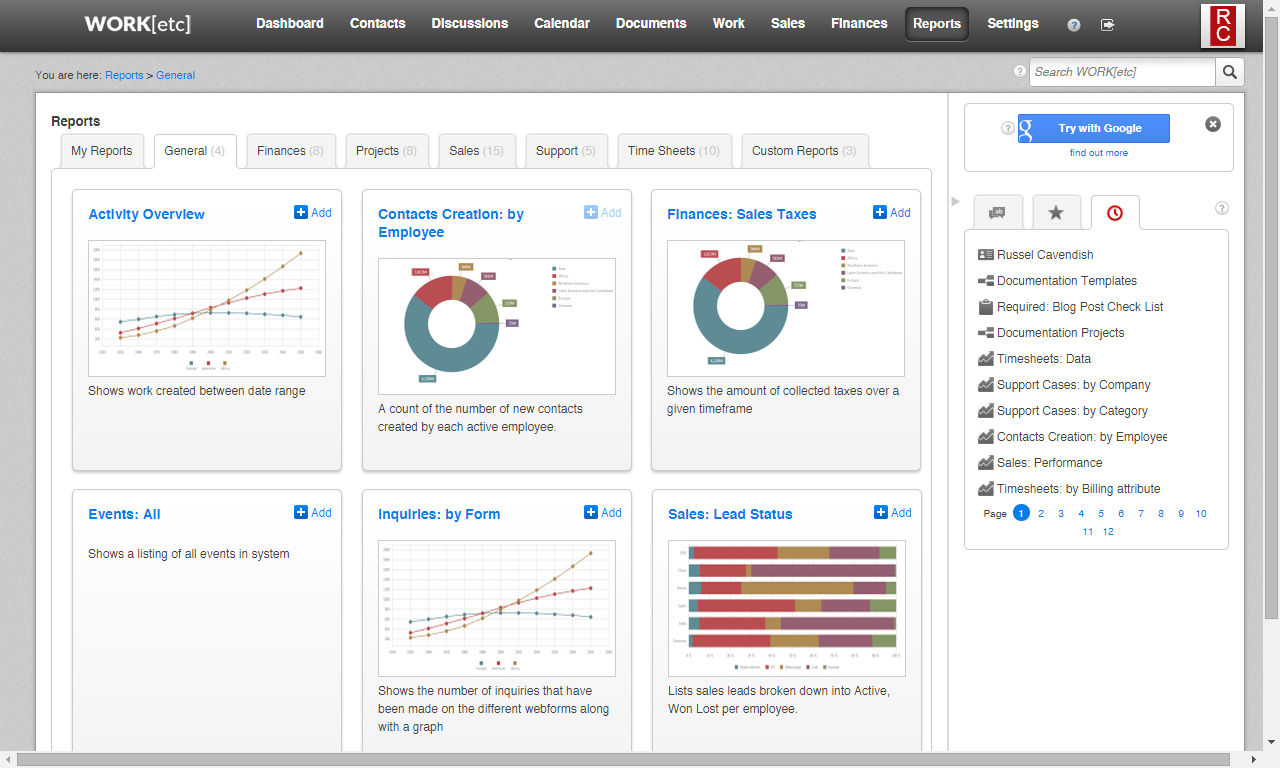
Screenshot of one of WORKetc has over 40 "out of the box" reports, giving access to needed stats and information. The reports that are used most often can be kept in the "My Reports" tab to keep them at the forefront of the reporting area. Reports can also be bookmarked.

1 / 4

Screenshot of WORKetc's customizable dashboard - gives an instant bird's eye view of data. A summarized widget for all of WORKetc's modules can be added to the dashboard, while those that are not needed can be hidden and the most important can be dragged to the top.

Top Performing Features

  • Single sign-on capability

    The software system supports a centralized authentication mechanism allowing the user to access multiple systems with a single, centrally managed password.

    Category average: 8.3

  • Case management

    This includes incident/ticket creation, routing, escalation, and resolution.

    Category average: 8.1

  • Role-based user permissions

    Permissions to perform actions or access or modify data are assigned to roles, which are then assigned to users, reducing complexity of administration.

    Category average: 8

Areas for Improvement

  • Social data

    The software can integrate data and conversation histories from customers’ social profiles. This may also involve enhanced listening features such as sentiment tracking.

    Category average: 6.6

  • Customizable reports

    Users can create reports and dashboards unique to their needs.

    Category average: 7.7

  • Email marketing

    This involves the ability to send mass email to groups of people based on particular qualifications.

    Category average: 7.1