Bloomfire vs. Front

Overview
ProductRatingMost Used ByProduct SummaryStarting Price
Bloomfire
Score 8.4 out of 10
Enterprise companies (1,001+ employees)
Bloomfire provides knowledge engagement, aiming to deliver an experience that connects teams and individuals with the information they need to excel at their jobs. Their cloud-based knowledge engagement platform aims to give people one centralized, searchable place to engage with shared knowledge and grow their organization's collective intelligence.
$25
per month
Front
Score 7.1 out of 10
N/A
Front is a communication hub that helps businesses keep the human touch in every interaction.
$29
per month per user
Pricing
BloomfireFront
Editions & Modules
Basic
$25.00
per month
Starter
$29
per month per user
Growth
$79
per month per user
Scale
$99
per month (billed annually) per user
Premier
$229
per month (billed annually) per seat (50 seat minimum)
Offerings
Pricing Offerings
BloomfireFront
Free Trial
NoYes
Free/Freemium Version
NoNo
Premium Consulting/Integration Services
NoNo
Entry-level Setup Fee$25 No setup fee
Additional DetailsDiscount for annual pricing on Starter and Growth plans. Scale and Premier plans are annual price only.
More Pricing Information
Community Pulse
BloomfireFront
Considered Both Products
Bloomfire
Chose Bloomfire
- Easier to use
- Easier to upload new information
- Easier to search

Chose Bloomfire
Bloomfire is the best platform to find updates on partner kickoff events and also Training and Enablement plans. we can find good articles related to partner sales talks which gives a good information on maximising mulesoft value proposition and maximise their investment by …
Chose Bloomfire
Bloomfire has a good number of articles available to read and gain knowledge whereas other products don't provide such flexibility in knowledge sharing. It also provides recordings of various partner tech talks, partner webinars, Lab materials, training classes, and start …
Chose Bloomfire
We cannot find some solutions for tableau both online and offline applications which ultimately disturbs client requirements. But on Bloomfire we can find a good number of articles and information on many Mulesoft concepts and integration LAB pics. We don't have frequent …
Chose Bloomfire
Salesforce also provides a free learning platform and some special access to partners on some trial heads where we can earn badges for the trials we complete. Bloomfire should also start such user-friendly practices which will help learners to access and learn them easily. They …
Chose Bloomfire
I didn't chose this system, but when I was hired by the company I was challenged to figure out the best use of it. I met with our representative and we went over ideas that would make using the site better and more appealing to learners. In the last year we have had a …
Chose Bloomfire
Salesforce has an awesome platform to learn which is called Trailhead, where their explanation was so innovative. for every trail we complete they provide us with a badge that can be shared on LinkedIn which further increases the number of Opportunities. We can find information …
Chose Bloomfire
In my opinion, Fuse is a dying database platform with user-friendly capabilities equivalent to trying to fit a square peg in a round hole... with a blindfold... underwater. Bloomfire's ease of use has been a tremendous upgrade in every way, other than video recording …
Chose Bloomfire
We utilize Teamwork for Project / Task Management. We looked at their functionality to house our guides, etc. Bloomfire was way ahead in terms of product functionality.
Chose Bloomfire
Hive is the closest competitor to Bloomfire that I have encountered. Its main benefit is the ability to manage individual tasks along with accessing larger hosts of information. I think that Bloomfire is better at the organizational component on a Macro level, however, Hive is …
Chose Bloomfire
Bloomfire is the first app we have used besides FTP.
Chose Bloomfire
It is what our company chooses to use and I am pleased with what I need it for.
Chose Bloomfire
Boomi is a no code platform where we cannot deal with bluk data. Here in Boomfire we can find good number of articles on mulesoft and salesforce integrations and we can easliy get back to client with best solutions. where-in boomi has not much flexibility compared to Mulesoft. …
Chose Bloomfire
Bloomfire is so much better than Box or Google Drive as you are able to [have] context around the materials posted; so helpful.
Chose Bloomfire
I like Bloomfire because it is more concise with the work I do whereas Google search engine would provide broader information. It has just been so user-friendly, and easier to use [than] I could have imagined. I would use this program over any other that I have tried in the past.
Chose Bloomfire
We had not used any similar products prior to Bloomfire. All content was stored on internal servers.
Chose Bloomfire
Bloomfire is much easier to use than Microsoft SharePoint as a standalone knowledge base. Atlassian Confluence is pretty similar in this regard. All of these products shine in their own way, but Bloomfire does very well as a knowledge base.
Chose Bloomfire
Have not used anything similar.
Front
Chose Front
Front was easier to have shared inbox. It also gave us more flexibility in tagging, both tagging users and tagging the emails to triage. It was also quick to set up and get users on boarded and trained. We found it was just a more intuitive and flexible system for us.
Chose Front
We switched to Front because of how simple it looked, then we realized we could tailor it to the type of business we have. I don't see us using any other tool to manage emails besides Front.

Chose Front
I have only used Gmail in the past and Front is any day better than Gmail in terms of the interface and ease of usage. The ability to send scheduling links and comments between the email threads makes it better than Gmail. The shared inbox also makes it easier for the entire …
Chose Front
Front's UX/UI is more intuitive. The work seems to flow better in their app.
Chose Front
A few features are very good in Front that are not in Outlook, like sharing draft content with teammates, commenting, read receipts, etc., which made us choose Front.
Chose Front
The tagging feature stands out. Their tagging can be quite deep and effective if it's set up properly. For example, I can pull out all the clients who [have] an issue with billing. Or better yet valued clients who [have] a specific MRR that has an issue with billing that needed …
Chose Front
Front is honestly an amazing blend of an email server and slack, as it allows for nimble, efficient, and immediate communication between team members without needing to forward a single email back-and-forth before finally responding to a client. Front also saves time when …
Chose Front
This is something I am not familiar but it seems like it is [available] in Gmail. Thus I cannot give any feedback about it. What I am sure about is Front works for our team and I see Zoom using the service in the Customer Success Organization in a long run.
Chose Front
Thanks to Front, it has allowed us to have smooth and effective internal communication between departments, attaching projects, problems, and endless files without any problem. It is allowing us to have practical and soft customer support.
Chose Front
Front is better than any other tool. It is a great app to use also because of its multipurpose features. Anyone can also use this app for your customized business needs and manage your work accordingly. I feel that Front is easy to use and it is also very user-friendly due to …
Chose Front
I love how scalable the software is. Also, Front comprises many good features that are needed for helping teams work efficiently and effectively for sales and support.
Chose Front
Front has been simple to implement and operate on our team. It is not possible to lose an email; it is impressive how it adapts better while being used daily. We can have excellent communication between colleagues, the percentage of evaluations, and changes in planned tasks …
Chose Front
Front is always getting the newest capabilities of the industry [and] is never behind. Instead, it provides you with features that [you] would not even think exist. Also, it is faster than other apps [and] takes just a moment for you to get started in your daily tasks.
Chose Front
Front was not designed as a ticketing system and doesn't have great reporting tools, but the commenting and draft features were important and other platforms' versions of these features were weak or unintuitive.

It should be noted that we ended up developing our own messaging …
Chose Front
It offered newer features and more ways to control user communication inflow, as well as team roster management. The Front app also had a presence on the app, mobile web, and web, which was helpful for on-the-go email queue management. In short, at the time we made this …
Chose Front
We have used Yesware. It's a really good lead prospecting tool, but doesn't have the shared inbox, or collaborative capabilities of Front.
Chose Front
Zendesk is by far the market leader here and offers a tremendous solution. It is, of course, very expensive -- especially if you require multi-brand support. Many of the other solutions (except Groove) offer some flavor of multi-brand support but they are not as good as …
Chose Front
We had all our leads going to a gmail account before front. Front solved so many problems that Gmail had. It was much more user friendly for somethings and it was a much more flexible software that we were able to use to meet our needs. It also has a reporting feature that …
Chose Front
Front is a flexible and quickly growing tool that integrates with almost every system we use. Front have been our go-to support system since we started and will continue to be for the foreseeable future.
Chose Front
Front is cleaner from an email communication standpoint. Less details are sometimes better. Hubspot is more of a CRM and that focus is key. While Front is more of a communication channel.
Best Alternatives
BloomfireFront
Small Businesses
Front
Front
Score 7.1 out of 10
Agiloft Service Desk (discontinued)
Score 9.0 out of 10
Medium-sized Companies
RWS Tridion Sites
RWS Tridion Sites
Score 9.0 out of 10
Agiloft Service Desk (discontinued)
Score 9.0 out of 10
Enterprises
RWS Tridion Sites
RWS Tridion Sites
Score 9.0 out of 10
SysAid
SysAid
Score 9.1 out of 10
All AlternativesView all alternativesView all alternatives
User Ratings
BloomfireFront
Likelihood to Recommend
9.2
(0 ratings)
6.5
(0 ratings)
Likelihood to Renew
8.0
(0 ratings)
-
(0 ratings)
Usability
9.0
(0 ratings)
9.0
(0 ratings)
Support Rating
9.0
(0 ratings)
9.8
(0 ratings)
User Testimonials
BloomfireFront
Likelihood to Recommend
I think Bloomfire is most appropriate in a medium to large business entity since onboarding can be difficult without an organized tool to prioritize job functions. It would be most well suited for positions that incorporate data analytics/reporting and consist of regular deliverables. So for example: if an accountant wants to learn how to compile a cash flow statement but also has to turn it into a client-facing presentation, there are resources specific to internal accounting and then separate resources (also in the accounting vertical) for data visualizations and client reporting.
Read full review
I think Front is very useful for every company with multiple teams working together on different emails from clients. Not so useful if a lot of different teams need to work on a request at the same time, because when an email is sitting in multiple shared inboxes things can get messy. Also would not recommend for teams that work is individualized, as team work is the main point of Front.
Read full review
Pros
  • Quickly reach out to whatever employee segment you want to reach by posting a topic and it will send a notification to everyone in that group with a link to the posting.
  • Bloomfire saves all of the previous posts so in your free time you can go to the site, and explore the various range of topics others have posted. The information on there will only be as good as the person posting it, but it will be people within your company and industry posting it. So it will always be helpful.
  • Bloomfire is a place to be noticed by your peers. Have a great topic you want to express, my company allows all to post there as long as we keep it professional. So you can share your ideas or experiences in a safe and productive manner. But we do have some fun on there too!
Read full review
  • I call them "sticky notes" but Front calls them Comments. It's a way to collaboratively make comments on messages sent to joint inboxes for folks to coordinate a response before it goes back to the sender.
  • When exchanging with someone using the Comments feature, someone can create a draft reply and then share it before it goes out. It also includes the typing indicator letting you know they are not just replying, but specifically working on a draft reply. These things are really great for individuals, or teams, that don't sit next to each other.
  • Tagging. It's a fairly simple concept, but very useful for classifying notes and being able to manage, what could be, a messy inbox. Additionally, the ability to have your own personal tags really allows the user to manage their own messages in a way that works best for them.
Read full review
Cons
  • Providing more videos about the differences between the dental plans.
  • Providing more videos about the differences between the carriers in regards to med supp or med adv.
  • Providing more videos about processes and functions that we at AWL have to do on a daily basis.
Read full review
  • Zoom Meeting Integration as there are some clients who want to have a call immediately.
  • Tagging can be improved - looks scattered.
  • Calendly Integration, they have their own calendar appointment but it would be good if I don't need to leave the front to set up [calendar] appointments.
Read full review
Likelihood to Renew
I am with a different employer now days where training is not part of my job description. If I ever found myself doing E-Learning again, Bloomfire would be the first interface I would recommend.
Read full review
We are very happy with Front and don't anticipate changing
Read full review
Usability
Bloomfire is an easy-to-use platform for posting information and asking questions of my peers. It also has a user-friendly search capability. Yet like any other CMS, the secret to success rests in such items as the ability to use metadata to tag content or posts, and Bloomfire provides a wide range of options to make posting content and subsequently searching for it.
Read full review
It's very easy to understand and use by new customer support agents as well. Be it a technology, product, or marketing person, we have trained most of the company folks to read and respond to customer conversations in their free time with the help of the Front app. It is also easy to set up for an admin and manage his/her team with communication rules.
Read full review
Support Rating
I have not needed to pose questions to the support team yet, as it is a very simple piece of software to use, however, its help documents and the bot ready to answer questions let me know I am in good hands. The help center could load a little quicker, but that's my only complaint.
Read full review
The support is good, and it's definitely prompt, but still lags when it comes to technical requirements, as I guess they are slow in developing newer features fast. So no complaints in terms of responsiveness, but yeah, at times it's not very helpful when you need certain features or are blocked on things which can't be unblocked.
Read full review
Alternatives Considered
- Easier to use - Easier to upload new information - Easier to search - Easier to share Bloomfire search-ability means much less work trying to organize and categorize documents. That means easier upload, which means more information gets stored there and used.
Read full review
This is something I am not familiar but it seems like it is [available] in Gmail. Thus I cannot give any feedback about it. What I am sure about is Front works for our team and I see Zoom using the service in the Customer Success Organization in a long run.
Read full review
Return on Investment
  • Feedback from users in being able to perform transactions for members has greatly improved.
  • There has been an increase in engagement of material presented in posts by learners in training classes.
  • Reps and agents say they feel confident they can easily locate information if ever there is a need on the front line.
Read full review
  • Quality- with all the benefits given, in just matter of time, all your organization will find it familiar and less effort is needed when composing emails.
  • Effectiveness- no one wants to miss an email, or never respond to a possible customer. Front will help you that. If you do not want to send that email now, you can set a timer and Front will send it for you later on.
  • Simplicity- Front is not the most difficult app to handle, indeed, it is too easy to learn. From the first moment you will have a guided tour and will learn all the good things that it has for you.
Read full review
ScreenShots

Bloomfire Screenshots

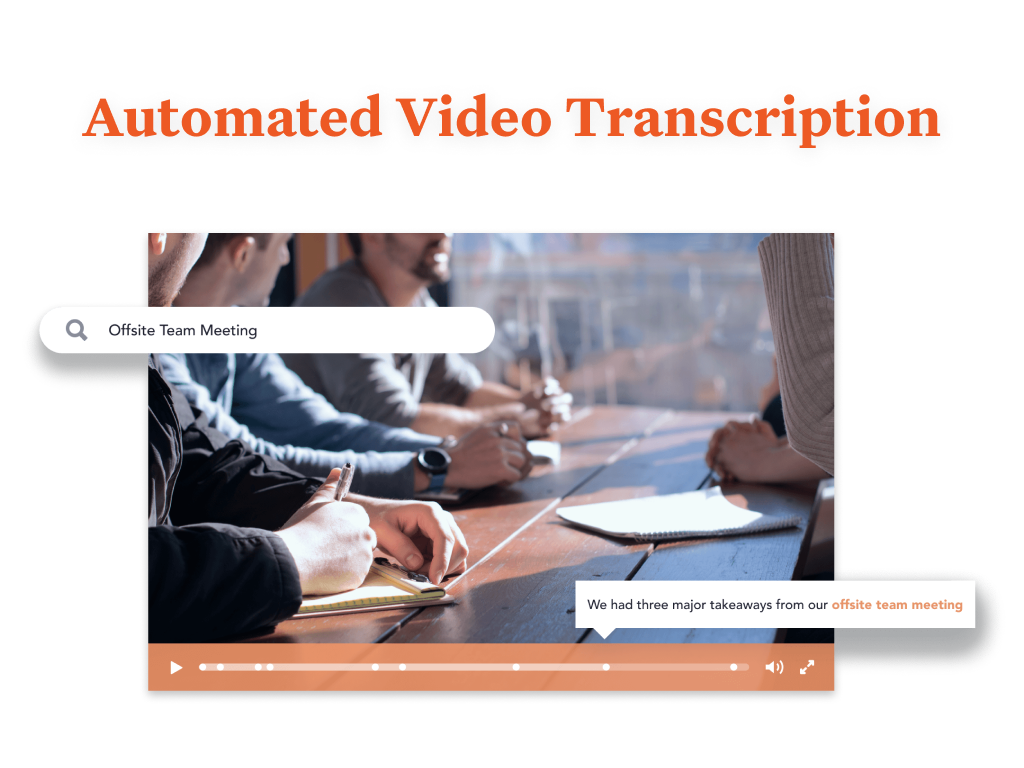
Screenshot of You are provided with a variety of options to brand your Bloomfire community, such as customizing its colors, displaying your organization’s logo, and building a custom Promo Bar. This creates an aesthetic that truly reflects your company’s culture.Screenshot of Bloomfire features an AI-powered search that makes sharing and searching for information a lot easier. It deep indexes every word in each piece of content, regardless of whether it’s a PDF, slide deck, video, or any other file type. The platform also creates tags for your content automatically. And if a video is uploaded, Bloomfire automatically transcribes it, making the spoken words searchable and allowing users to jump to the exact part of a video where certain keywords appear.

All of those features result in an easy and smart searching experience. There’s no need to navigate through folders or guess file names. All you need to do is perform a search like you would with Google. When searching, you can further narrow down your results based on categories such as author and content type.Screenshot of Bloomfire's AI enables you to search and find the video you are looking for based on its audio contents.Screenshot of Use Bloomfire while you work seamlessly across your favorite apps.

Front Screenshots

Screenshot of Screenshot of Screenshot of Screenshot of Screenshot of