Chose ClickUp
This is a test review

| Product | Rating | Most Used By | Product Summary | Starting Price |
|---|---|---|---|---|
 ClickUp | Small Businesses (1-50 employees) | ClickUp is an all-in-one productivity platform. It’s a hub where teams can come together to plan, organize, and collaborate on work using tasks, Docs, Chat, Goals, and Whiteboard. Customized with just a few clicks, ClickUp helps teams of all types and sizes deliver work more effectively, to boost productivity to new heights. ClickUp aims to make the world more productive by removing friction caused by using many different applications. The platform boasts millions… | $0 | |
 HubSpot CRM | N/A | HubSpot’s CRM enables growth-minded businesses to optimize their relationships with leads and customers. Through harnessing the power of carefully crafted sales, marketing, customer service, content management, and operations tools, the software aims to make it easy to unify team strategy and drive conversion. Additionally, the software allows users to connect with over 875 integration apps, APIs, and solutions partners to create a customizable user experience that suits the way teams work.… | $0 Per Month [Unlimited Users] |
| ClickUp | HubSpot CRM | |||||||||||||||
|---|---|---|---|---|---|---|---|---|---|---|---|---|---|---|---|---|
| Editions & Modules |
|
| ||||||||||||||
| Offerings |
| |||||||||||||||
| Entry-level Setup Fee | No setup fee | No setup fee | ||||||||||||||
| Additional Details | — | — | ||||||||||||||
| More Pricing Information | ||||||||||||||||
| ClickUp | HubSpot CRM | |
|---|---|---|
| Considered Both Products |  ClickUp  Gastón Barcia Advisor Chose ClickUp I still use both. ClickUp is a little "bigger" and has some more tunning over details. When someone ask me about which to choose, my answer is "you must try them"... start using both and you'll find the best using them and asking users how they feel.  Victoria Piedade Manager of Corporate Services Chose ClickUp The big selling point of Notion is that it is completely customisable. I would say ClickUp is only slightly less customisable and because the framework and support is there in ClickUp, it is actually faster to onboard people too. ClickUp gives businesses a better foundation to …  Louis Venter Founder Chose ClickUp Access is great - but not a shareable cloud environment. Monday.com is a close second - CU pips them at the post at this stage. It does become difficult to switch so the choice of tool at the beginning is very very important. The continuous improvements in CU gives me a lot of …  Conor Engelbrecht System Manager Chose ClickUp Love how ClickUp allows tasks to be opened in their own little window, where you can then see additional info. Monday.com forced us to have every field visible as a column, which lead to really complicated and difficult to navigate boards. ClickUp's Lists are cleaner, more …  Paige Knickle Owner of Copper Cabbage Studios Chose ClickUp I walked away from so many other products that I tried primarily because I wanted to have a task and productivity tool that allowed me to re-envision my 'data' at the task level. I wanted to be able to have Gantt views and dashboard views and then dive in deeper with comments …  Ariana Nhu Le Project Manager Chose ClickUp - Data centralization - Fast and clean - Easy to manage  Kate Smoothy Director Chose ClickUp ClickUp's features were far superior in terms of what we could do for project management and flexible enough we could adjust it to our use case. We found Notion too basic and Monday.com too restrictive. ClickUp is the perfect blend of what we need and their new features often …  Lisa Wheatley Implementation Project Manager Chose ClickUp I did not make the decision to move to ClickUp, but I did provide feedback and hear feedback from our internal team about how ClickUp centralizes a lot of the company wides resources into one space. I feel that ClickUp provides more dynamic workflow building beyond Jira and …  Maque Mathison Project Manager Chose ClickUp ClickUp is definitely a marked improvement in just about every way from Redmine. UI, functionalities, usability- all of it has been a much better experience in ClickUp. As for JIRA and AirTable, I think ClickUp's overall layout and organization style trumps those sites by …  Lourens Swart Founder Chose ClickUp It has been probably around 4 years. A big part of the decision between monday and ClickUp (CU) when we decided on a platform was the pricing model of CU was more suitable. There has been massive updates since we started using CU. So not sure how it stacks up now |  HubSpot CRM  Mantra Manan Saraswat Product Manager Chose HubSpot CRM We use Apollo.io, but that's just for some sales automation. Mostly, HubSpot CRM has everything that a not-so-power user of a particular stream would ask for. You cannot go wrong with HubSpot CRM, and a very easy decision unless somebody has very specific requirements. As a …  Adam Montgomery Director of Sales Chose HubSpot CRM We've been using Hubspot for years and don't foresee making any changes away from it. It has been fully integrated into how our business operates. We ultimately selected HubSpot CRM because it had all the features and functions that our marketing, sales, and operations teams …  Malena Giménez Enterprise Business Development Manager Chose HubSpot CRM I used Salesforce in a previous company. It was way more complex, especially because we would receive bugs and error messages that would prevent us from fixing the issue when it was urgent, as it would cause a contract not to be sent, for example. We had a customized version …  Tobi Davis CX Manager Chose HubSpot CRM Better in almost every way for a small business - more straightforward, more functionality out of the box, really easy to understand, and get support too.  JR Austin Customer Success Operations Manager Chose HubSpot CRM I think SFDC does some things better than HS but overall comparable. ChurnZero literally serves a different purpose, but I will say that Company/ Contact management and reporting are much easier in CZ.  Larissa Bravim Furlan Head of Operations Chose HubSpot CRM In our company, we previously used various CRMs that often had shortcomings and failed us at critical moments. Since adopting HubSpot CRM, we've noticed significant improvements, as it allows us to segment our databases, properly qualify leads, and generate reports and insights …  Bob Leonard President Chose HubSpot CRM Salesforce got overly complicated and expensive. Some basic needs like sequencing were an added expense (although this was a number of years ago)  Dirk Emminger General Manager Chose HubSpot CRM Microsoft Dynamics is not very flexible in connecting with other apps or with other ideas and processes. Salesforce is definitely too costly and also the customer service is not working well. HubSpot is doing much better on that, and overall, it's the solution that has from our … |
| ClickUp | HubSpot CRM | |||||||||||||||||||||||||||||||||||||||
|---|---|---|---|---|---|---|---|---|---|---|---|---|---|---|---|---|---|---|---|---|---|---|---|---|---|---|---|---|---|---|---|---|---|---|---|---|---|---|---|---|
| Project Management |
| |||||||||||||||||||||||||||||||||||||||
| Professional Services Automation |
| |||||||||||||||||||||||||||||||||||||||
| Sales Force Automation |
| |||||||||||||||||||||||||||||||||||||||
| Customer Service & Support |
| |||||||||||||||||||||||||||||||||||||||
| Marketing Automation |
| |||||||||||||||||||||||||||||||||||||||
| CRM Project Management |
| |||||||||||||||||||||||||||||||||||||||
| CRM Reporting & Analytics |
| |||||||||||||||||||||||||||||||||||||||
| Customization |
| |||||||||||||||||||||||||||||||||||||||
| Security |
| |||||||||||||||||||||||||||||||||||||||
| Social CRM |
| |||||||||||||||||||||||||||||||||||||||
| Integrations with 3rd-party Software |
| |||||||||||||||||||||||||||||||||||||||
| Platform |
|
| ClickUp | HubSpot CRM | |
|---|---|---|
| Small Businesses |  Stackby Score 9.0 out of 10 |  Salesmate Score 10.0 out of 10 |
| Medium-sized Companies |  InEight Score 8.3 out of 10 |  Creatio Score 9.7 out of 10 |
| Enterprises | InEight Score 8.3 out of 10 | Creatio Score 9.7 out of 10 |
| All Alternatives | View all alternatives | View all alternatives |
| ClickUp | HubSpot CRM | |
|---|---|---|
| Likelihood to Recommend | 8.6 (0 ratings) | 7.6 (0 ratings) |
| Likelihood to Renew | 7.3 (0 ratings) | 9.3 (0 ratings) |
| Usability | 7.8 (0 ratings) | 7.2 (0 ratings) |
| Availability | 9.5 (0 ratings) | - (0 ratings) |
| Performance | 8.0 (0 ratings) | - (0 ratings) |
| Support Rating | 9.4 (0 ratings) | 7.1 (0 ratings) |
| Online Training | 10.0 (0 ratings) | - (0 ratings) |
| Implementation Rating | 7.9 (0 ratings) | 8.1 (0 ratings) |
| Configurability | 8.0 (0 ratings) | - (0 ratings) |
| Ease of integration | 7.0 (0 ratings) | - (0 ratings) |
| Product Scalability | 8.9 (0 ratings) | - (0 ratings) |
| Vendor post-sale | 5.0 (0 ratings) | - (0 ratings) |
| Vendor pre-sale | 5.0 (0 ratings) | - (0 ratings) |
| ClickUp | HubSpot CRM | |
|---|---|---|
| Likelihood to Recommend |
Victoria Piedade Manager of Corporate Services |
|
| Pros |
Maque Mathison Project Manager |
 Jeff Keeney Sales and Customer Success at Cross-Sell |
| Cons |
 Cathy Baillargeon Founder/CEO |
Adam Montgomery Director of Sales |
| Likelihood to Renew |
|
 Usman Rehman Business Analyst |
| Usability |
|
|
| Reliability and Availability |
| No answers on this topic |
| Performance |
| No answers on this topic |
| Support Rating |
 Will Helliwell Assistant Head of Engineering |
|
| Online Training |
| No answers on this topic |
| Implementation Rating |
 Leon Prather II, CTS Manager, Digital Product Operations |
 Greg Linnemanstons President |
| Alternatives Considered |
 Holly Biondo Marketing & Communications Manager |
 Avesh Kumar Lead Engineer |
| Scalability |
| No answers on this topic |
| Return on Investment |
|
Mantra Manan Saraswat Product Manager |
| ScreenShots | ClickUp Screenshots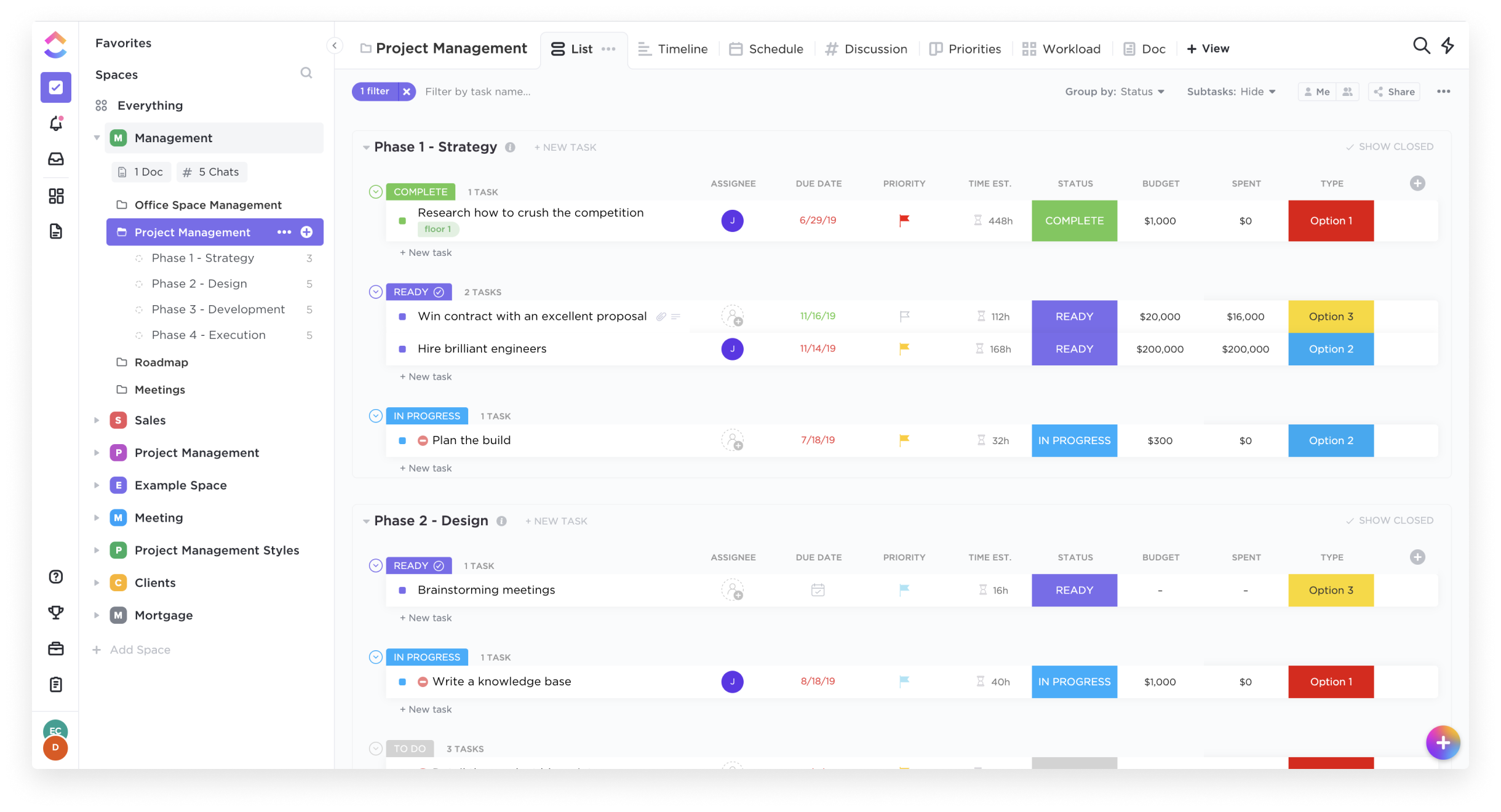    | HubSpot CRM Screenshots   |