Chose Copper
It's the perfect bridge between advance for our needs, and simple for our team to actually use it, and learn it quickly.

| Product | Rating | Most Used By | Product Summary | Starting Price |
|---|---|---|---|---|
 Copper | N/A | Copper is a customer relationship management (CRM) built as an integration into Google Apps. | $9 per month per user | |
 Less Annoying CRM | N/A | Less Annoying CRM is a customer relationship management (CRM) solution built specifically for small businesses to help clients manage contacts and track leads. | $15 per month per user |
| Copper | Less Annoying CRM | |||||||||||||||
|---|---|---|---|---|---|---|---|---|---|---|---|---|---|---|---|---|
| Editions & Modules |
|
| ||||||||||||||
| Offerings |
| |||||||||||||||
| Entry-level Setup Fee | No setup fee | No setup fee | ||||||||||||||
| Additional Details | Up to 15% discount for annual pricing. | The system is $15 per user per month. No hidden costs or fees, or paying unused functionality. No long-term contracts. The first 30 days with the product are free, and the vendor won’t ask for payment information until that trial period ends. | ||||||||||||||
| More Pricing Information | ||||||||||||||||
| Copper | Less Annoying CRM | |
|---|---|---|
| Considered Both Products |  Copper  Moriah Bacus, CAPM Accountability Coach + Project Manager Chose Copper Unlike Copper, I find Hubspot not as intuitive when it comes to their dashboard and customization. Copper offers much better value without having to pay for multiple add-on modules.  Robert Mann CEO Chose Copper Much less expensive and easier to set and use than Salesforce. We did not evaluate other systems.  Ben J. Varghese Manager, Sales Readiness Chose Copper The software is designed to mimic the look of Google products. This makes it easy to use for people already familiar with Google products. It syncs with G Suite apps like Google Contacts and Google Calendar, and it is directly accessible from Gmail. It appears as a sidebar …  Nathan Young Managing Director Chose Copper Copper is cheaper than Hubspot if you have a lower amount of users and still need advanced features. However, the TERRIBLE customer service and DECEPTIVE cancellation policy should make you think twice before trying to save a few bucks.  Jay Werth Partner / Campaign Manager Chose Copper I selected Copper because of its interface with all things Google, specifically the sync feature for calendar and capture of email correspondence. It made sense to use Copper because our corporate communications is built on the Google platform. Bloomerang is an excellent tool …  Kelly Wasden Sr. Account Executive Chose Copper More complete than SugarCRM by a long shot with reporting and ability to seamlessly integrate with ANYTHING at all. Less complicated than Salesforce Lightning from implementation and maintenance but Copper lacks deep customization ability and sheer size. Zoho CRM is a dying CRM …  Chris Kirksey Founder, CEO Chose Copper Copper is right in the middle in terms of price when comparing other CRMs, which is actually pretty awesome because I've used about 10 other CRM's and I've never been happy until I started using Copper. Pipedrive was very competitively priced, but I couldn't stand the UI. …  Sam Lepak Head of Digital Marketing Chose Copper I didn't have much authorization in the selection of Copper, however, I have looked into switching costs and leaving Copper due to their limited workflow automations. Hubspot and Salesforce look more robust and integrated with our other marketing tools. We are too sunk in with …  Erik Viager Manager, Business Development Chose Copper For my company, we chose Copper over Salesforce and HubSpot for a few reasons. First and foremost, G-Suite integration. This was one of the most attractive features we liked about Copper. The integration allows for seamless lead import, automated activity tracking and much …  Scott Entwistle Founder Chose Copper ProsperWorks is just an amazing lightweight CRM. Unless you're a large organization that needs to build out crazy custom reporting and tools that integrate into your CRM, Prosperworks is the best bet. Instead of being an IT project that you need to get a bunch of other people …  Daniel Coburn COO (Chief Operating Officer) Chose Copper It is a very powerful tool to the level of Sugar and SalesForce. With its tight integration, as a Google product, it is seamless and really assists in managing communication with clients. While Zoho offers a great low-cost solution, ProsperWorks definitely hits the mark for … |  Less Annoying CRM  Dennis Hennessy President Chose Less Annoying CRM Less Annoying CRM is so much easier to use and is at least as powerful if not more in the areas that matter to me as a small business owner. The way you do things in Less Annoying CRM are the ways that common sense would dictate you do them. It doesn't overcomplicate things …  Henrik Kjellberg Sales Director Chose Less Annoying CRM No CRM comes ready to run out of the box. But Less Annoying CRM is close to it. It all comes down to your needs . To get started Less Annoying CRM is by far the fastest and easiest route. Less Annoying CRM doesn't have all the bells and jingles rather more or less what you …  Ginny Schlosser, MBA Investment Advisor Representative Chose Less Annoying CRM ease of use, fixed monthly fee, customer support  Dr. Jim Salvucci President Chose Less Annoying CRM The name says it all. Less Annoying CRM is less annoying. I don't have to invest vast amounts of time learning or bypassing features I will never use. I don't have to pay for those features either. Less Annoying CRM is much more intuitive, so I don't have to waste type learning …  Judy Tebow Owner Chose Less Annoying CRM We chose Less Annoying CRM because when searching for a good CRM, we found this program had everything we needed at an affordable rate. When you are a private business owner, you have several business expenses, so to get everything we needed in the price range that was also …  Michael Cline Sales Chose Less Annoying CRM All others were way too complicated for our needs  W. Pierce Johnson Owner Chose Less Annoying CRM I stopped using Salesforce because it has way too much stuff in it that I would never use. I consider LACRM a client management tool as well as a CRM, I don't need it to follow trends, forecast, or mass email. I am sure it may have some capabilities of these features but I will …  Kevin Kalbac Agency Sales Manager Chose Less Annoying CRM I used ACT! heavily in the 1990's to great success in my sales/account management job. It was a great tool at the time. But it seems ACT! hasn't kept up with the market and the current reviews reflect it - "clunky," "out of date," "cumbersome" were common in many of the …  Lafayette SIlva National Operations Manager Chose Less Annoying CRM Less Annoying CRM is easier to use than all of the CRMs that I listed here, but I’m sure all those other ones have a place for those companies and I’m sure that they optimize the data flow and all that other good stuff. Frankly, Less Annoying CRM is just so much easier and …  Patrick Grogan Broker Chose Less Annoying CRM I chose Less Annoying CRM based on the price at first.  Gray Kinney Owner Chose Less Annoying CRM LAC Is non-bloatware, I dod not need the whole house, just the kitchen sink!  Melissa Stockton Partner Chose Less Annoying CRM It was 4 years ago, I do not remember what we evaluated.  Charles Harte President Chose Less Annoying CRM Less Annoying CRM is far less expensive and not burdened with lots of useless (for me) features. It has exactly what I need and is very easy to use. Further, tech support is easily accessed and available.  Kira Solomon Owner & Travel Professional Chose Less Annoying CRM It's much more easy to navigate. Better website. Better overall look. More organized. |
| Copper | Less Annoying CRM | ||||||||||||||||||||||||||||||
|---|---|---|---|---|---|---|---|---|---|---|---|---|---|---|---|---|---|---|---|---|---|---|---|---|---|---|---|---|---|---|---|
| Sales Force Automation |
| ||||||||||||||||||||||||||||||
| Customer Service & Support |
| ||||||||||||||||||||||||||||||
| Marketing Automation |
| ||||||||||||||||||||||||||||||
| CRM Project Management |
| ||||||||||||||||||||||||||||||
| CRM Reporting & Analytics |
| ||||||||||||||||||||||||||||||
| Customization |
| ||||||||||||||||||||||||||||||
| Security |
| ||||||||||||||||||||||||||||||
| Social CRM |
| ||||||||||||||||||||||||||||||
| Integrations with 3rd-party Software |
| ||||||||||||||||||||||||||||||
| Platform |
|
| Copper | Less Annoying CRM | |
|---|---|---|
| Small Businesses |  Salesmate Score 10.0 out of 10 | Salesmate Score 10.0 out of 10 |
| Medium-sized Companies |  Creatio Score 9.7 out of 10 | Creatio Score 9.7 out of 10 |
| Enterprises | Creatio Score 9.7 out of 10 | Creatio Score 9.7 out of 10 |
| All Alternatives | View all alternatives | View all alternatives |
| Copper | Less Annoying CRM | |
|---|---|---|
| Likelihood to Recommend | 5.0 (0 ratings) | 10.0 (0 ratings) |
| Likelihood to Renew | - (0 ratings) | 9.1 (0 ratings) |
| Usability | 5.0 (0 ratings) | 10.0 (0 ratings) |
| Support Rating | 1.9 (0 ratings) | 9.4 (0 ratings) |
| Implementation Rating | - (0 ratings) | 9.1 (0 ratings) |
| Copper | Less Annoying CRM | |
|---|---|---|
| Likelihood to Recommend |
|
Henrik Kjellberg Sales Director |
| Pros |
Erik Viager Manager, Business Development |
Kevin Kalbac Agency Sales Manager |
| Cons |
|
 Jenny Steadman Publisher/Owner |
| Likelihood to Renew | No answers on this topic |
W. Pierce Johnson Owner |
| Usability |
|
 Carolyn Cates Songwriter |
| Support Rating |
Ben J. Varghese Manager, Sales Readiness |
Lafayette SIlva National Operations Manager |
| Implementation Rating | No answers on this topic |
W. Pierce Johnson Owner |
| Alternatives Considered |
|
Dennis Hennessy President |
| Return on Investment |
|
|
| ScreenShots | Less Annoying CRM Screenshots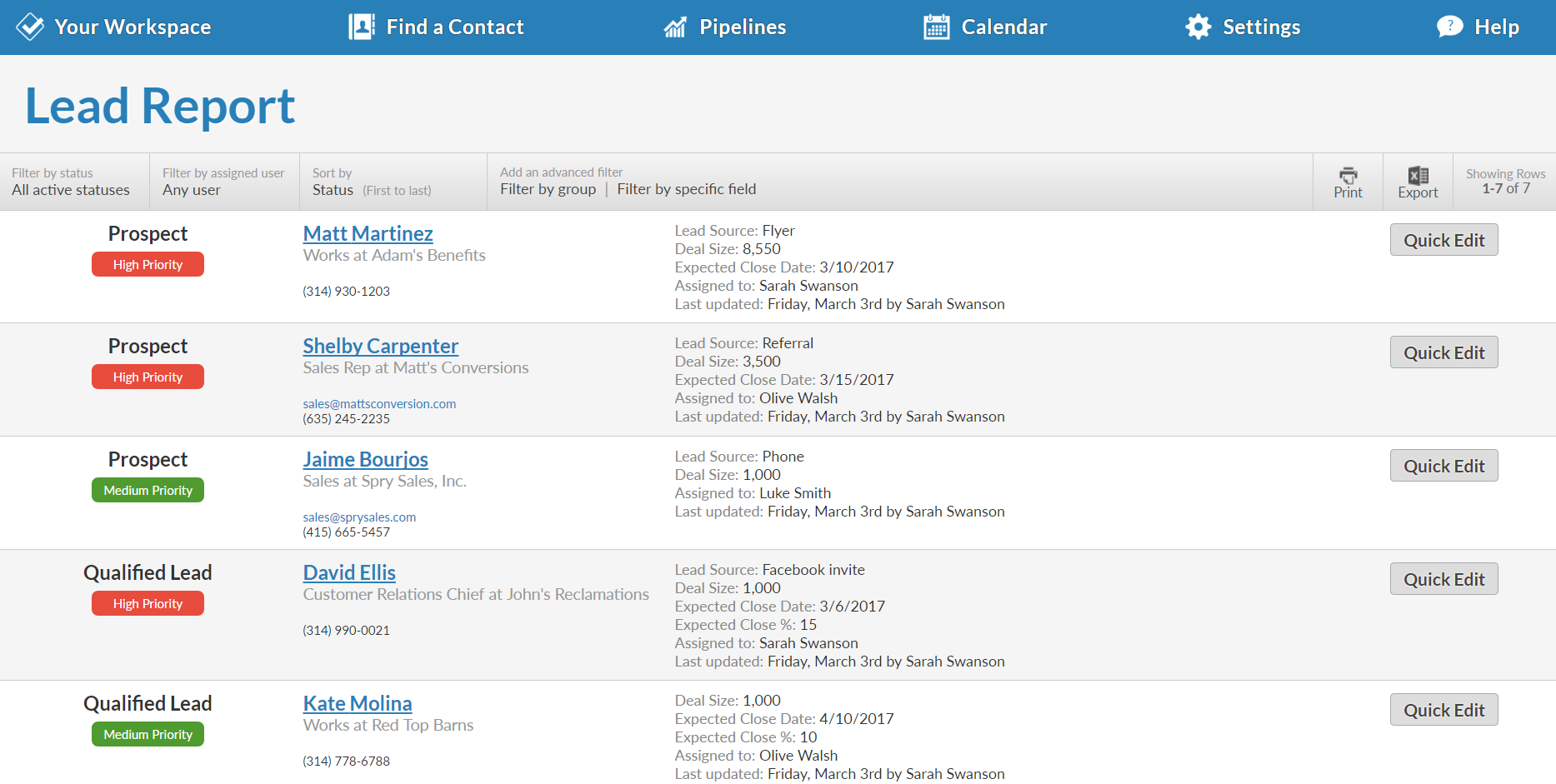  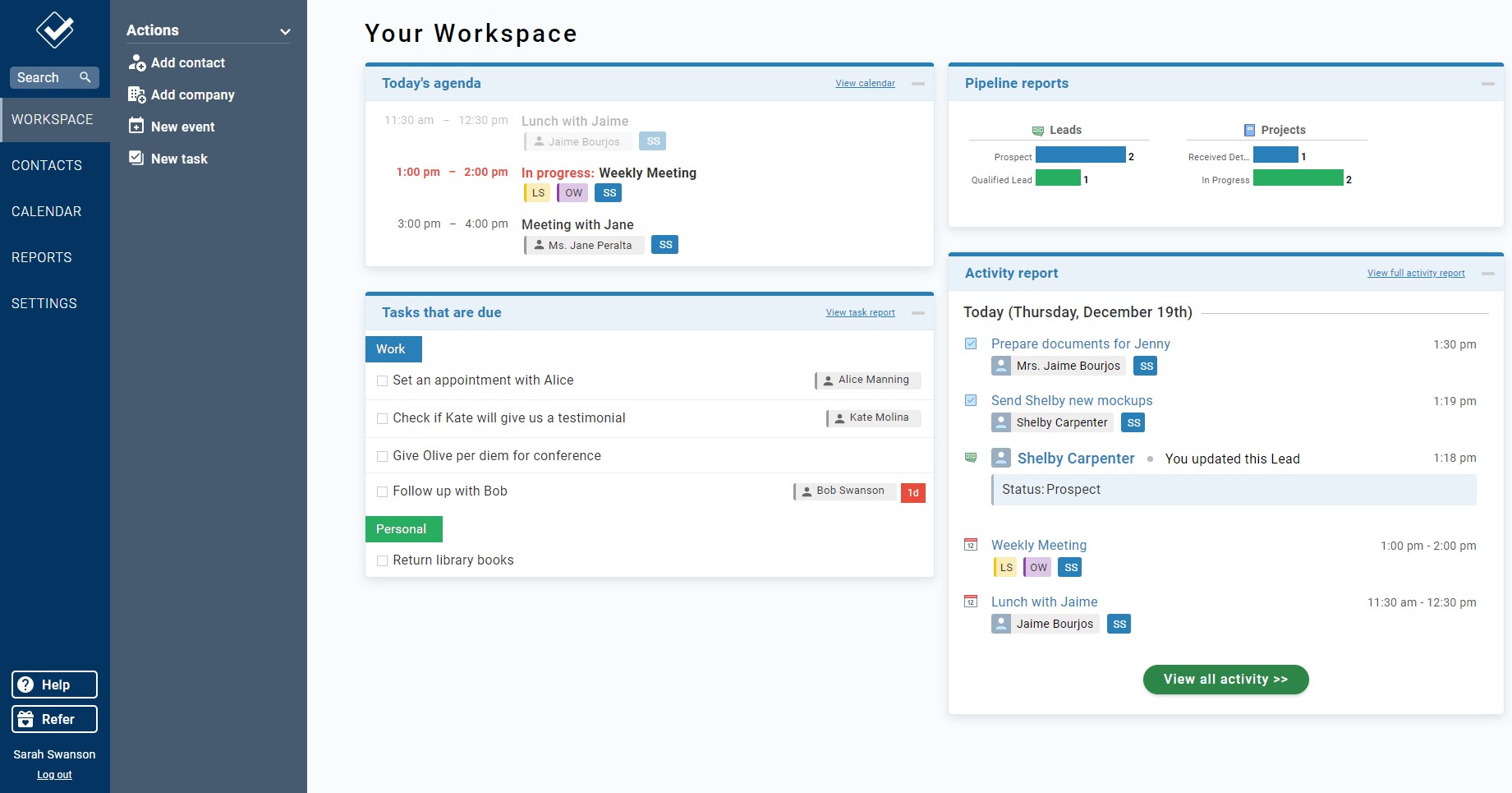  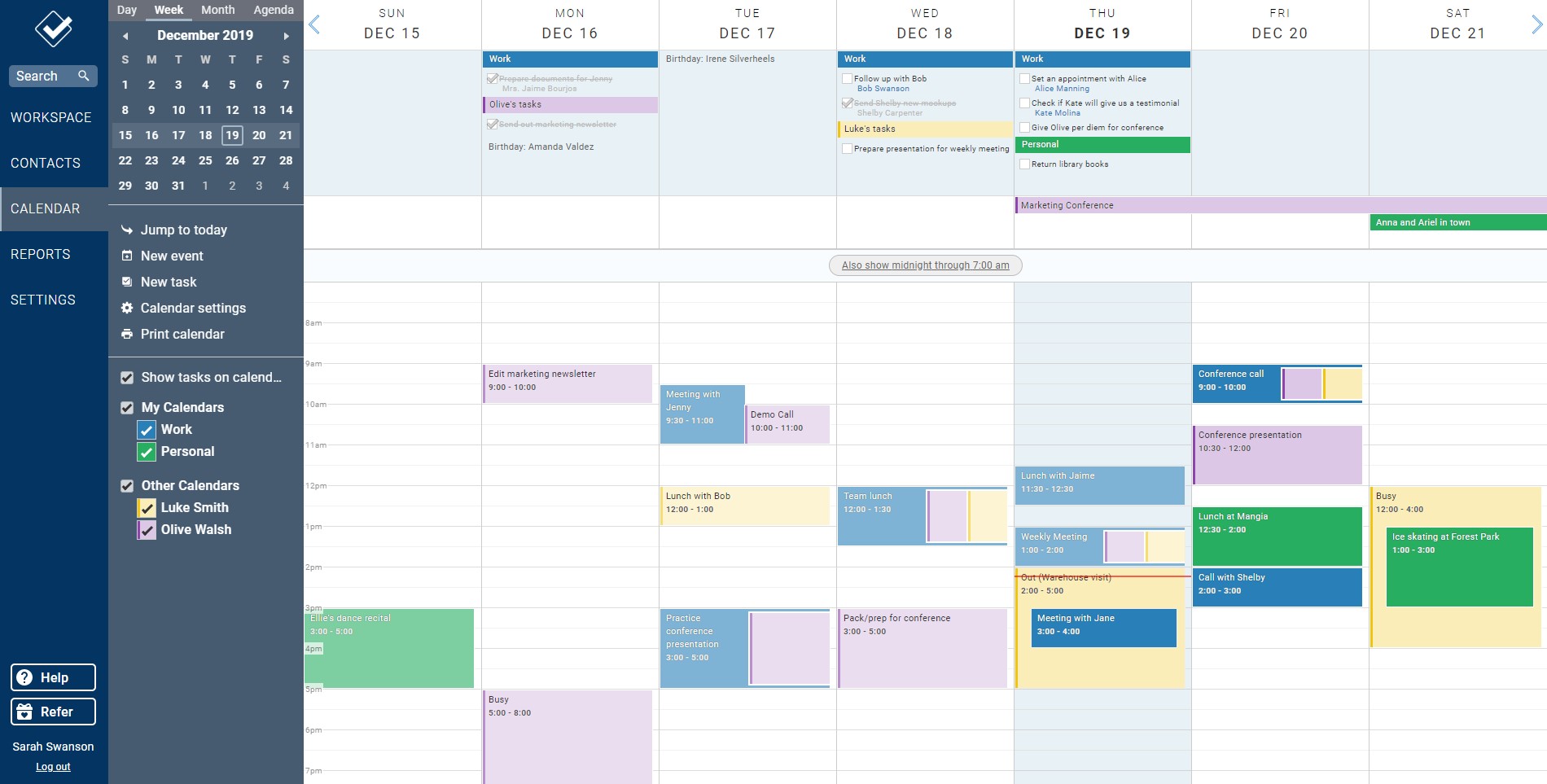  |