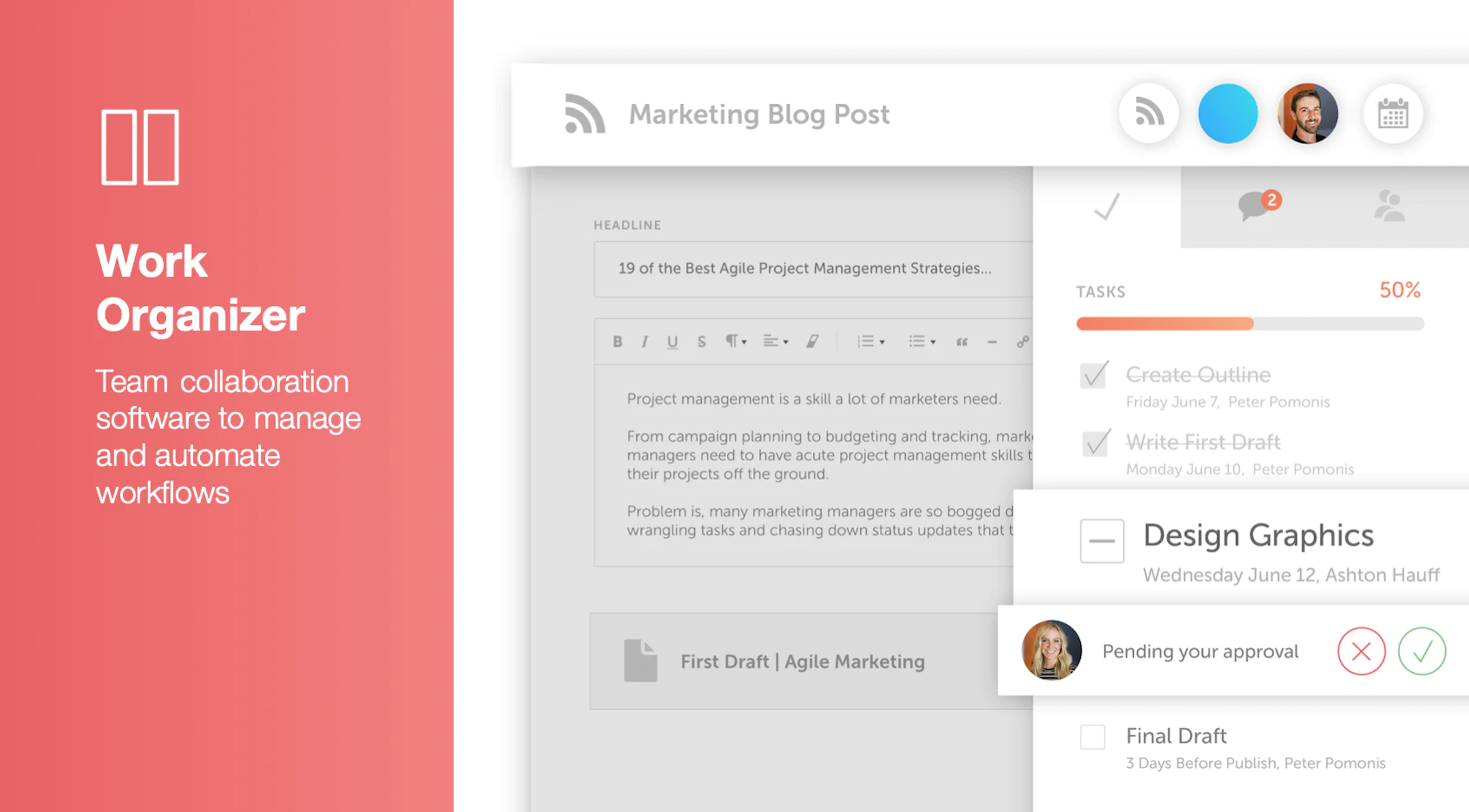
CoSchedule provides a content calendar, content optimization, and contentmarketing products, with users among 50,000 marketers worldwide, helping them organize their work, deliver projects on time, and prove marketing team value.
N/A
Zoho Social
Score 8.9 out of 10
N/A
Zoho Social is a comprehensive social media management platform designed for businesses of all sizes and agencies. It is used to schedule and publish posts, manage conversations—including direct messages, comments, and mentions—across multiple platforms, track keywords, competitors, and hashtags, and generate reports from one dashboard. Supported platforms: Meta (Facebook, Instagram, and Threads), Google Business Profile, YouTube, Pinterest, Mastodon, X (formerly Twitter),…
$0
per month per user
Pricing
CoSchedule Marketing Suite
Zoho Social
Editions & Modules
No answers on this topic
Free
$0
per month per user
Standard
$15
per month per user
Professional
$40
per month per user
Premium
$65
per month 3 users
Agency
$320
per month 5 users
Agency Plus
$460
per month 5 users
Offerings
Pricing Offerings
CoSchedule Marketing Suite
Zoho Social
Free Trial
No
Yes
Free/Freemium Version
Yes
Yes
Premium Consulting/Integration Services
No
No
Entry-level Setup Fee
No setup fee
No setup fee
Additional Details
—
Add Ons
Users at $10 / user / month
Brands $10 / brand / month
Discount available for annual pricing.
More Pricing Information
Community Pulse
CoSchedule Marketing Suite
Zoho Social
Considered Both Products
CoSchedule Marketing Suite
Verified User
Anonymous
Chose CoSchedule Marketing Suite
Hootsuite has gotten soooooo expensive in relation to the functionality it provides. The value is just not there compared to when prices were lower for SMBs.
In contrast, CoSchedule Marketing Suite provides huge value for the price and the tiered pricing based on users, number …
CoSchedule is definitely a more powerful marketing tool than Loomly or Buffer, which are more dedicated to straight social media scheduling. I preview the calendar overview offered by CoSchedule, which makes it easy to see everything at a glance. PromoRepublic is similar but …
CoSchedule offers a lot more than some of its competitors, but you have to evaluate what your organization needs and doesn't need. For some organizations, they only need a content planner for social media, and CoSchedule might not be the best fit due to price compared to some …
CoSchedule provides collaborative planning of projects. The calendar view is very well designed. Meetings and tasks can be scheduled and tracked easily. Whatever is being done, no matter how big the task/project is, it gives a bird-eye view of everything. Additionally, it also …
After trying other social media scheduling tools, CoSchedule is my favorite. Like I said previously, it fills the gaps I've found in other tools. I feel more organized with CoSchedule and prefer their mobile app as well.
CoSchedule better supports the content creation and redistribution of content activities. The best thing was that you can get it all automated here, while other tools do not provide with support. I would say CoSchedule is one of the best tools for managing both content and …
Crescendo has some very powerful features such as a built in editor that provides a simpler editing suite than Wordpress, especially valuable for contributors. The fact that it has multiple levels of contributor/author/editor is a real plus. There is also a comments box that …
Zoho Social is a much easier and integrated tool that accomplishes my tasks at a way faster rate. If you are busy like me but still enjoy running your own marketing this is the platform you are looking for. It Is a real treasure for small businesses and owner operated marketing.
Zoho Social is cheaper and gives more flexibility than Hootsuite in my opinion. Hootsuite is bigger and sleeker in design, but I appreciate the functionality that Zoho Social offers.
Zoho Social's payment structure is much more affordable than Hootsuite. As a nonprofit, we were paying $37.50 a month, and then Hootsuite increased the monthly payment amount, doubling it to $75 a month. As a small, self-funded nonprofit, we could not continue using Hootsuite …
Kontentino is nothing compared to Zoho Social. It's good for their approval flow of your posts but that's like it. They only show the posts and analytics of the posts you published through their platform and not many to no competitors analytics. Hootsuite is good but …
Zoho Social can do nearly everything Hootsuite can for a fraction of the cost. For small businesses like ours, it is a no-brainer to go with Zoho Social which clearly understands the needs of mom and pop businesses like ours!
Loomly is so far the best out of all the platform options. However, Zoho is a strong contender. Loomly has more features. Pricing also comes into play.
I have had to reconnect many of them or just have them bog down and freeze. The only one that doesn't give me problems in Meta, but it only posts to the two platforms. I love that Zoho Social lets me post to so many platforms at one time.
I would say it is right on par with hubspot regariding social media and, in my opinion, analytics. However, the only aspect and caveat that gets me is the analytics compared to hootsuite. If Zoho Social can get the analytics to be as close as possible to hootsuite I would use …
CoSchedule does more than just content planning, it helps you organize your content, betters your content with headline analyzers, and allows you to organize your work and marketing calendars as well. If your organization is in a spot where you need a well-rounded tool to help with content, marketing, or even task organization, CoSchedule might be the right fit.
n a crowded landscape of scheduling software options, this particular solution stands out as a beacon of simplicity and user-friendliness. What truly sets it apart is its ability to strike a delicate balance between ease of use and content flexibility. Unlike some other platforms that may impose restrictions on content size and compromise quality during scheduling, this software manages to preserve the integrity of the content while offering an intuitive interface.
Zoho Social helps us develop posts, and it facilitates the automated publishing, which is vital in sharing the content we want.
Besides, Zoho Social is fruitful in customer engagement plan, where the software manages different accounts, and there is free communications throughout.
Finally, there is social media evaluation, monitoring, and analytics, and all of them brings to us an inference that is accurate and digital.
The import Google Doc to WordPress functionality never worked successfully or reliably for me. So I just manually copy and paste Google Docs to the WordPress editor instead.
The social sharing counter was not that helpful, because it only counted Facebook and Google+. Who uses Google+ anymore? Plus, now they don't even show the social counter in the monthly calendar view. so you can't see the numbers without doing some extra digging.
In the monthly calendar view, some titles get cut off if they don't wrap cleanly in the day's box. So I would make it look cleaner instead of having words broken up by a hyphen.
The Calendar view displaying published posts would be a great feature. You can view published posts displayed in a list, but when scheduling and arranging posts based on a calendar, seeing upcoming posts as well as past posts can be very helpful.
I am enjoying using Zoho Social and I look forward to really unwrapping what it has to offer. I need to be able to essentially offload all my social media posting and work so that I can do the actual work of sewing clothes, which is what my business actually does. This way, I can spend a few weeks making different types of content while also sewing clothes and post the content in a way that builds a story for my business and is entertaining.
The interface is very intuitive, from setting up social profiles, to posting, to tags, to optimizing for best day/time to post. It's super easy to scan the aggregate analytics. The calendar is very easy to grok at a glance, and the more advanced functionality is intuitive to set up.
I think it provides good value for money, a streamlined, intuitive, user friendly platform, with lots of features I'm still discovering. The social media publishing is easy and effective to use. We would love to see the monitoring feature included in the basic package but for the price you can't ask much more, really
I didn't have to use their official support, but I can say that they put out a lot of content online to help users. Their YouTube page has quite an array of tutorial videos explaining how things work and how to get the most out of their tools. If you're struggling, before picking up a phone or blasting off an email, try searching for your problem on YouTube or their forums.
The guys at Zoho are amazing. They are always in touch and are willing to help. They regularly send support emails to find out how they can help. They send tips and information on updates. When you need help, they don't hesitate to call. Support is really great from Zoho.
CoSchedule is definitely a more powerful marketing tool than Loomly or Buffer, which are more dedicated to straight social media scheduling. I preview the calendar overview offered by CoSchedule, which makes it easy to see everything at a glance. PromoRepublic is similar but has the added Canva-type integration, which makes it more appealing to our clients who want to be able to easily put together their own images. CoSchedule is a bit pricy, which can be prohibitive for clients who don't pay in dollars.
Zoho Social is more practical. It has the features we need. We just want to share content on our social media accounts and view the post-share stats. The integration process is easy, the sharing process is easy, and these are the key features we need at the moment. Also, we can manage our team and responsibilities by Zoho Social's permission system quite efficiently.