Dialpad Sell vs. PhoneBurner

Overview
ProductRatingMost Used ByProduct SummaryStarting Price
Dialpad Sell
Score 9.5 out of 10
N/A
Dialpad Sell is a phone system built for sales, with real-time coaching and CRM integrations. It features call analytics, voice intelligence with objection handling, call sentiment analysis for just-in-time coaching, and support for a range of headsets and phones.N/A
PhoneBurner
Score 8.0 out of 10
Small Businesses (1-50 employees)
PhoneBurner is an automatic phone dialing system. It provides the ability to load a list of contacts and includes a built-in contact manager. It allows users to record a voicemail message and to choose which contacts to call.
$165
per month per user
Pricing
Dialpad SellPhoneBurner
Editions & Modules
No answers on this topic
Standard
$165
per month per user
Professional
$195
per month per user
Premium
$215
per month per user
Offerings
Pricing Offerings
Dialpad SellPhoneBurner
Free Trial
NoYes
Free/Freemium Version
NoNo
Premium Consulting/Integration Services
NoNo
Entry-level Setup FeeNo setup feeNo setup fee
Additional Details15% discount available with an annual contract. No setup fees. No per minutes fees. No credit card free trial. Admin account is free unless engaged in dialing.
More Pricing Information
Community Pulse
Dialpad SellPhoneBurner
Features
Dialpad SellPhoneBurner
Preview Dialer
Comparison of Preview Dialer features of Product A and Product B
Dialpad Sell
8.0
Ratings
11% above category average
PhoneBurner
7.4
Ratings
3% above category average
Contact preview8.00 Ratings8.60 Ratings
Dialer-CRM integration8.00 Ratings6.70 Ratings
Call notes & tags8.00 Ratings5.80 Ratings
Automatic call logging8.00 Ratings8.70 Ratings
Core Dialer
Comparison of Core Dialer features of Product A and Product B
Dialpad Sell
8.5
Ratings
11% above category average
PhoneBurner
9.2
Ratings
19% above category average
Outbound dialing8.00 Ratings9.00 Ratings
Inbound routing8.00 Ratings8.90 Ratings
Custom caller ID7.10 Ratings9.00 Ratings
Click-to-call9.00 Ratings9.30 Ratings
Recorded voicemail drop10.00 Ratings9.80 Ratings
Dialer contact import8.90 Ratings9.40 Ratings
Campaign & list management8.20 Ratings9.40 Ratings
Call Follow-up and Quality Assurance
Comparison of Call Follow-up and Quality Assurance features of Product A and Product B
Dialpad Sell
8.0
Ratings
6% above category average
PhoneBurner
9.2
Ratings
20% above category average
Follow-up calls8.00 Ratings9.40 Ratings
Dialer reporting & analytics7.00 Ratings8.70 Ratings
Dialer compliance9.00 Ratings9.40 Ratings
Best Alternatives
Dialpad SellPhoneBurner
Small Businesses
Salesmate
Salesmate
Score 10.0 out of 10
Salesmate
Salesmate
Score 10.0 out of 10
Medium-sized Companies
CloudTalk
CloudTalk
Score 7.2 out of 10
CloudTalk
CloudTalk
Score 7.2 out of 10
Enterprises
Bright Pattern Contact Center
Score 9.1 out of 10
Dialpad Sell
Dialpad Sell
Score 9.5 out of 10
All AlternativesView all alternativesView all alternatives
User Ratings
Dialpad SellPhoneBurner
Likelihood to Recommend
8.9
(0 ratings)
6.5
(0 ratings)
Likelihood to Renew
9.1
(0 ratings)
-
(0 ratings)
Usability
8.4
(0 ratings)
9.3
(0 ratings)
Support Rating
-
(0 ratings)
8.6
(0 ratings)
User Testimonials
Dialpad SellPhoneBurner
Likelihood to Recommend
Well, There are numerous scenarios where a Dialpad can be very helpful in terms of communication tools. It allows the user to send text unlimited messages, making outbound calls, and review daily, weekly, monthly, or custom analytics. Saving n number of contact details, easy to search them on Dialpad. As of now, I did not come across any scenario where I can say Dialpad would not be suited.
Read full review
I think it would be great in any mid size to large scale sales team. With our ability as managers to go through every call or even join calls live is a huge way that it can help any sales manager and team really ramp up their sales strategy.
Read full review
Pros
  • Speed of the messages that are sent are excellent!
  • The voicemail drop section so i dont have to resay the reason for the call to multiple clients with the same issue
  • The saving of information so i dont have to retype everything over again
Read full review
  • It is super easy to upload the lead list and keep everything in a unified and easy to use record.
  • Time savings in the case of calling more than 50 people during a single day for example.
  • Extremely friendly interface and reliable software.
Read full review
Cons
  • The biggest thing for me is being able to link calls to specific objects in SalesForce. In the app, you can link a contact to an object, but I often call the same contact several times, so I have to create a report in Salesforce and manually link the call everytime that way.
Read full review
  • Could be a little better on the pricing.
  • Could offer a better central administrative function.
  • Could provide more updates to the app.
Read full review
Likelihood to Renew
We love using Dialpad and will continue to use it
Read full review
No answers on this topic
Usability
Dialpad Sell is Very easy to use, whether at home or in the office dial pad has very sleek and easy to use features, all features are easy to find and are pretty self explanatory, the switch from regular phones to dial pad was a very easy and non stressful switch for our whole team
Read full review
The capacity to stack enormous records and dial those down quickly, without manual cycles, is the best aspect of the application. Another incredible component is the more current rundown stacking device, which permits you to make another envelope for the contacts on the fly, settling on sorted out decision crusades truly simple to begin.
Read full review
Support Rating
No answers on this topic
Every interaction I have had with any member of their support team has been pleasant. Issues are quickly addressed and their response time is excellent through the chat service.
Read full review
Alternatives Considered
I like Dialpad so much more than PB simply for its analytics and follow up notes. I also love how you can text clients through DP which in PB, you cannot do. The AI technology and communications with the user is something that is so beneficial to it's users and therefore, I highly recommend this product over others
Read full review
We selected PhoneBurner because it is very easy to integrate with Zoho CRM and if you have a silver plan, you can do a lot such as Sending SMS and unlimited calling, you can also record and drop voicemail, timezone calling is automatic. It is a good dialer to use if you are part of sales.
Read full review
Return on Investment
  • It has helped me to understand easily the different accents of people
  • Dialpad has helped me to analyze my past calls and help me to grow
  • It also shows the number of Csats and your team in real time which also creates a healthy competition
Read full review
  • [I believe] it has cost me a fortune in wasted time trying to make the Hubspot integration [work] (to no avail).
  • [I believe] if the Hubspot integration actually worked, we would probably get decent ROI from the speedier calling.
Read full review
ScreenShots

PhoneBurner Screenshots

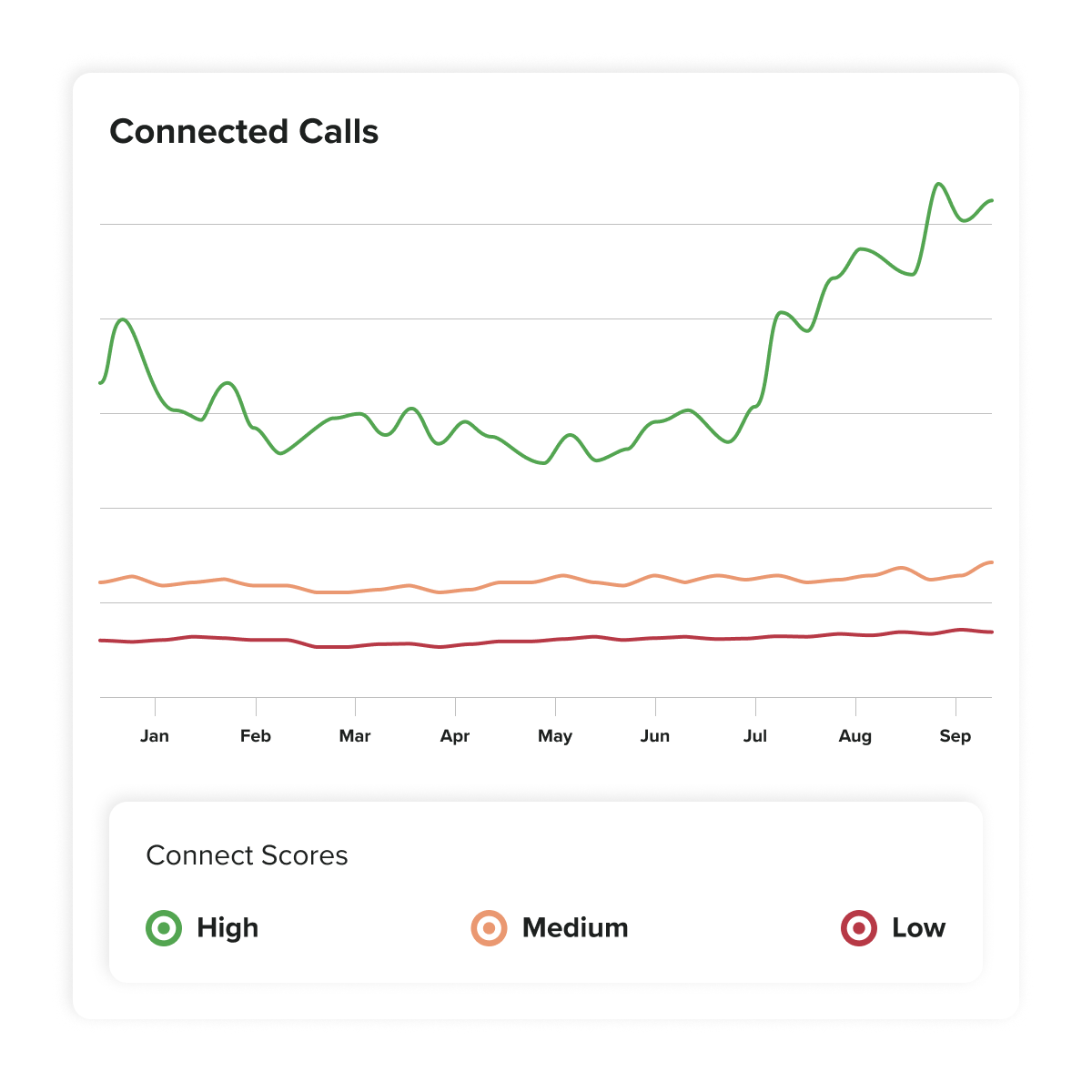
Screenshot of the dialing interfaceScreenshot of PhoneBurner's spam flag and answer rate solutionScreenshot of an overview of PhoneBurner's lead routingScreenshot of an illustration of a call workflowScreenshot of PhoneBurner's inbuilt analyticsScreenshot of Connect Scores pickup probability