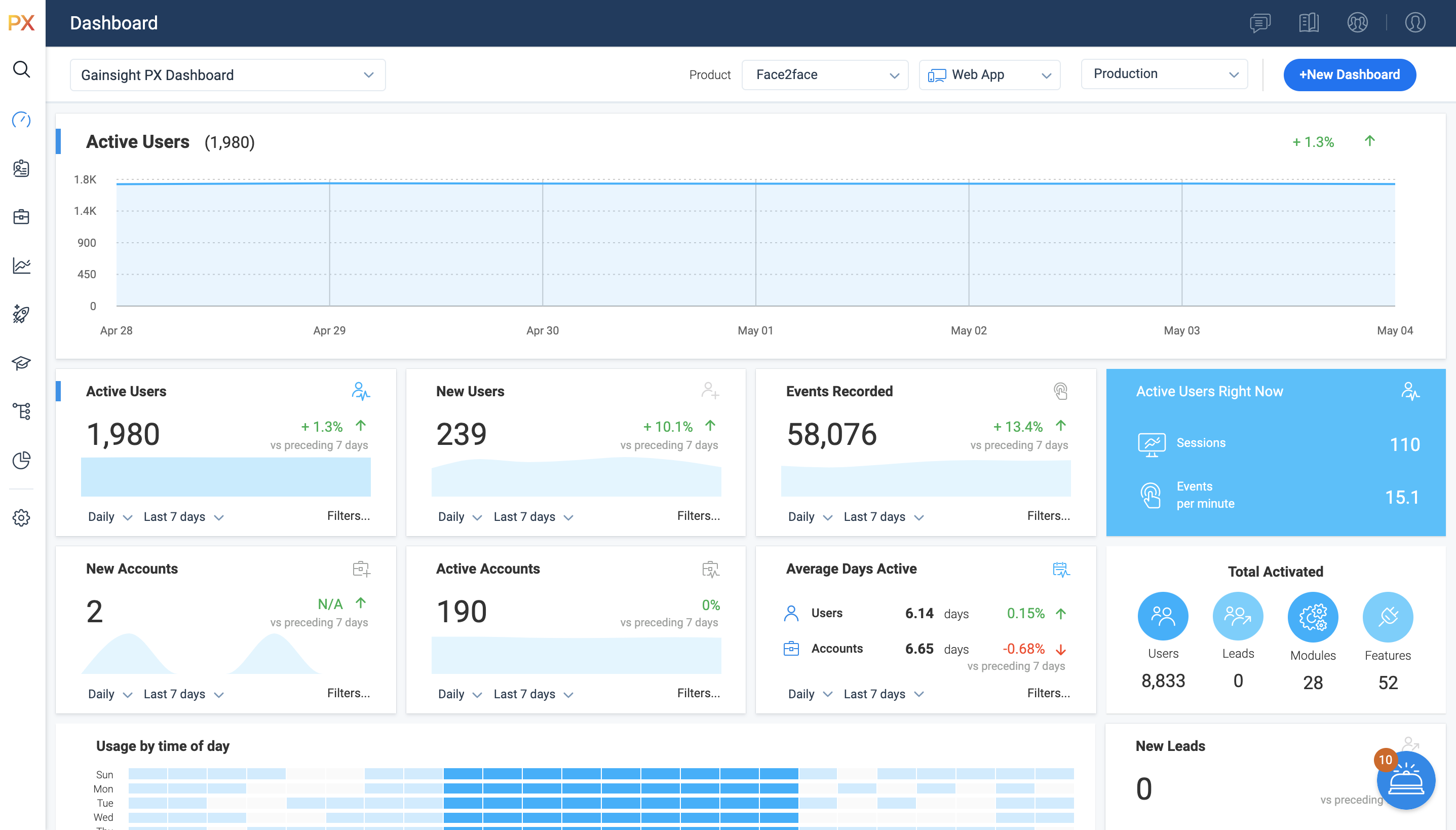
For SaaS products, Gainsight's product experience software enables companies to track every step of their user's journey and fully understand how they're interacting with a product over time.
$0
100 or less MAUs (Monthly Active Users)
Pendo.io
Score 9.5 out of 10
N/A
Pendo.io is a product engagement platform with features for in-app analytics, surveys and feedback, and guidance.
We leaned towards Gainsight PX because of the tight integration with Gainsight. Implementations were somewhat similar but the ease of mapping for all features and modules was superior for PX.
It's been a couple years since I've used Pendo and admittedly we were not set up in the best way for Pendo to work like we have PX. Specifically I am referring to how our elements were tagged.
That being said, here is what I recall as main differences:
I did not select Gainsight and we recently switched some of our products to other software which give us better targeting options but are more difficult to implement.
Between the products analyzed, Pendo and Gainsight PX were most complete/mature. At the time, Pendo's UI seemed more intuitive than Gainsight PX. Chameleon and Appcues seemed easiest to use, but were lacking some of the functionality we were looking for. Ultimately chose …
The main reason is that Gainsight PX offers a perfect combo - analytics and customer engagement. That allows us to make the engagement contextual, based on real-time analytics results.
Pendo.io had the full suite of solutions for product management, customer success and UX. The other solutions seemed to be good solutions but Pendo solved a lot more range of proplems for our teams. Pricing was all about the same as well so it didn't really factor into the …
It’s a robust tool that allows you to easily map and track key features and actions within your products. It also allows for in app communications to help guide the user through the path you want them to follow. The ability to connect with Gainsight CS also allows you to leverage that data to drive actions for the account team, incorporate it in health scoring, and use it to trigger digital programs. You do need a well thought out strategy for management of the platform, the data and how you will use it.
Pendo.io is very well suited for organizations, who want to quickly connect with Customers without even directly talking to them. Pendo.io allows in-app guides and documentation to help organizations connect with their customers and guide them in their product. The feature tracking capability is the best to understand the page/feature usage also by segment to categorize and understand user behavior. Replays are somewhat helpful but still can have improvements. Less appropriate where the customer base is less.
Mapping your product is easier with PX than with Google Analytics (mapping your product makes usage data appear as hits on mapped URLs, buttons, etc)
PX is good at showing simple messaging popups to customers.
PX Badge functionality—a persistent hover- and click-enabled popup launcher, positioned on select pages and attached to select elements—works well as a self-serve resource for users. It can be unobtrusive yet right there when needed.
PX modal content is fully editable HTML with plenty of flexibility.
Audience filters are really powerful. You can target users by many built-in and dev-configurable attributes, like device-type (which helped me work with mobile web users), browser, account, parts of the application visited/used in the last day, and many more.
The guide builder UI could be a bit more user-friendly; it's hard to remember where the different options are at first and takes some practice.
Interpreting user paths visually can be tricky at times, especially when trying to understand where drop-offs or blockers occur.
More granular user permissions so that I don't need to grant full admin rights to a user if I want to let them edit translations on a guide, for example.
We have had an excellent experience with Pendo. When we've had questions or concerns, Pendo is very quick to respond and communicate with us. We have experienced top-notch customer support and customer engagement. We have actually modeled some of our implementation and product processes after Pendo's examples.
It is a good product, but like with every product, there is room for improvement or even just things I, as a user, would prefer, such as the ability to click on a company and have it go to Salesforce instead of Insight. It can also be difficult to find certain reports.
It is intuitive for core tasks like tracking feature usage, building Guides, and viewing dashboards. The interface is clean and well structured, making it easy for product managers and operational teams to get value quickly without heavy technical support. However, there is a noticeable learning curve when setting up advanced custom events, reports, or integrations, which can take some time and internal knowledge-sharing to master.
Every time I have logged into Pendo, the service has been available for me to use. The page has never been down when I am trying to get info from there.
I have not had to contact support frequently but when I have I used the chat and my questions were answered immediately. I've also used their knowledge center, help documentation and training videos which are all very thorough. The support we've received from our Customer Success Manager has been helpful as well.
They've been great anytime that we have needed help with something. They also have some really great help articles. We're able to figure most things out through their articles, but when we've had to call in they've been very helpful and we haven't had any problems. I'd highly recommend working with them.
The training schedule was well thought out and tailored to meet our needs. Chantelle stayed with us through the whole implementation and made sure that we were good to go.
I have used and evaluated a few similar products to Gainsight PX, including Appcues, WalkMe, and Pendo. I found that Gainsight PX was the most comprehensive and user-friendly platform, offering features such as customizable onboarding flows, product usage tracking, and automated customer success workflows.
Pendo.io excels at creating guides. The editor experience is precisely what anyone working with a DAP tool desires – unobstructed and focused on a single screen. Pendo.io boasts AI features, and the customization options exceed expectations. When we became more familiar with the product, we questioned why we hadn't considered it sooner. Pendo.io has simplified analytics, making them as straightforward as bread and butter. The number of widgets available for data representation in the dashboard is astounding. Furthermore, Pendo.io offers a wealth of features, including feature tagging, webpage tagging, Pendo Listen, NPS surveys, a resource center, and more. I used WalkMe for three years and encountered challenges achieving the desired flow for customer onboarding, which sometimes proved difficult. In contrast, Pendo.io makes everything achievable thanks to its ability to incorporate custom code into guide creations.
Customer Sentiment. Customers have been excited when we can show them data around usage and where we can improve.
Deciding to remove features. We have used PX to identify features that have little to no usage which allows us to get rid of unnecessary process and maintenance.
Identifying areas of improvement. We are able to find areas of our product that we need to focus on improving where previously we would have missed or had a tough time justifying spending time and resources.