Google Meet vs. PanTerra Networks

Overview
ProductRatingMost Used ByProduct SummaryStarting Price
Google Meet
Score 8.1 out of 10
N/A
Google Meet, formerly Hangouts Meet, replaces the former Google Hangouts as the company's G Suite integrated web conferencing tool, allowing users to join meetings directly from a Calendar event or email invite from a computer, phone, or conference room. G Suite's Enterprise edition also creates a dial-in phone number for each meeting, as an additional convenience.
$6
per month
PanTerra Networks
Score 6.3 out of 10
Mid-Size Companies (51-1,000 employees)
PanTerra is a provider of unified cloud-based services for communications, enterprise file sharing and mobility solutions for mid-market enterprises (MME), headquartered in Santa Clara. The Company's Streams service provides - Unified Communications and SmartBox - Communications-Enabled Content Management solutions which are delivered securely from the cloud through a browser-based client as well as mobile apps for smartphones and tablets, are designed to eliminate any on-premises deployed…
$24.95
per month per seat
Pricing
Google MeetPanTerra Networks
Editions & Modules
Google Workspace - Business Starter
$6
per month
Google Workspace - Business Standard
$12
per month
Google Workspace - Business Plus
$18
per month
Business Plus
$24.95
per month per seat
Professional
$29.95
per month per seat
Call Center
$44.95
per month per seat
Offerings
Pricing Offerings
Google MeetPanTerra Networks
Free Trial
YesNo
Free/Freemium Version
YesNo
Premium Consulting/Integration Services
NoNo
Entry-level Setup FeeNo setup feeOptional
Additional DetailsPricing is determined by length of contract and size of business.
More Pricing Information
Community Pulse
Google MeetPanTerra Networks
Considered Both Products
Google Meet
Chose Google Meet
Slack is not capable of handling large attendees so we are using Google Meet when number of attendees are higher.

Chose Google Meet
It stands out because of its user friendly interface which is quite intuitive and simple to use and its integration with Google work space. Unlike Zoom which comes up with more advanced webinar features. Meet provides ease of use and accessibility. As compared to Microsoft …
Chose Google Meet
Zoom can be defined as a much easier , advanced and accessible version of the Google meet with multiple features such as selective chat enable , polls , emoticons , real time liveboard and calendly integration as well
Chose Google Meet
Because Meet is simple to use, you use it with weaker internet, you can quickly integrate it with your schedule and maintain a controlled meeting frequency. If you use G-suit as a whole, you have more control and integration of the tools, which makes it a lot easier, but …
Chose Google Meet
1) Comparitavely Google meet uses less amount of internet (or mobile data) as compared To Cisco Webex is the main reason for using Google Meet . 2) Moreover, participants need not to ask for permission to join even if they have left the call . They can simply do the same in …
Chose Google Meet
Google Meet provides good facilities at many situations than any other software.
Chose Google Meet

We haven't actually selected Google Meet as a replacement for the others - rather each has its own niche.
Chose Google Meet
I prefer Zoom, but Google Meet is a good alternative. Zoom is more secure and easier to manage. Zoom has more customization and I trust it more, as too many Google apps get changed without you knowing.
Chose Google Meet
Each product has its own pros and cons for example we cannot use the previously mentioned product for quick meetings because it's a bit complicated than Google hangout means so we tend to rely on each product depending on the scenario/condition that we will be facing, for …
Chose Google Meet
If I was to choose, I would go for MS Teams or Skype as it helps me to keep minutes or other notes and get back to them whenever I need. I am not a huge fan of Zoom however depends on how the organiser sets it up it allows downloading chat/minutes that I personally find very …
Chose Google Meet
Easy to use
Integration with calendar and google account
Chose Google Meet
At the time we stayed with Google Hangouts Meet as it was already integrated into our main email delivery.
Chose Google Meet
Google Meet has almost all the same features that other applications offer, basically you dot need to worry about missing features since you're at the same level. Google meet has a modern design, light application with a very easy UI.
Chose Google Meet
Google Meet stands out among other similar products in many ways, but the one way it particularly outshines all of them is the unlimited time period.
Chose Google Meet
The decision was easy to make, although Google Hangouts Meet, Skype and Zoom met the initial objective, we were inclined to choose Google Hangouts Meet because it not only does a much better job, it is easy to use, it's secure, and guarantees confidentiality in all connections, …
Chose Google Meet
Google Meet is my all-time favorite thanks to its many features and the fact that it is affordable. The software also integrates well with other Google products.
Chose Google Meet
I feel all the other options have a huge list of features. Some of them support host permission sharing, large audience, whiteboards, anonymous participants etc. But the whole point of using Google Meet is the ease of access. With no installation required, it covers almost all …
Chose Google Meet
Webex Meetings has a very old UI and also has connectivity issues most of the time. Google Hangouts Meet is free of cost and on the other hand, Webex meetings are paid and do not offer much in return. Further, it also does not have such features as google hangouts meet.
Chose Google Meet
Well we switched from Zoom because of paying issue. While Google Hangouts Meet is almost free there zoom needs extra charge to long meetings. And Zoom couldn’t meet up our common interests while meeting with foreign clients always. Performing Zoom meetings with phone isn’t …
Chose Google Meet
The price will always stand out, as it's cheaper than the other software out there for small meetings (less than 100 participants).
The connection to the servers is great as expected
The features are not really the best of Google Hangouts Meet for teaching kinesthetic learners, …
Chose Google Meet
To maintain in-depth and frequent communication, we use Google Hangouts Meet because the conversation is stable and flexible. We can achieve our goals through effective communication; communication with suppliers and purchasers is significant.
Chose Google Meet
The benefit for google hangouts meet is its seamless integration with Gmail and since most of the users have a Gmail account, it becomes a fast and reliable experience. Nevertheless, other tools have a better UI and feature list as compared to google hangouts meet. The UI for …
Chose Google Meet
Easy access to the Google Hangouts Meet service makes all the difference. Compared to other video calling services, Google Hangouts Meet is much more intuitive and easy for users to access. The only negative point is the fact that we are unable to record the meetings, which …
PanTerra Networks
Chose PanTerra Networks
I compared between the vendors and found them affordable and reliable. Their onboarding process was rather lengthier but since then, we have hardly had issues.
Chose PanTerra Networks
We've used Net2Phone and Segra prior to using PanTerra Networks. PanTerra Networks has been our best overall system. For Net2Phone, call quality was an issue at times and it was not easy to update the system for holidays at the time of use as well as limited data analytics. …
Chose PanTerra Networks
I only used grasshopper with a smaller team so I’m not sure if it would scale. I did not select PanTerra Networks but have been using it for 4+ years. It does work, but I think it could be better.
Chose PanTerra Networks
Teams was a nightmare to use. Did it once and will not go back.
Chose PanTerra Networks
It is a simpler solution and a more cost-effective option but best suited for small teams who are comfortable with on-premise solutions. Call centers with large teams require a more elaborate set up in my opinion.
Chose PanTerra Networks
The capabilities of Streams far exceeded either of the other products we have used in recent years.
Chose PanTerra Networks
First thing would be cost, Ring Central has a lot of bells and whistles which is nice, but we didn't use many of them so we were paying for things that were not needed for our business. Second would be the customer service and account management. I think they got too big too …
Chose PanTerra Networks
We previously used Verizon for our business phones. we then had to seek additional services for additional features we were looking for. The need to use multiple companies made billing and customer support exhausting and cumbersome. Since switching to PanTerra Networks our …
Chose PanTerra Networks
PanTerra Networks is much less expensive than other solutions. Our small business does not need all the features that other products offer.
Chose PanTerra Networks
Far superior did a lot of research and talking to everyone at the companies above and price and product so much better with PanTerra Networks
Chose PanTerra Networks
Had several outages and price point per VOIP phone line was not competitive. Restricted use of proprietary phones was too limiting.
Chose PanTerra Networks
Everybody has phones. They all work. PanTerra Networks makes it easier to evaluate, implement and SUPPORT.
Chose PanTerra Networks
Streams is very easy to use , the interface with windows is taskless and the mobile app works just fine as well. Texting is easy, just type message and send, you can also share files via text through web or the app itself . Monitor the trainees calls to make sure they are doing …
Chose PanTerra Networks
Customers like the local Support
Chose PanTerra Networks
PanTerra Networks is viewed as more competitive, and close enough to win. Those other companies do offer more integrations off the shelve, and do have a more user friendly portal. Panterra does give the client a more personalized experience when it comes to the presentation, …
Chose PanTerra Networks
PanTerra Networks is much more seamless and integrated than Adtran products. The vonage products are very similiar to the Panterra telephony products. Panterra has a much better call & contact center application and better unified communications. The pricing for Panterra is …
Chose PanTerra Networks
We really had a lack of support from the sales department and the support system to the point that we felt the need to leave
Chose PanTerra Networks
The customer support on PanTerra Streams is significantly better than Vonage. Also, the overall cost of PanTerra Streams was better, in our experience, than Vonage.
Chose PanTerra Networks
I was not part of the decision making process to select PanTerra Streams, but since I have been brought on board we have found others that are easier to use and more cost effective than Panterra, so we are making a change.
Features
Google MeetPanTerra Networks
Performance & Compatibility of Online Events Software
Comparison of Performance & Compatibility of Online Events Software features of Product A and Product B
Google Meet
8.6
Ratings
8% above category average
PanTerra Networks
9.1
Ratings
10% above category average
High quality audio8.60 Ratings9.10 Ratings
High quality video8.00 Ratings9.10 Ratings
Low bandwidth requirements8.90 Ratings00 Ratings
Mobile support8.80 Ratings00 Ratings
Screen Sharing
Comparison of Screen Sharing features of Product A and Product B
Google Meet
7.8
Ratings
2% below category average
PanTerra Networks
7.7
Ratings
5% below category average
Desktop sharing7.40 Ratings7.70 Ratings
Whiteboards8.20 Ratings00 Ratings
Online Meetings / Events
Comparison of Online Meetings / Events features of Product A and Product B
Google Meet
7.5
Ratings
10% below category average
PanTerra Networks
8.2
Ratings
0% above category average
Calendar integration8.60 Ratings8.20 Ratings
Meeting initiation8.40 Ratings8.20 Ratings
Integrates with social media6.30 Ratings00 Ratings
Record meetings / events6.80 Ratings8.20 Ratings
Slideshows7.20 Ratings00 Ratings
Online Events Collaboration
Comparison of Online Events Collaboration features of Product A and Product B
Google Meet
7.5
Ratings
9% below category average
PanTerra Networks
-
Ratings
Live chat8.00 Ratings00 Ratings
Audience polling7.60 Ratings00 Ratings
Q&A6.80 Ratings00 Ratings
Online Events Security
Comparison of Online Events Security features of Product A and Product B
Google Meet
8.5
Ratings
5% above category average
PanTerra Networks
9.1
Ratings
17% above category average
User authentication8.20 Ratings9.10 Ratings
Participant roles & permissions9.60 Ratings9.10 Ratings
Confidential attendee list7.60 Ratings00 Ratings
Cloud PBX
Comparison of Cloud PBX features of Product A and Product B
Google Meet
-
Ratings
PanTerra Networks
8.8
Ratings
5% above category average
Hosted PBX00 Ratings9.10 Ratings
Multi-level Interactive Voice Response (IVR)00 Ratings8.50 Ratings
Directory of employee names00 Ratings8.70 Ratings
Call Management
Comparison of Call Management features of Product A and Product B
Google Meet
-
Ratings
PanTerra Networks
7.9
Ratings
7% below category average
Answering rules00 Ratings8.10 Ratings
Call recording00 Ratings8.60 Ratings
Call park00 Ratings8.10 Ratings
Call screening00 Ratings7.80 Ratings
Message alerts00 Ratings8.60 Ratings
Business SMS/External Messaging00 Ratings3.90 Ratings
Online Fax00 Ratings9.10 Ratings
Voicemail Transcription00 Ratings9.10 Ratings
Mobile apps
Comparison of Mobile apps features of Product A and Product B
Google Meet
-
Ratings
PanTerra Networks
7.7
Ratings
9% below category average
Mobile app for iOS00 Ratings8.20 Ratings
Mobile app for Android00 Ratings7.30 Ratings
Unified Communications Platform and Collaboration
Comparison of Unified Communications Platform and Collaboration features of Product A and Product B
Google Meet
-
Ratings
PanTerra Networks
8.5
Ratings
6% above category average
Centralized communications management00 Ratings8.60 Ratings
Team messaging00 Ratings7.30 Ratings
Team document sharing00 Ratings9.10 Ratings
Call and meeting analytics00 Ratings9.10 Ratings
Best Alternatives
Google MeetPanTerra Networks
Small Businesses
Whereby
Whereby
Score 9.9 out of 10
Broadvoice | GoContact
Score 9.2 out of 10
Medium-sized Companies
JioMeet
JioMeet
Score 10.0 out of 10
Cisco Unified Communications Manager (Call Manager)
Score 8.7 out of 10
Enterprises
Webex Meetings
Webex Meetings
Score 8.4 out of 10
Cisco Unified Communications Manager (Call Manager)
Score 8.7 out of 10
All AlternativesView all alternativesView all alternatives
User Ratings
Google MeetPanTerra Networks
Likelihood to Recommend
8.6
(0 ratings)
6.3
(0 ratings)
Likelihood to Renew
7.0
(0 ratings)
7.4
(0 ratings)
Usability
8.2
(0 ratings)
8.2
(0 ratings)
Support Rating
9.8
(0 ratings)
10.0
(0 ratings)
Implementation Rating
-
(0 ratings)
9.7
(0 ratings)
User Testimonials
Google MeetPanTerra Networks
Likelihood to Recommend
Google Meet was a perfect video conferencing solution for us during our training sessions. The only problems encountered were due to weak signals, which sometimes required us to turn off our video. All features worked very well in tying together a team across four different time zones. I was very impressed with the tool's performance
Read full review
One of the main draws of PanTerra Networks Streams is the unlimited calling, which was very enticing. We chose the platform over other models (per-call for example) because they simplified billing. While the video conferencing and messaging feel bare-bones or underdeveloped in comparison to other players in the market, the fact that the messaging is seamlessly integrated into the PBX makes it easy to use. The call routing systems are especially robust, which in the collections world is very important to be able to segment calls to different users.
Read full review
Pros
  • First off, the quality of the call is pretty good, especially when all of us are working remotely.
  • We can easily schedule our meeting in Google Calendar.
  • Sending an invitation link is easy.
  • What makes Google Meet stand out from other video conferencing tools is that we can use it for an unlimited time, even if we use the free account.
Read full review
  • Attended or un-attended answering of incoming calls
  • Transfer calls to appropriate person
  • Integrates with cell phones for always available
  • Keeps a log of phone calls
  • Allows me to use messaging on my phone system and desktop
  • Allows me to manage user accounts
Read full review
Cons
  • Meet as it comes doesn't have a great way to handle large meetings.
  • I don't like the way they hide the mute button. It's a disruptive view to mute/unmute.
  • Chat box is the only way to document collaborations within the meeting.
Read full review
  • Billing support is not easy to reach.
  • Being online and on app is a bit confusing. You have to set each to ring or not.
  • We would love if you could change the outbound caller ID faster than in settings. Like when you dial out.
Read full review
Likelihood to Renew
Google Hangouts Meet is easy to use and easy to access. I've experienced very few technical issues compared to other similar software options. It's a little less formal than Microsoft Teams but makes it easy to access other google items such as google drive and google docs. Meeting in hangout gives you an easy-to-use hub to not only meet for planning or team-building purposes but to easily share information that can help you with your meeting goals.
Read full review
In all likelihood, we will remain Panterra customers for many years. VoIP phone and messaging is a rapidly expanding and evolving market, however, and its possible a better solution will come along, but for now, Panterra Streams offers a compelling solution combining leading features, great customer service, and affordable pricing.
Read full review
Usability
Google Meet is very easy and simple to use. I can schedule a meeting right on my calendar - it literally takes a few seconds. There is no additional app I have to open to schedule anything. Guests can click on the link easily to join any meetings. 10/10!
Read full review
PanTerra Networks needs to make the interface more user friendly and make it easier for the users. Like saving message templates or saving phone numbers for the fax directory.
Read full review
Reliability and Availability
No answers on this topic
We have not experienced any outages or issues during business hours
Read full review
Performance
No answers on this topic
Fantastic. Very happy!!! We love it and haven't had any issues.
Read full review
Support Rating
Google does a great job of providing tech support for this product, as it does many others. Similarly, Google has FAQs that cover a large amount of issues faced by users. Problems have not persisted in our use of this product. Problems are resolved quickly and easily, with or without personal Google support.
Read full review
The support team is fantastic, probably the best I have experienced with any company. If I have a question, I can quickly chat with support and they resolve the problem nearly immediately. I don't have to call a phone number and wait on the line for hours for a response. Overall, the support team is one of the main reasons we continue to utilize PanTerra Streams.
Read full review
Online Training
No answers on this topic
Everything was fantastic. Training was sufficient and everything was easy to use. It was provided on our schedule and was very clear. I did the training myself. Training person was very knowledgeable. We are very happy. Only two users. very happy very happy very happy very happy very happy very happy
Read full review
Implementation Rating
No answers on this topic
The implementation was fast. Things were explained quite well on the onboarding call. All that was left to do was to map the extensions(they did this for us) and port over the numbers. The porting process went pretty smoothly! No complaints at all.
Read full review
Alternatives Considered
The main positive feature in Google Meet over Zoom to me is the fact that Google meet can be seamlessly deployed in the browser with its full functionality. Unlike Zoom for which you need to download an extra application to use. This consequently makes workflow smooth when transitioning between something like emails and taking part in a meeting.
Read full review
We've used Net2Phone and Segra prior to using PanTerra Networks. PanTerra Networks has been our best overall system. For Net2Phone, call quality was an issue at times and it was not easy to update the system for holidays at the time of use as well as limited data analytics. Segra had good call quality and ease of system but did not have good data analytics at the time of use. PanTerra Networks had all: Call quality, ease of customization and good data analytics.
Read full review
Scalability
No answers on this topic
We only have three phones and two users
Read full review
Return on Investment
  • Negative: on each webinar someone from our team had to write manually the people that were participating and after that matching it with the registered people list. We wasted time. It could be easily resolved by adding the export list feature
  • Positive: Collaboration and internal meetings. Calendar integration helps us save time.
Read full review
  • Very reliable. We make hundreds of calls outbound and there has never been a connectivity issue or otherwise
  • We decreased our monthly expense for reliable service by several hundred dollars
  • The onboarding support was the best we've ever experienced. They were on the phone while we hooked up every phone, tested, and got it all set up with ease.
  • Any changes needed after onboarding were difficult to accomplish without a call to customer service. Some of those calls to customer service made things more confusing
Read full review
ScreenShots

PanTerra Networks Screenshots

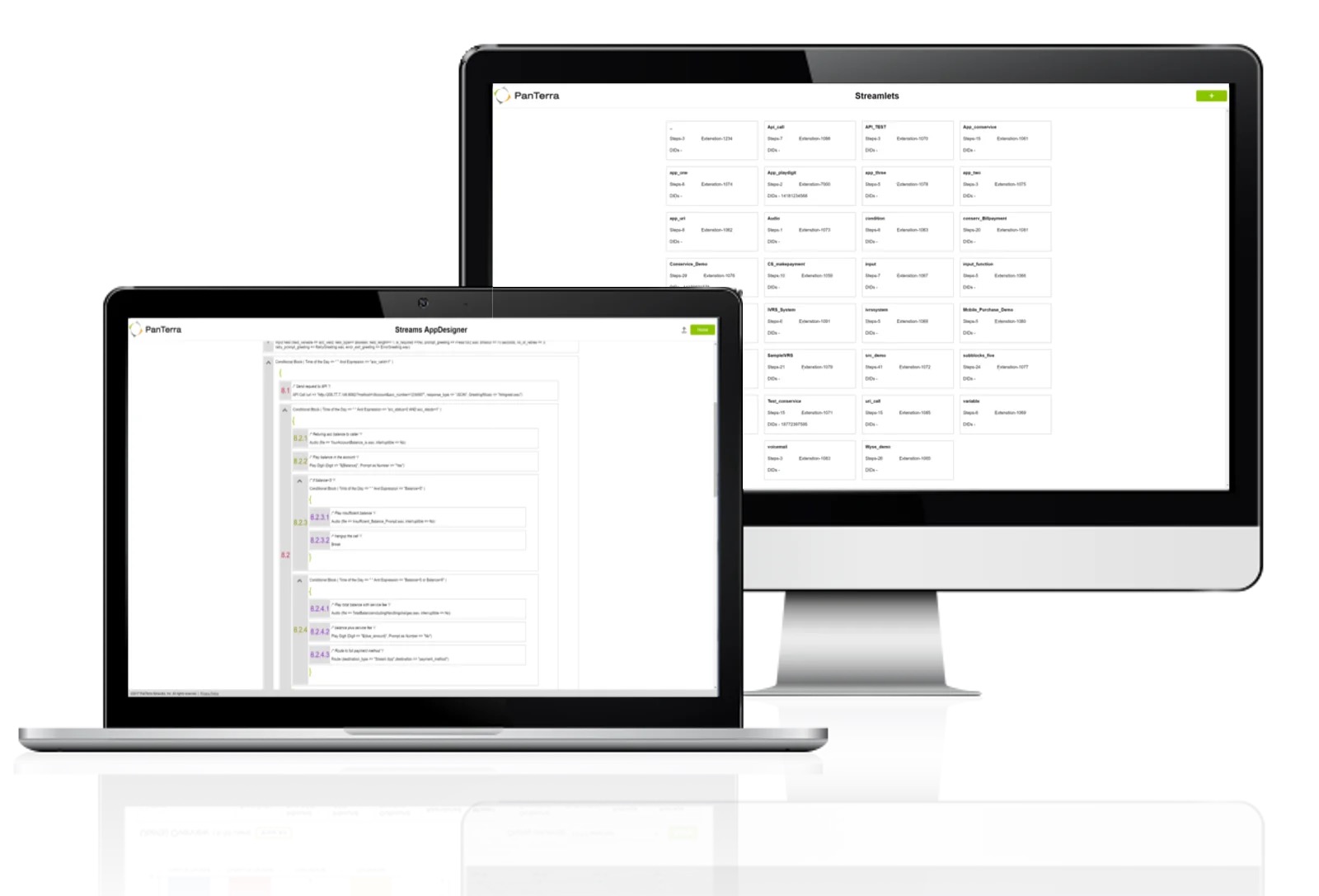
Screenshot of some of the advanced collaboration features. Streams is an end-to-end cloud communications, collaborations, and file sharing suite.Screenshot of the AppDesigner. PanTerra can set up the platform before deployment, but turn-key tools are offered to do more with its open API.Screenshot of analytics and reporting dashboards. These offer access to analytic performance data that is customizable and available for the life of an open account.Screenshot of some device safeguards. PanTerra IP Phones utilize TLS, HTTPS certificate management, call server redundancy, and SRTP for voice. Additionally, PanTerra's built-in mobile security features allow lockout of stolen devices and admin tools support immediate reassignment of user content.