Chose Infor CRM
Front doesn't do ticketing, while Infor does. I could actually use Front with Infor as it handles the client communication very well.

| Product | Rating | Most Used By | Product Summary | Starting Price |
|---|---|---|---|---|
 Infor CRM | N/A | Infor CRM delivers tools for individuals, teams, and companies focused on increasing sales performance and the insights to optimize sales, marketing, and service strategy and execution. Infor CRM provides sales teams with rich customer information from interactions and transactions across the business and accommodates the modern flexible workforce with multiple access methods. Robust process automation capabilities enable efficiencies and the application of best practices across sales… | N/A | |
 Sage CRM | Mid-Size Companies (51-1,000 employees) | Sage CRM is an SMB-oriented CRM platform offered in both SaaS and on-premise editions. Unlike the Sage SalesLogix product, the SaaS version is a true multi-tenant offering. The platform offers excellent integration with Sage ERP and accounting products. It is also a good global solution and is available in many languages and is used by over 12,000 customers worldwide, with many customers in Europe. | $45 Per User per Month |
| Infor CRM | Sage CRM | |||||||||||||||
|---|---|---|---|---|---|---|---|---|---|---|---|---|---|---|---|---|
| Editions & Modules | No answers on this topic |
| ||||||||||||||
| Offerings |
| |||||||||||||||
| Entry-level Setup Fee | No setup fee | No setup fee | ||||||||||||||
| Additional Details | — | Tiered pricing is available for multiple users. | ||||||||||||||
| More Pricing Information | ||||||||||||||||
| Infor CRM | Sage CRM | |
|---|---|---|
| Considered Both Products | Infor CRM  Penny Bell Senior Account Manager Chose Infor CRM We selected INFOR CRM over SalesForce simply because it was affordable and didn't have so many 'bells & whistles' that SalesForce has that we were not using. We didn't realize that the compatibility with upgrades were going to be such an issue.  Steven Marchesi Regional Sales Leader, Managed Services Solutions Chose Infor CRM SaesLogix lacks some of the built in dashboard and report development simplicity that could improve it. The user interface in SalesLogix is more stark and less user friendly. In my experience, SaleLogix is much slower on click to click basis than Salesforce.com.  Kenneth Streetman Business System Integration Analyst Chose Infor CRM Infor CRM performs very well against all three of the CRMs I have used and worked with in the past. As customizable as you need, or out of the box features that can be used immediately, Infor CRM is a good choice; especially for businesses with sales teams that aren't well …  LeVar Berry Chairman & CEO Chose Infor CRM Infor CRM is a great product. It is among the best of the best. MS Dynamics may be better for most as it too has made a lot of great improvements. However, Infor CRM's UI seems to be the easiest to use. It allows our users to get in and get out quickly.  John Scales Director of Telesales/Customer Service Chose Infor CRM As the admin, the ability to make simple changes with Infor is much more diffcult and mistakes are easily made. The back help support and training materials for Infor is severly lacking vs any other CRM product i have used in the past. I will say the support piece does seem to …  John Collman Product Support Manager Chose Infor CRM I have not used other products.  Christopher Composto Vice President eCommunications and Marketing Chose Infor CRM Price, support, ease of use, integration. Features were consistent with our goals. We wanted a system that could be used to unify disparate data across the company. The cost of implementation, servers, licensing, maintenance and consulting fees were competitive. We used a … | Sage CRM  Jeffrey Wallace Real Estate Investor Chose Sage CRM Sage is an awesome CRM and has several functionalities that several small business can take advantage of however for a small start up business that is trying to get its legs, Hubspot has affordable pricing and complete customization of the backend, meaning that you can create …  Glen Mund Executive Account Manager Chose Sage CRM I have looked at and used both Salesforce and Maximizer in the past. Salesforce offer similar functionality to Sage CRM at much higher price typically. Maximer has less funtionality and because of its on premise background lacks the advanced web interface of Sage CRM.  Anthony Reyes Support Analyst Chose Sage CRM I like that it is web based and it can be used remotely but the reporting of data needs some work.  Monroe Singh ☁ CRM Consultant Chose Sage CRM I have a preference for Salesforce.com because of the app exchange that they have. Sage CRM is more on par with Oracle CRM and Netsuite CRM. Oracle CRM is the most similar with the dual options of on-premise and cloud based solutions. I am mostly working with Salesforce.com …  Matt Daniels ITAD Consultant Chose Sage CRM Salesforce and Maximizer CRM. In my personal opinion, I prefer both of these products over Sage CRM. They are both more user friendly and easier to maintain. Also Sage has shot their prices up over the years and the price just does not match the product, in my opinion. Sage CRM …  Gary Perkins Director Chose Sage CRM Whilst SAGE CRM was selected around 10 years ago and we became a partner, the main contenders would have been at the time Sales Logix and MS CRM 4.0. However, we had extensive experience of the mid-market CRM's and decided on SAGE CRM since it had a clean, easy to understand …  Danny Estrada CRM Practice Director Chose Sage CRM We are a partner that implements most of the mainstream CRM products in the marketplace and Sage CRM is a great fit because of the low cost to deploy, the ease of setting up and rolling out the technology, and the continued improvements and enhancements through Sage Software to …  Luis Brea Sales Administration Manager Chose Sage CRM I have evaluated and implemented MS Dynamics CRM from a business perspective, and more recently Salesforce.com CRM as an administarator. Sage was more intuitive than Salesforce, and also less expensice than both of them. At that time, I used Sage CRM because the company I was …  Jay Lentz CRM Consultant Chose Sage CRM GoldMine, ACT!, MSCRM, Saleslogix, Sugar CRM, Salesforce.com Sage CRM is stronger or equal to each. The depth that is available out of the box is excellent, and though configuration is almost necessary, it makes the product extremely powerful. Many clients rely on the … |
| Infor CRM | Sage CRM | ||||||||||||||||||||||||||||||
|---|---|---|---|---|---|---|---|---|---|---|---|---|---|---|---|---|---|---|---|---|---|---|---|---|---|---|---|---|---|---|---|
| Sales Force Automation |
| ||||||||||||||||||||||||||||||
| Customer Service & Support |
| ||||||||||||||||||||||||||||||
| Marketing Automation |
| ||||||||||||||||||||||||||||||
| CRM Project Management |
| ||||||||||||||||||||||||||||||
| CRM Reporting & Analytics |
| ||||||||||||||||||||||||||||||
| Customization |
| ||||||||||||||||||||||||||||||
| Security |
| ||||||||||||||||||||||||||||||
| Social CRM |
| ||||||||||||||||||||||||||||||
| Integrations with 3rd-party Software |
| ||||||||||||||||||||||||||||||
| Platform |
|
| Infor CRM | Sage CRM | |
|---|---|---|
| Small Businesses |  Salesmate Score 10.0 out of 10 | Salesmate Score 10.0 out of 10 |
| Medium-sized Companies |  Creatio Score 9.7 out of 10 | Creatio Score 9.7 out of 10 |
| Enterprises | Creatio Score 9.7 out of 10 | Creatio Score 9.7 out of 10 |
| All Alternatives | View all alternatives | View all alternatives |
| Infor CRM | Sage CRM | |
|---|---|---|
| Likelihood to Recommend | 9.0 (0 ratings) | 8.9 (0 ratings) |
| Likelihood to Renew | 9.0 (0 ratings) | 5.1 (0 ratings) |
| Usability | 7.8 (0 ratings) | 8.9 (0 ratings) |
| Availability | 9.0 (0 ratings) | - (0 ratings) |
| Performance | - (0 ratings) | 8.2 (0 ratings) |
| Support Rating | 8.0 (0 ratings) | 7.9 (0 ratings) |
| In-Person Training | - (0 ratings) | 7.0 (0 ratings) |
| Implementation Rating | - (0 ratings) | 8.0 (0 ratings) |
| Infor CRM | Sage CRM | |
|---|---|---|
| Likelihood to Recommend |
John Collman Product Support Manager |
 Francisco Martinez Ecommerce Manager |
| Pros |
|
Danny Estrada CRM Practice Director |
| Cons |
Steven Marchesi Regional Sales Leader, Managed Services Solutions |
|
| Likelihood to Renew |
 Dave Mattingly MIS Director |
|
| Usability |
LeVar Berry Chairman & CEO |
 America Castañeda Division Sales and Marketing Manager |
| Performance | No answers on this topic |
 Kari-Ann B. Ryan Marketing Director |
| Support Rating |
John Collman Product Support Manager |
|
| In-Person Training | No answers on this topic |
|
| Implementation Rating | No answers on this topic |
|
| Alternatives Considered |
Penny Bell Senior Account Manager |
Jeffrey Wallace Real Estate Investor |
| Return on Investment |
|
Luis Brea Sales Administration Manager |
| ScreenShots | Infor CRM Screenshots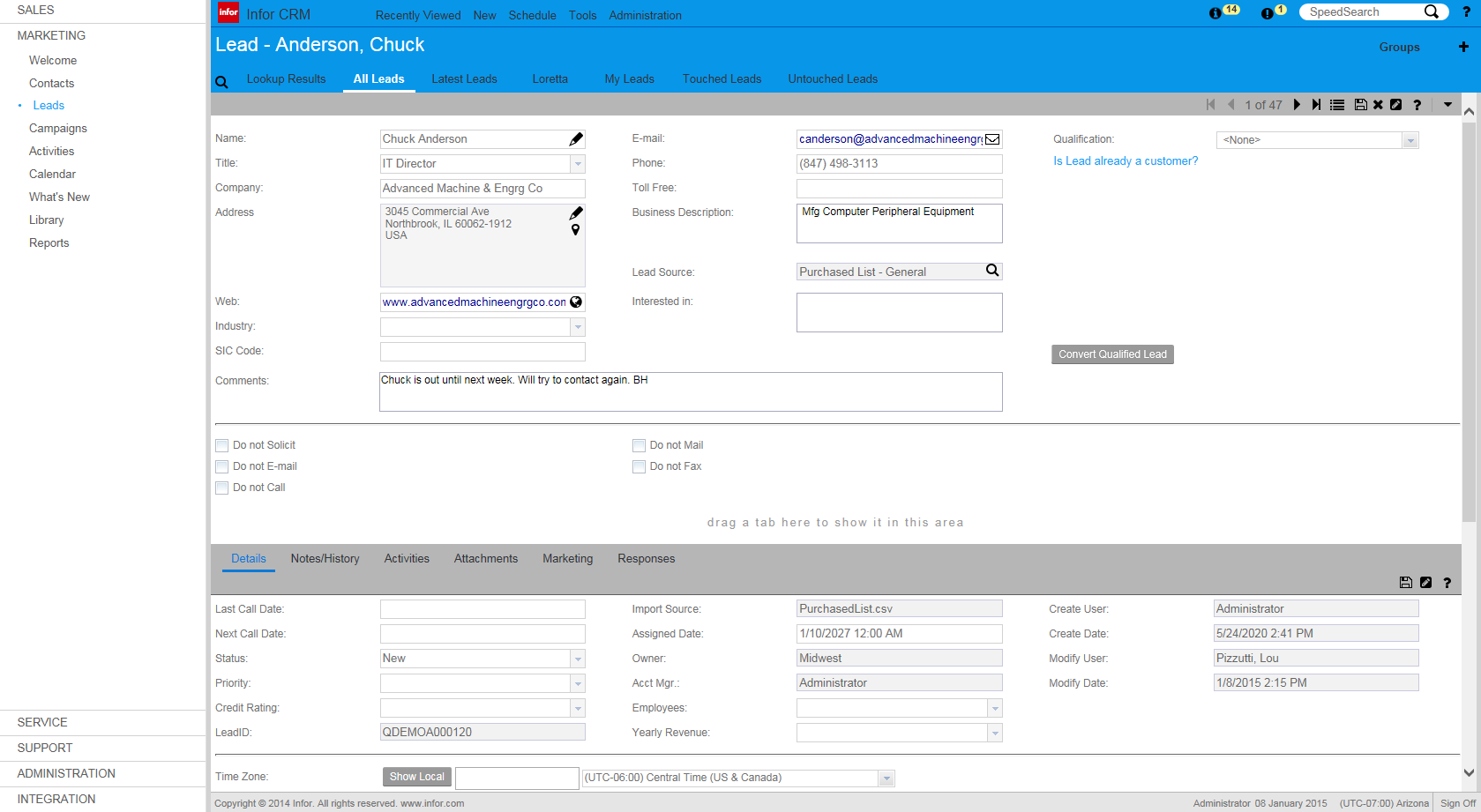  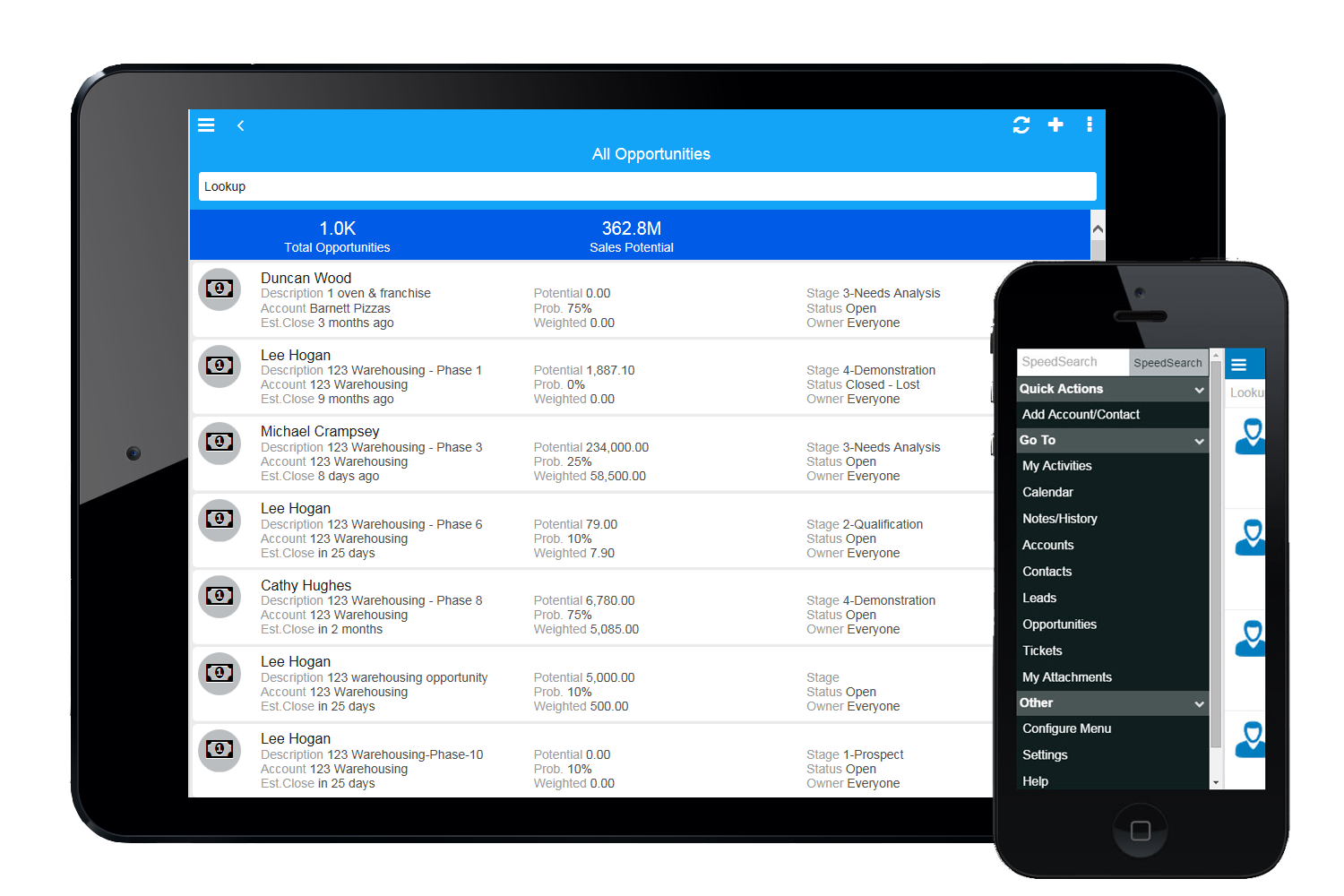 |