TrustRadius: an HG Insights company

Infor CRM

Score6 out of 10

34 Reviews and Ratings

What is Infor CRM?

Infor CRM delivers tools for individuals, teams, and companies focused on increasing sales performance and the insights to optimize sales, marketing, and service strategy and execution. Infor CRM provides sales teams with rich customer information from interactions and transactions across the business and accommodates the modern flexible workforce with multiple access methods. Robust process automation capabilities enable efficiencies and the application of best practices across sales teams. Infor CRM serves companies around the world and operates in a wide range of industries, including manufacturing, distribution, logistics, hotels and restaurants, healthcare, retail, contact centers, property management, and financial services.

Media

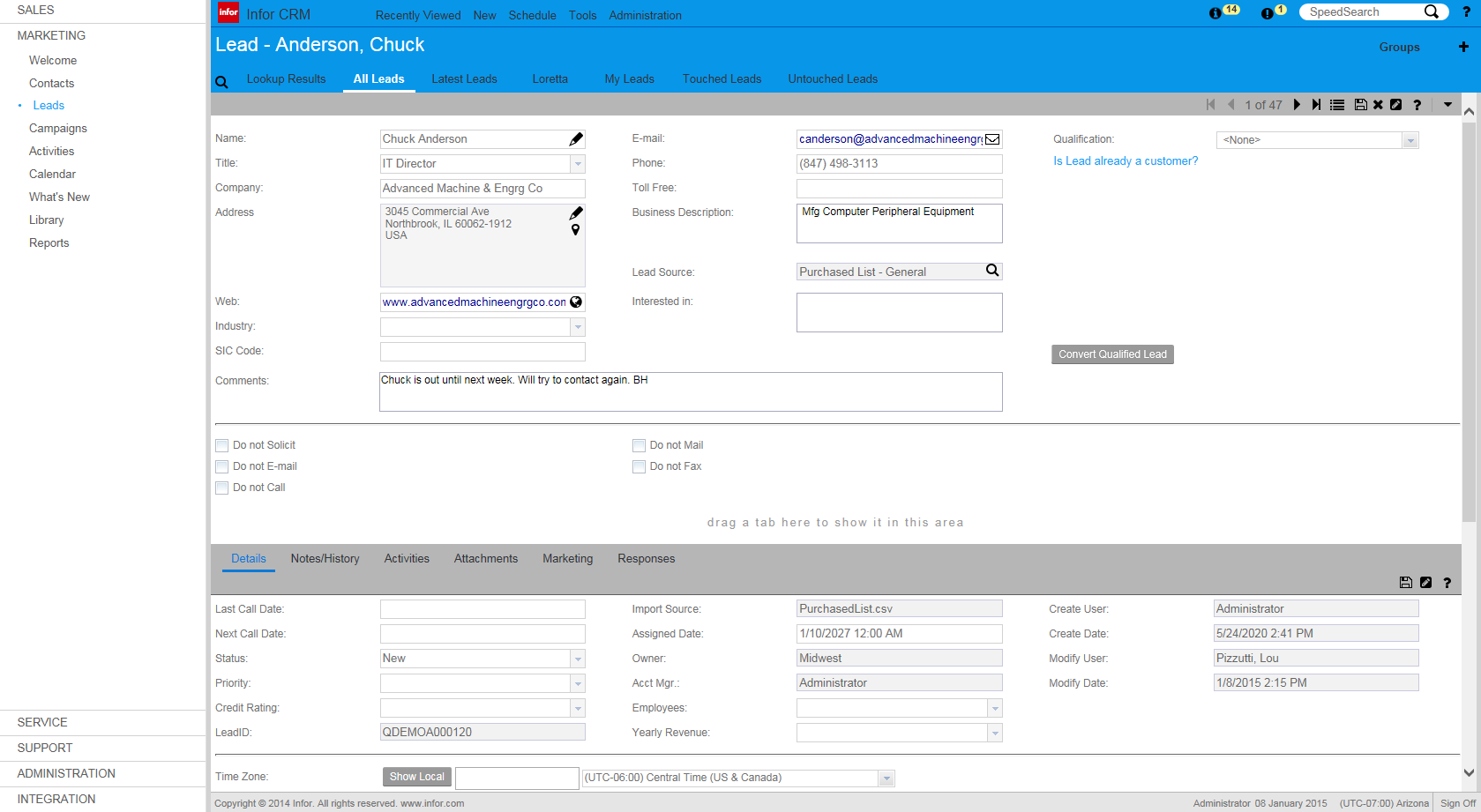
Infor CRM (Lead Detail)
Infor CRM (Account Detail)
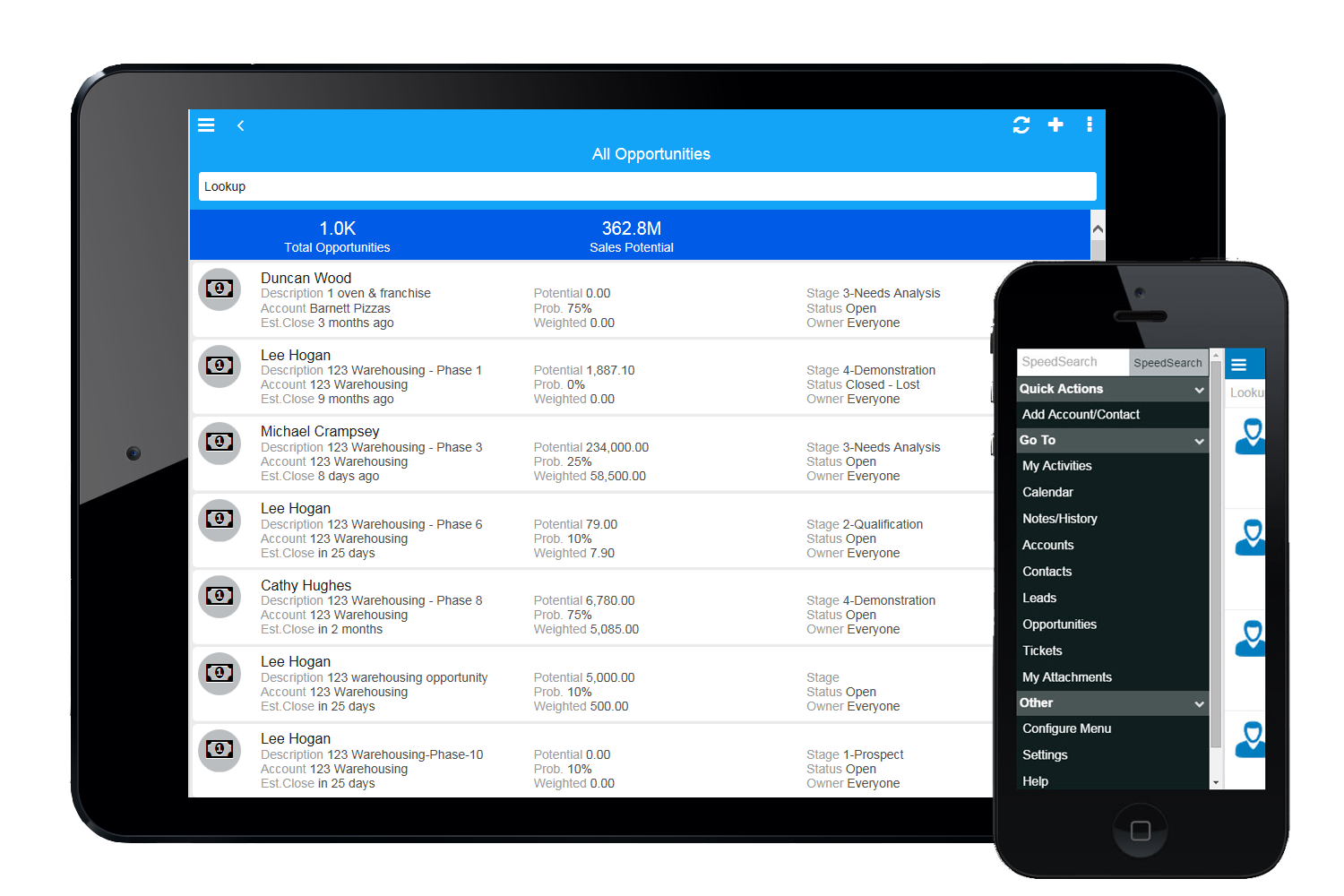
Infor CRM (Mobile)

1 / 3

Top Performing Features

  • Workflow management

    The software helps automate parts of the sales process, such as sending emails, updating contact records, and following approval processes.

    Category average: 7.4

  • Interaction tracking

    Users can log and track all customer interactions through any channel, including social, email, phone and in-person.

    Category average: 8

  • Channel / partner relationship management

    The software allows for sales, territory, lead, order and account management for partners or OEM relationships.

    Category average: 7.9

Areas for Improvement

  • Customizable reports

    Users can create reports and dashboards unique to their needs.

    Category average: 7.7

  • Reporting

    Software provides a broad range of standard and the ability to build custom reports.

    Category average: 7.6

  • Email marketing

    This involves the ability to send mass email to groups of people based on particular qualifications.

    Category average: 7.2

InforCRM at a Billion Dollar Cooperative

Pros

  • It is fairly easy to use, though I prefer the retired desktop client. We are in the process of upgrading to the newest version, which should help immensely with the user experience.
  • It is easy to modify, even at an administrator level. For example, we have separate tabs set up for areas across the business to make their specific data easily accessible.
  • You can fairly easily pull data into Business Objects for analysis and integration with data from other systems.

Cons

  • InforCRM has made dramatic improvements in the web client though in some cases it has been painfully slow to get the most needed things updated. An example is the slow speed of the web client. The newest update is supposed to fix this.
  • The web client does not autosave, so users have to remember to hit the 'save' button at each screen. This is the biggest complaint of users going from the desktop client to the web client.
  • I personally would like to see data panes (account, contact, etc.) with the capability to set up a different view for each team and/or security level that would access the data.

Return on Investment

  • We're launching a new project where we will be building a sales funnel, including sales metrics and KPIs, sales process, and reporting/dashboarding. This is going to be a huge shift in our thinking and how we manage our sales. I'm expecting a substantial ROI on this work.
  • We've automated a lot of tasks that required attaching items to emails and duplicating work. For example, instead of attaching sample order picks to an email then sending it to our fulfillment group, we assign them the ticket. All communication is done via the ticket process. Once the order has been shipped, the UPS information is added to the ticket and it is assigned back to the original user for tracking. This has saved us so much time, not only in errors, but in missed orders and trying to get tracking information after the recipient has already not received their package.
  • We really needed to build in functionality that would allow separation between the different types of teams (procurement, certification, sales, etc) that we've had all trying to use InforCRM vs investing in multiple platforms. This is our fault more than InforCRM, but again, being able to have different 'views' based on department and role would be a really nice improvement for the next update.

Other Software Used

Swiftpage ACT!

Infor not for everyone

Pros

  • Infor automatically adds your email communication to the correct contact within the database and tracks this information. You always know when your last communication was with the client.
  • Tracks all opportunities open/closed/pending for each account so you know who your top clients are at any given time.
  • Infor support has always been as helpful as possible as quick as possible.

Cons

  • COMPATIBILITY ISSUES!!! These are critical but when you upgrade your computer, your Infor CRM may no longer be compatible with your new computer! This will generate multiple errors and you will not get anything done.
  • COMPATIBLITY ISSUES - finding the answers to make your upgraded computer work with Infor. This is not happening. Computers and software updates are inevitable and happen frequently. Unfortunately, Infor does not keep up with those updates making half your users unable to use the CRM software.
  • REPORTS - Customizing reports can be very difficult and unless you want to pay a 3rd party vendor to do this - you will not get some of the detailed reports you need/want
  • THIRD PARTY VENDOR - Any time you want something changed within the CRM - page layout, customizations - you need to go through a 3rd party vendor so you are paying two parties for one software. All of these issues I have mentioned - mostly the compatibility issues - has made us look into another CRM that we are currently implementing to replace Infor.

Return on Investment

  • A negative impact as we are currently changing CRMs. The cost to us every time Infor updates their software is becoming way too much. This is because we have many custom fields.

Alternatives Considered

SalesForce

Great support app, but cumbersome

Pros

  • Collaboration.
  • Ticketing.
  • Support.

Cons

  • Minimizing clicks.
  • Mobile app.

Return on Investment

  • Hard to measure ROI on collaboration.

Alternatives Considered

Front

Other Software Used

Microsoft Teams, MindManager, MS SharePoint, OneDrive, Google Drive

SalesLogix review from a Service Organizaion Perspective

Pros

  • Tabbed view visibiity to multiple aspects of accounts and opportunities - Allows quick visiblilty to multiple aspects quickly.
  • Ability to create group views within Account and Opportunities - Allows creation of more customized subsets as required.
  • Group view copy function - Allows customized modification of established group views to create more appropriate layouts without re-creating the wheel.

Cons

  • Speed - SalesLogix tends to operate rather clunky (could be my company's deployment) in that it hesistates for long periods between clicks and frequent lockups occur.
  • User Interface - Difficult to read data at times, the UI is tired looking.
  • Group View Creation - While a positive, the creation path is very technical for the average user to understand and almost must have programming language capability to complete.

Return on Investment

  • Has provided visibilty to pipeline management that did not previosly exist at our company.
  • Increased efficiencies in service contract renewal management.
  • Increased efficiencies that had not existed with prior CRM platforms at our company

Infor CRM is a good choice

Pros

  • Infor CRM is well designed for sales teams that require minimal computer training.
  • Infor CRM has great support from partners who understand the backend of the system very well.
  • Infor CRM has excellent formatting and User Interface applications allowing a wide range of customization if required.

Cons

  • Infor, the new owners of the CRM, could work with the end-user companies that own the product a little more.
  • The software, though easy to use and manage, can run a little slower with a high volume of users.

Return on Investment

  • Faster lead conversion
  • Increased Employee efficiency
  • Better customization