Kissmetrics is a customer engagement automation platform. This solution includes behavioral analytics, segmentation, and email campaign automation.
$500
Monthly Tracked People
Woopra
Score 3.0 out of 10
Enterprise companies (1,001+ employees)
Woopra provides real-time customer analytics. It begins by tracking users across digital touch points (website, mobile app, help desk, marketing automation, etc.) and building a comprehensive behavioral profile for each user. These Customer Profiles are Woopra's building blocks, which are used to generate custom analytics reports, funnel analytics, retention analytics, and more.
$999
per month
Pricing
Kissmetrics
Woopra
Editions & Modules
Growth
$500
Monthly Tracked People
Power
$850
Monthly Tracked People
Enterprise
Custom
Monthly Tracked People
Pro
$999.00
per month
Offerings
Pricing Offerings
Kissmetrics
Woopra
Free Trial
Yes
Yes
Free/Freemium Version
No
Yes
Premium Consulting/Integration Services
No
No
Entry-level Setup Fee
$1,500 per installation
Optional
Additional Details
What are Monthly Tracked People?
Monthly Tracked People are unique visitors that engage in an Event on your website or with your product, that gets tracked by you in Kissmetrics.
Monthly Tracked People can be anonymous or identified.
[Kissmetrics is well suited for the] abandon cart scenario to re-engage users on the purchase journey. Engaging users to personalized content using the visit metrics derived from the data captured at each digital touch points. [Implementing] website campaign and journey orchestration is easy. You get visitor profile to segment upon using different visit metrics and action.
We have only used it on web applications so I would recommend it in that case. Deploy has been pretty straightforward. Usage is very intuitive so if you are looking for an analytics product to implement fast and easy (for example for a startup or when starting a project) it is also a good scenario to recommend Woopra. The free tier has been pretty useful to us.
Kissmetrics has a fantastic dashboard where you can see all relevant metrics immediately after login.
Kissmetrics was extremely easy to implement in our site and it works across different platforms.
After the initial setup, managing and creating new events to track is super simple.
You can monitor live usage. This feature allows you to monitor user interactions as they are happening and as events you are tracking are triggered. You can see exactly what users are doing real time, which is really a very cool feature. At the time, this kind of realtime monitoring was not possible with Google Analytics.
The biggest issue, is that I have lost faith in the accuracy of the data.
There have been a few examples of the system producing what looks like spurious data. I triangulate the data using Google Analytics, and on a few occasions, there have been very wide discrepancies that indicate a potentially serious problem. For example, Google might indicate 1,000 page views, while KISSmetrics indicates 5,000.. This is not a constant problem, but it has happened enough where my faith in the data is shaken.
It really doesn't matter how good the front-end functionality is if my faith in data accuracy is not 100%.
A/B testing is much more difficult than it needs to be. It is possible to structure the product to enable A/B testing, but this involves reading a bunch of help files and writing some code. I would have expected this to work out-of-the-box. In Google Analytics, for example.you only have to enter two URLs and then it works. This was a surprise.
I used KISSmetrics on a daily basis whilst a summer analyst at a language-learning software startup company called Voxy. To my knowledge, the company continued to use KISSmetrics. I am no longer at Voxy but we were pleased with KISSmetrics.
We just really like the tool. There are lots of us using it internally... from Product, to marketing, to customer service, to optimization team, to traffic acquisition, to Executives. Really helps us answer questions about how well things are going, and what is not going well.
For basic operations, the product is relatively user-friendly, considering how complicated a topic data and analytics can be. The engineering integration work is very straightforward, and building standard report types is pretty easy. However, there were a few rough spots. Event mapping and some of the deeper account settings are not well explained. And the Power Reports functionality is just utterly, impossibly confusing
The UI and reports are great overall. Creating reports just requires a few too many screens and clicks. Also dashboard tiles can't be resized. Both of these are easy items that are being addressed
In a year, we had trouble logging-in just once. But even then all tracking data was later available once the site came back up. also, the system down notices were very informative - they explained the reason for the downtime and were constantly updated with progress in getting the problem resolved.
Speed improved dramatically as the service matured. Early iterations of the publicly-released application would occasionally provide slow processing of results, but those delays became much rarer occurrences during the last year that we used KISSmetrics. One of the more impressive views (which started out feeling more like a toy) is the live view of visits. Knowing that you could see, in real time, what events a user triggered, was gratifying and instructive.
Everytime that I've needed or contacted support, I've received a quick response and timely help! There was even a major issue we had with connecting Unbounce into Kissmetrics. They brought in multiple people and worked with us for hours to make sure we could figure out the issue and get everything running! I have no complaints about the support team!
Again, we were fortunate to work with KISSmetrics as they built their application, but Hiten, their CEO and founder, was incredibly helpful to me personally, and to our metrics-driven business as a whole, as we adopted their tool.
I loved this aspect of the product. It wasn't just that the documentation and online tutorials are great - which they are - the on-boarding process though was really stellar. Once you have set everything up, you get a welcome message followed by a step-by-step guide to get you started that is built right into the product interface. For example, the UI asks you to first do X, and then copy this code snippet and send it to your developer who will know what to do with it. When you come back after the first interaction with the product, it continues the process by explaining right in the UI how to track events etc. This kind of step-by-step approach is incredibly efficient. Although there are various forms of supporting documentation (PDFs videos etc) to support every step, you don't really need them. This approach means that you are up and running very quickly with virtually no training time or documentation consultation. Highly efficient process.
In order to build trackability down to revenue, there was quite a lot of work to integrate Kissmetrics with our software and internal process. We had to build the hooks so that Kissmetrics could call back into our software and billing system, etc.. However, we didn't need additional expertise to do this. Once you understand the API, and you own systems, making it work is not too difficult. We did not require an outside consultant or anything like that
Compared to other products, the support was a small effort. We only had part time contributions from a product management intern and front end developer.
It has been a while since I demoed Heap and Optimizely but the main points that stick out in my head are that Kissmetrics had more transparent and cheaper pricing. Kissmetrics offered all the same functionality, and at least from my personal experience, the staff at Kissmetrics was easier to work with and nicer to interact with.
Woopra's user interface is far superior than any of the competition. I found other analytics software to be clunky and hard to use. With Woopra, I always know exactly where to go in the app to get the results I'm looking for. This saves me valuable time; in the end time is money
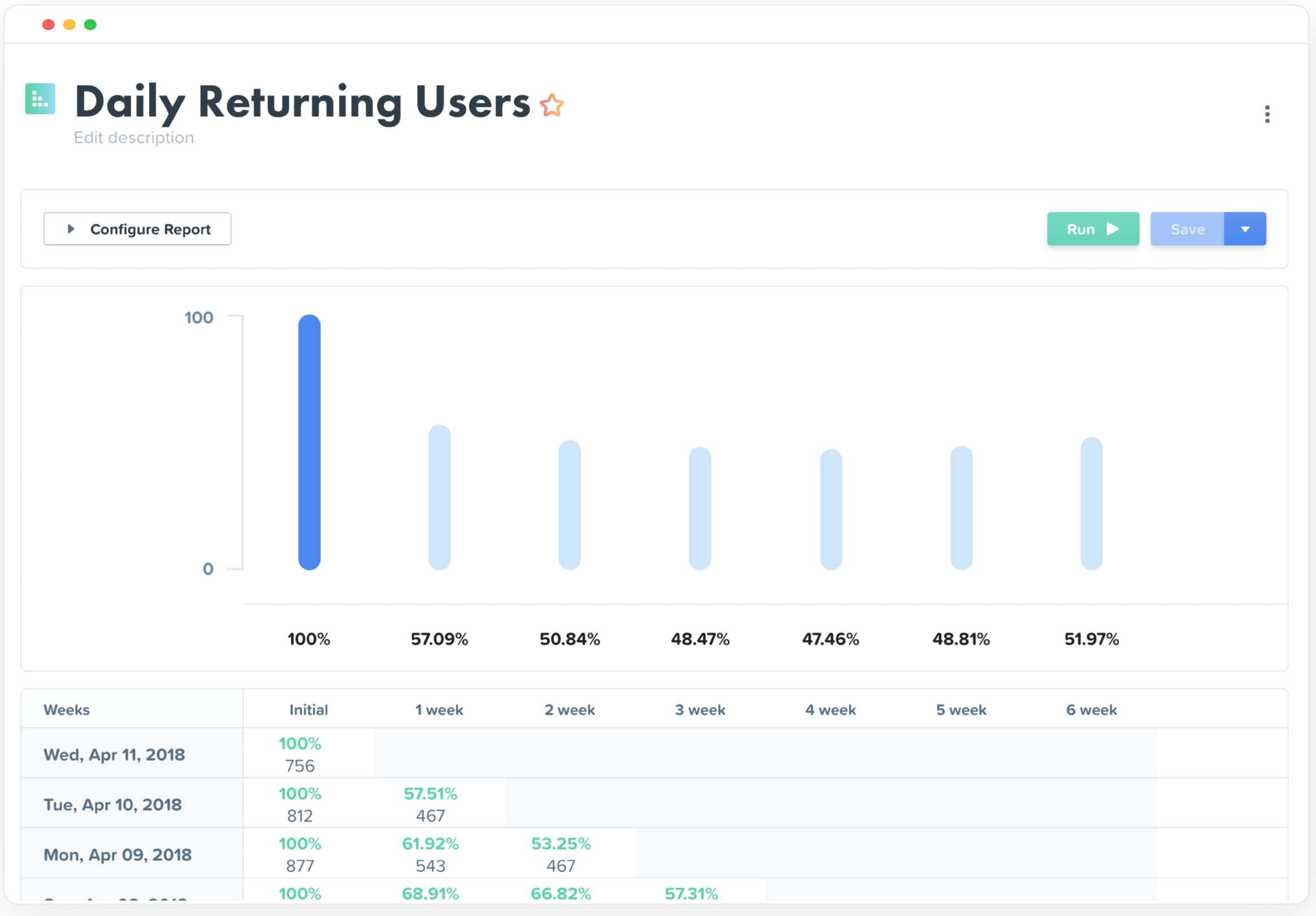
Really helped us begin to segment our users based on their engagement and retention.
Helped increase retention by about 1.5% after about 5 months of implementation (don't shoot the messenger if your team can't implement that quickly).
I felt like it had great potential to create a pipeline between sales and the CSM, but I had trouble getting the sales team to implement it properly as they had their noses deep in calls and emails (they struggle entering notes in SalesForces as well, so it's more a company specific problem).