
Chose PanTerra Networks
I compared between the vendors and found them affordable and reliable. Their onboarding process was rather lengthier but since then, we have hardly had issues.

| Product | Rating | Most Used By | Product Summary | Starting Price |
|---|---|---|---|---|
 PanTerra Networks | Mid-Size Companies (51-1,000 employees) | PanTerra is a provider of unified cloud-based services for communications, enterprise file sharing and mobility solutions for mid-market enterprises (MME), headquartered in Santa Clara. The Company's Streams service provides - Unified Communications and SmartBox - Communications-Enabled Content Management solutions which are delivered securely from the cloud through a browser-based client as well as mobile apps for smartphones and tablets, are designed to eliminate any on-premises deployed… | $24.95 per month per seat | |
 TeamViewer | N/A | TeamViewer provides software for both remote management and online collaborations. With TeamViewer, users have access to fully integrated online conference solutions for audio and video communication, including interactive screen sharing and remote access features. | $24.90 per month (billed annually) 1 Licensed User |
| PanTerra Networks | TeamViewer | |||||||||||||||
|---|---|---|---|---|---|---|---|---|---|---|---|---|---|---|---|---|
| Editions & Modules |
|
| ||||||||||||||
| Offerings |
| |||||||||||||||
| Entry-level Setup Fee | Optional | Optional | ||||||||||||||
| Additional Details | Pricing is determined by length of contract and size of business. | — | ||||||||||||||
| More Pricing Information | ||||||||||||||||
| PanTerra Networks | TeamViewer | |
|---|---|---|
| Considered Both Products |  PanTerra Networks Chose PanTerra Networks I compared between the vendors and found them affordable and reliable. Their onboarding process was rather lengthier but since then, we have hardly had issues. Chose PanTerra Networks Zendesk Suite, Nextiva and Five9  Randy Turnquist Manager Chose PanTerra Networks PanTerra Networks Customer service is the best.  William Dennison Owner Chose PanTerra Networks Better price, better service  Andrew S. Cho Managing Partner Chose PanTerra Networks Had several outages and price point per VOIP phone line was not competitive. Restricted use of proprietary phones was too limiting.  Brad Tucker President Chose PanTerra Networks Everybody has phones. They all work. PanTerra Networks makes it easier to evaluate, implement and SUPPORT.  Jay Cruzan Owner Chose PanTerra Networks PanTerra Networks is viewed as more competitive, and close enough to win. Those other companies do offer more integrations off the shelve, and do have a more user friendly portal. Panterra does give the client a more personalized experience when it comes to the presentation, …  Floyd Massey, Ph.D. Information Technology Administrator Chose PanTerra Networks PanTerra provided the features we needed at an affordable price. |  TeamViewer  Devendra Kumar SOFTWARE TESTING MANAGER Chose TeamViewer The main reason why we have chosen TeamViewer over others was its high end support system and robust technologies. along with some really good features in competitive pricing which was again a gamechanger. The user interface is great and tracking things has been made so easy by …  Chirag Khanduja QA Engineer Chose TeamViewer Basically we require only one tool for meeting as well as for remote connection so we prefer it as well as file transfer is also one of the requirements so we prefer to use this instead of taking different tools subscription  Sander de Beus IT Service Coördinator Chose TeamViewer First of all the overall experience of TeamViewer feels and looks user friendly more than AnyDesk. The secure connection of 256-bit AES encryption and RSA 2048-bit key exchange. With TeamViewer, experienced users have numerous advanced options to help employees effectively, …  Isaac Silvin Dass Business Development Manager Chose TeamViewer TeamViewer was selected primarily due to its broader range of features for larger teams and complex support needs including multi user sessions, Comprehensive remote support, Device Management Tools, Cross Platform Support, integration with other business systems. For business …  James Mathias Senior Technology Integration Specialist Chose TeamViewer I personally prefer TeamViewer because of the added features, i.e. remote reboot with auto reconnect. TeamViewer Host also provides unattended access if required.  Pankaj Prashad Assistant Manager F &A Chose TeamViewer I am using above listed software's. TeamViewer is best for IT Teams for remote troubleshooting. It has advance features like file transfer, session recording and multidevice support. It is secured and trusted platform as using this from so many years. It provides cross platform …  John Demar President and Principal Consultant Chose TeamViewer For our purposes, each is roughly equivalent in features and usability. I do actually use all three of them and have used TeamViewer primarily when jointly supporting clients with other contractors. |
| PanTerra Networks | TeamViewer | |||||||||||||||||||||||||||
|---|---|---|---|---|---|---|---|---|---|---|---|---|---|---|---|---|---|---|---|---|---|---|---|---|---|---|---|---|
| Performance & Compatibility of Online Events Software |
| |||||||||||||||||||||||||||
| Screen Sharing |
| |||||||||||||||||||||||||||
| Online Meetings / Events |
| |||||||||||||||||||||||||||
| Online Events Security |
| |||||||||||||||||||||||||||
| Cloud PBX |
| |||||||||||||||||||||||||||
| Call Management |
| |||||||||||||||||||||||||||
| Mobile apps |
| |||||||||||||||||||||||||||
| Unified Communications Platform and Collaboration |
| |||||||||||||||||||||||||||
| Remote Administration |
|
| PanTerra Networks | TeamViewer | |
|---|---|---|
| Small Businesses |  Broadvoice | GoContact Score 9.2 out of 10 |  Getscreen.me Score 9.7 out of 10 |
| Medium-sized Companies |  Cisco Unified Communications Manager (Call Manager) Score 8.6 out of 10 |  Action1 Score 9.5 out of 10 |
| Enterprises | Cisco Unified Communications Manager (Call Manager) Score 8.6 out of 10 |  Remote Desktop Manager Score 9.0 out of 10 |
| All Alternatives | View all alternatives | View all alternatives |
| PanTerra Networks | TeamViewer | |
|---|---|---|
| Likelihood to Recommend | 6.3 (0 ratings) | 8.7 (0 ratings) |
| Likelihood to Renew | 7.4 (0 ratings) | 10.0 (0 ratings) |
| Usability | 8.2 (0 ratings) | 9.0 (0 ratings) |
| Availability | - (0 ratings) | 9.1 (0 ratings) |
| Performance | - (0 ratings) | 9.1 (0 ratings) |
| Support Rating | 10.0 (0 ratings) | 9.5 (0 ratings) |
| In-Person Training | - (0 ratings) | 9.1 (0 ratings) |
| Online Training | - (0 ratings) | 9.1 (0 ratings) |
| Implementation Rating | 9.7 (0 ratings) | 8.9 (0 ratings) |
| Configurability | - (0 ratings) | 9.1 (0 ratings) |
| Ease of integration | - (0 ratings) | 9.1 (0 ratings) |
| Product Scalability | - (0 ratings) | 9.1 (0 ratings) |
| Vendor post-sale | - (0 ratings) | 8.4 (0 ratings) |
| Vendor pre-sale | - (0 ratings) | 9.1 (0 ratings) |
| PanTerra Networks | TeamViewer | |
|---|---|---|
| Likelihood to Recommend |
|
|
| Pros |
|
Sander de Beus IT Service Coördinator |
| Cons |
|
 Juan Lopez Software Engineer |
| Likelihood to Renew |
 Herm Harrison Vice President |
 Justin Kuhlman Owner |
| Usability |
|
|
| Reliability and Availability |
|
|
| Performance |
|
|
| Support Rating |
|
 Clint Freeman Software Engineer |
| In-Person Training | No answers on this topic |
|
| Online Training |
|
 Jordan Paquette IT Support Technician |
| Implementation Rating |
 Samer Samaan Marketing Director |
|
| Alternatives Considered |
|
 Utkarsh Gaur Therapy Manager |
| Scalability |
|
 Mike Robinson Internet Director / UNIX Administrator |
| Return on Investment |
|
|
| ScreenShots | PanTerra Networks Screenshots 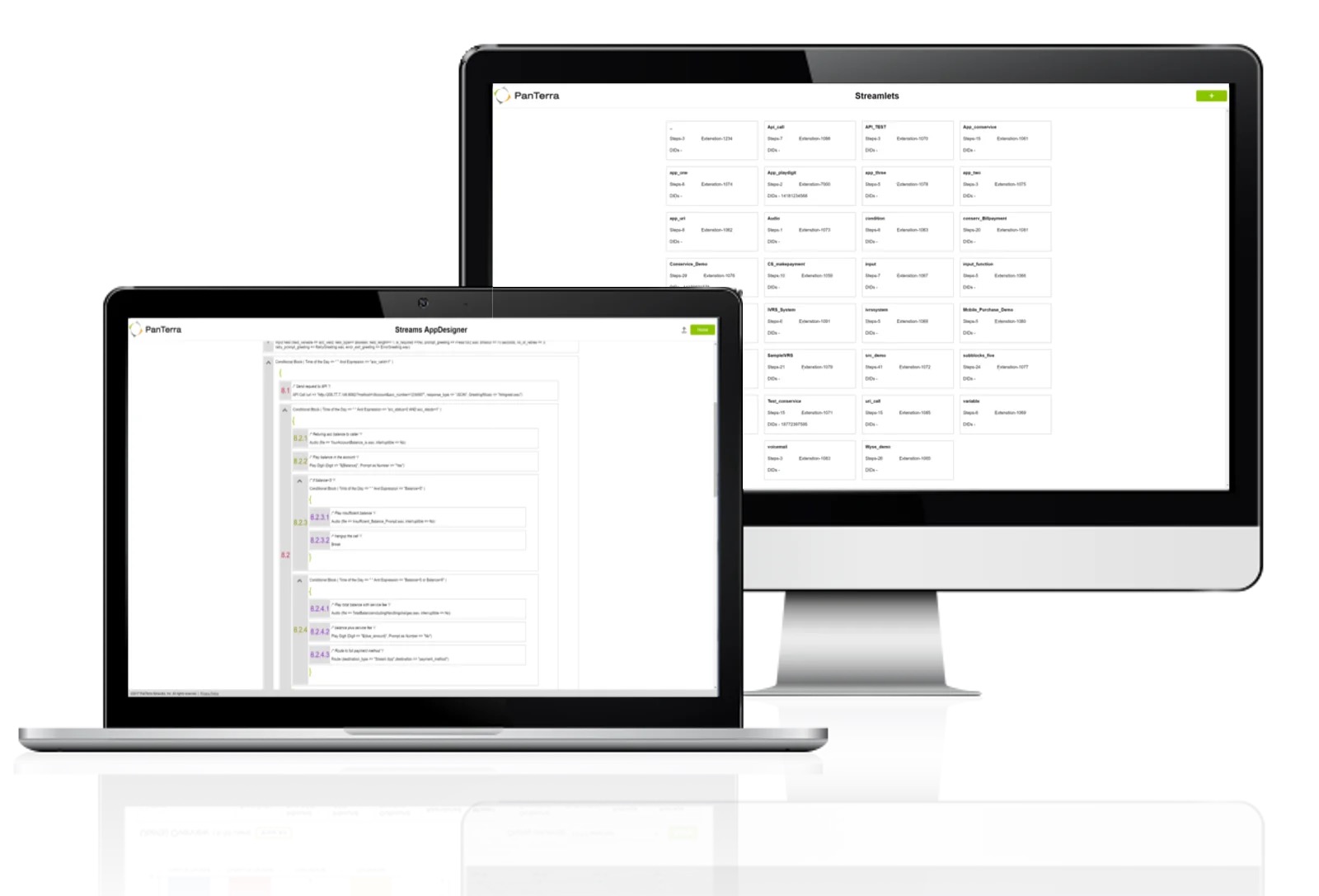   | TeamViewer Screenshots    |
