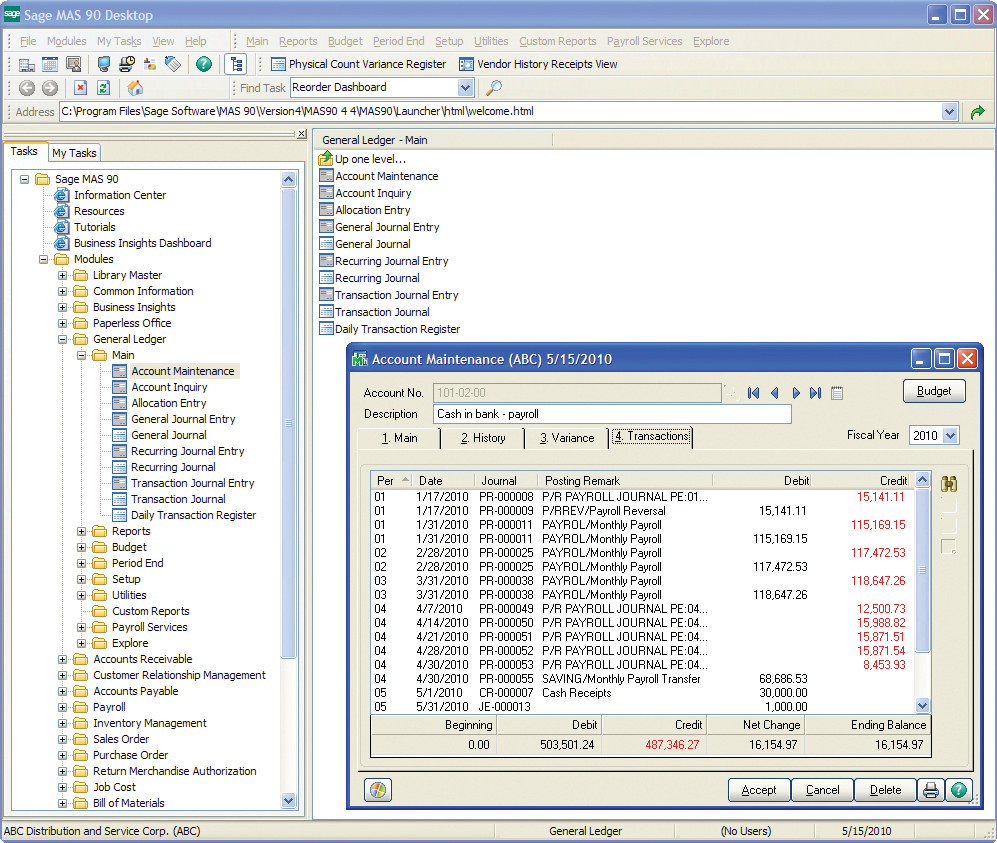
Sage 100 (or Sage 100cloud is a business management software offering a broad range of modules designed to meet the many needs of virtually any business. It encompasses financial operations and accounting, payroll, business intelligence, CRM, eBusiness, manufacturing and distribution.
N/A
Vista
Score 7.7 out of 10
N/A
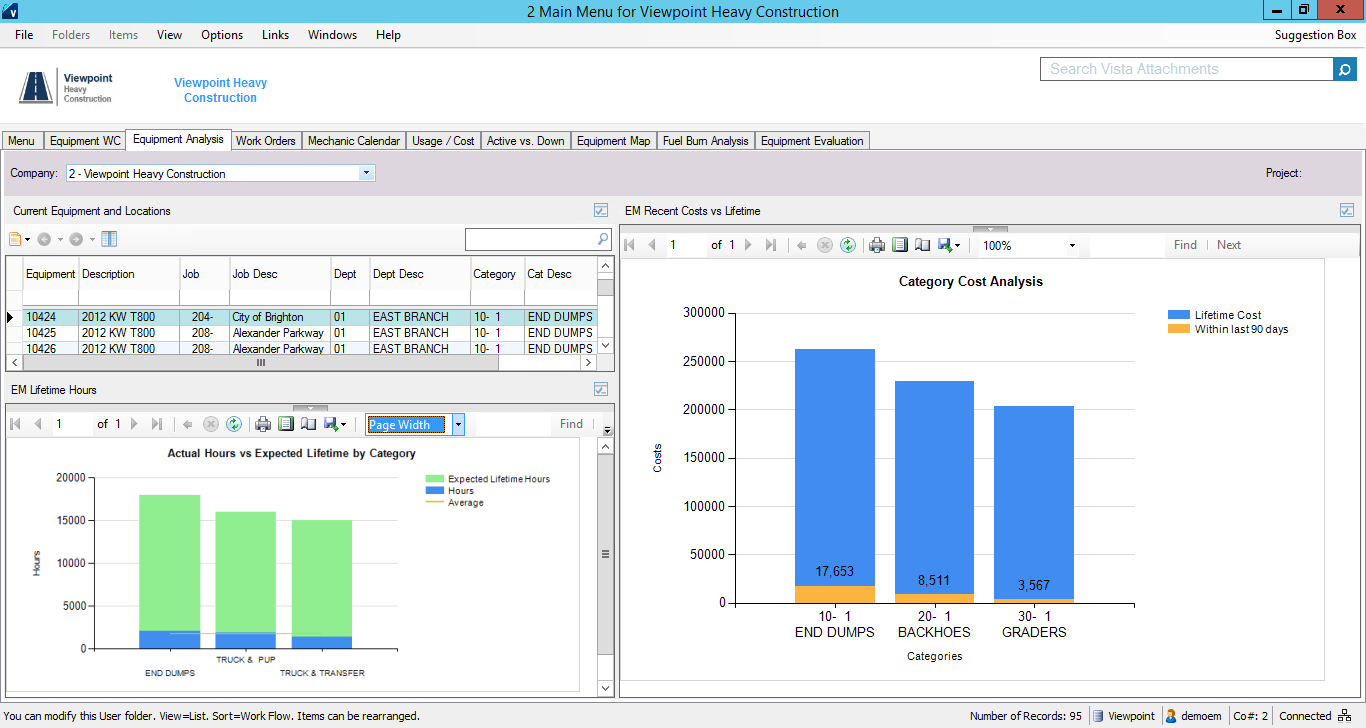
Viewpoint’s Vista is a construction accounting software. Vista’s core accounting features include accounts receivable and payable, general ledger, payroll and time management, and cash management. It also provides tools for document management, including document templates and reporting.
N/A
Pricing
Sage 100
Viewpoint Vista
Editions & Modules
Sage 100 ERP Standard
Custom Pricing
Per Seat per Month
Sage 100 ERP Advanced
Custom Pricing
Per Seat per Month
Sage 100 ERP Premium
Custom Pricing
Per Seat per Month
Sage 100 ERP Online
$0
Per User per Month
No answers on this topic
Offerings
Pricing Offerings
Sage 100cloud
Vista
Free Trial
No
No
Free/Freemium Version
No
No
Premium Consulting/Integration Services
No
No
Entry-level Setup Fee
No setup fee
No setup fee
Additional Details
—
Prospective buyers may contact Viewpoint directly for a price quote.
We have used Foundation and it did not work out well, so we selected Sage 100 because the implementation and functionality was much better. We didn't have to keep coming up with workarounds or complications on Sage 100. Also the data security is better.
The system i used prior was custom built & was named "UV" - It was a very base level system that allowed users to navigate by typing prompts / number codes. While it did what it needed to do, It wasn't efficient as you'd be referencing your code book directory all day to find …
In my 15 years at this company, we have only used Sage100. Prior to purchasing Sage100, JobBoss was partially used; however, JobBoss did not integrate well with the general ledger, accounts payable and inventory of Sage100. Sage100 offers seamless integration of those …
Sage 100cloud has taken some time to get used to. It is not a user-friendly as some of the other software, but you can get the hang of it by using it enough. It provides a lot of accounting, inventory and customer data management for our company.
I didn't choose Sage 100 ERP -- it was already in use when I started at the organization over five years ago. It has the same types of pros and cons as other big hulking software suites meant to power the infrastructure of corporations. It's slow, tough to customize, and …
Sage 100 is much more robust and has an impeccable audit trail when compared to Quickbooks. Sage 100 also provides real time inventory management and manufacturing capabilities not provided in QB.
For the cost of the software and implementation, we knew we were getting a more robust software that we could grow with. Other software offerings would have had to be piece-meal solutions and created more difficulty integrating.
Verified User
Anonymous
Chose Sage 100cloud
Have not recently evaluated other systems. This was in use when I arrived. We have found no reason to change. It provides the information we need.
Sage 100 is far more user-friendly, easier smoother installation than Epicor. More robust and versatile than Quick Books. Does not require the technical overhead needed to run MD Great Plains.
I have used Blackbaud and MIP. Blackbaud is excellent for private schools and universities due to their tuition module. MIP is a strong nonprofit software product. Sage 100 ERP meets the organization's needs and made the transition less costly.
I didn't select Sage and wouldn't have selected it if given the opportunity. It was here when I came on board. We are currently in the process of migrating to Financial Edge.
The last 20 years I worked as a Sage consultant implementing Sage 100 for customers. Other systems I dealt with were: Quickbooks, MS Great Plains, Expandable, Accpac (now sage). Downgrades from Oracle and SAP
All three products are very good, but at some point reach their limits and Sage 100 ERP becomes a very good, easy to use, cost effective solutions. It is also more secure than QuickBooks or Sage 50.
I'm a VAR for multiple ERP packages and for the money Sage 100 can't be beat for distribution. For project accounting and advanced manufacturing I would go with another solution.
I've reviewed Accpac, Syspro, SAP Business 1 and Platinum. Sage is far easier to use and setup than Syspro and SAP Business 1. Generally speaking, most accounting software does the same thing, at the end of the day, how easy is it to modify data inside the system and review to …
We choose to go with Viewpoint Vista, because it was a great option that allowed complete connection from the Project Managers to the Accounting Team. It allowed us to have one platform or links into the platform from ProjectSight to ensure all of us stay connected without …
I haven't used any other products for Construction Accounting Software. I've heard of many but don't have any experience reviewing Construction Accounting Software.
It's been a while since I've used this, but I found JD Edwards completely cumbersome and like a database that hadn't been updated in 10-15 years. I much prefer Viewpoint and I think that Viewpoint still has the ability to improve on its user interface.
Viewpoint is everything from A-Z not only for finance and accounting functions but for project managers as well. Epicor did not have as many functions.
Vista works with every department linking all data together for everyone to access. The network and portal provide more support than I have ever experienced before.
There are more options and data kept in Vista that allows us to work on data-driven business decisions. Vista is flexible - we've had to create work arounds in some situations and we've been able to identify those quickly and easily.
I didn't choose any of these products, they were all in place when I started. Spreadsheet server is easier than creating and manipulating reports in Vista. B2W is used for field logs, equipment management, and bids/estimates. B2W Track and Maintain are easier to configure, is …
I personally have not used another ERP system other than Viewpoint Vista. I am sure there are others out there, but from listening to my managers experiences before Great Basin Industrial implemented Viewpoint, the other options were less superior to what Viewpoint offers. I …
We chose Procore after trying Viewpoint Field and Team and found it much more user-friendly, although it was in the early stages of rollout and may have gotten better since then. We also evaluated Timberline but chose Vista as it was more scalable for future use and has …
We evaluated a few different software options [including] Procore and Trimble ProjectSight and decided Vista by Viewpoint best suited our needs and the price was good.
For small and medium business in the distribution and light manufacturing space, Sage 100 is probably the best bang for your buck. As a very scaleable system, you can modify the system to meet the needs of a growing business without making gross changes to the core of the system
The company has made a commitment to the use of the Vista products and continue to move forward trying to implement more with the Vista HR Management. From timekeeping to onboarding in the near future we strive to look for better ways to utilize the products for our accounting and payroll purposes.
Their payroll module is terribly slow and very clunky.
Job costing parameters are very strict and limited.
Each module interface has too many forms and screens.
There is too much flexibility regarding where to put information into the system. There isn't one place to do anything, which creates confusion for staff.
I would put this out to bid, if I were at the same organization. There have been a lot of improvements and changes in enterprise software and my preference would be to find a good web-based or cloud-based tool. Lower overall cost of ownership and improved efficiency would be my target criteria for a rebid of this.
It is extremely customizable and tracks so many complicated costs very well, more-so than other construction software programs out there that we've used in the past. It is also not an easy program to use for those even slightly not comfortable with a computer. The help sections/knowledge base could be better organized and updated more. It is a very powerful software program for our business and we rely on it hugely to see how our projects are running in real-time.
Overall Sage 100 has been pretty user friendly. If we have a question on anything, we are able to contact our implementation rep who helps us right away. Some of the Sage Field Operations may not be as intuitive for our field personnel to use. I wish the reports ran faster so that we could run and put together many reports quickly at once.
I think that Vista's is an easy program to use very user friendly with lots of help features to allow the user to fix an issue without having to put a support call into Vista. The reporting and exporting capability's are strong.
Only issue is when there is an upgrade - it takes several times to get back logged in. Otherwise no issues with getting on to the program. We are set up on lap top or on the remote desk top. Works 90% of the time
No issue downloading the reports - I do find sometimes it is easier to export and save than it is to print to a pdf. Options on the different reports not consistent. You can print a couple projects on the JC Contract Status Report - but you have to do each project for the JC Cost by contract item - when neither one is a drill down - not a big deal
We use a local software technology partner to help support our Sage100 needs. We do not need much assistance with Sage100. There are very few issues or questions.
Support has deteriorated greatly than what it was years ago when we joined. We always used to get a call back same day and within an hour or so for critical issues. Sometimes now it's no response or very delayed. Knowledge of the support team is also lacking. Many issues we figure out workarounds ourselves instead of calling
Excellent training! They keep you on track to insure your implementation is going as planned. There are ample ways to receive additional training and training can be provided by position type. If you put on the effort, the training is there.
We had an advantage in implementing the tool in that our director of Ops had been part of the team implementing the ERP for other users so we knew what to expect and were able to avoid a lot of the challenges people sometimes face with implementations. However, the process still took far longer than desired.
The trainer Viewpoint sent did not understand the processes, he only knew where the modules were located. He had no understanding of the actual process itself.
We have used Foundation and it did not work out well, so we selected Sage 100 because the implementation and functionality was much better. We didn't have to keep coming up with workarounds or complications on Sage 100. Also the data security is better.
I personally have not used another ERP system other than Viewpoint Vista. I am sure there are others out there, but from listening to my managers experiences before Great Basin Industrial implemented Viewpoint, the other options were less superior to what Viewpoint offers. I think if you are looking for an ERP system in the construction industry, then Viewpoint is the way to go
For a small business - this program is well used in the accounting and operations. The two different work plans are set up for success. Alot of the programs we do not use - but like the reports that are generated - one disadvantage if you do not know crystal reports you cannot edit your form to meet your needs so there is a lot of printing different several forms to get all the information you need.
Sage 100 has allowed us to better serve & manage our customers since we integrated it into our system in 1996. Since then, we have seen a lot of changes but, the consistent, simple layout has kept us re-newing our contract year after year.
Ordering inventory has been easier than ever since we integrated inventory tracking. No more ordering too much or too little.
Not sure I can speak to this as the company moved to Viewpoint before I began here. I think it is helpful for the Project Management and Superintendent staff to easily review how specific job items went, which we do in the PM contract drilldown analysis