Chose Kissmetrics
Kissmetrics is the best software for processing website data. Easy to install and quick to integrate. Your visitor tracking and basic reports are impressive.

| Product | Rating | Most Used By | Product Summary | Starting Price |
|---|---|---|---|---|
 Kissmetrics | Mid-Size Companies (51-1,000 employees) | Kissmetrics is a customer engagement automation platform. This solution includes behavioral analytics, segmentation, and email campaign automation. | $500 Monthly Tracked People | |
 Smartlook | Mid-Size Companies (51-1,000 employees) | Smartlook is an analytics solution tool for websites, iOS/Android apps, and various app frameworks, that answers the "whys" behind users' actions. It helps users understand precisely how customers interact with website and app — watch recordings, create heatmaps, use automatic tracked events, and build conversion funnels. Data is seen on one central dashboard, which enables sharing and collaborating with colleagues. This is to support clear, data-driven decision-making for product managers,… | $55 per month 5000 sessions |
| Kissmetrics | Smartlook | |||||||||||||||
|---|---|---|---|---|---|---|---|---|---|---|---|---|---|---|---|---|
| Editions & Modules |
|
| ||||||||||||||
| Offerings |
| |||||||||||||||
| Entry-level Setup Fee | $1,500 per installation | Optional | ||||||||||||||
| Additional Details | What are Monthly Tracked People? Monthly Tracked People are unique visitors that engage in an Event on your website or with your product, that gets tracked by you in Kissmetrics. Monthly Tracked People can be anonymous or identified. | All Smartlook packages support both web and mobile app platforms. | ||||||||||||||
| More Pricing Information | ||||||||||||||||
| Kissmetrics | Smartlook | |
|---|---|---|
| Considered Both Products |  Kissmetrics  akshay kashyap Business Technology Analyst Chose Kissmetrics Very good competition. Kissmetrics stacks well against the google analytics playing a huge market competitor.  Abhishek Agarwal Senior Product Manager Chose Kissmetrics Google Analytics, Woopra and Siteimprove  Aaron Treguboff Organic Reach Lead Chose Kissmetrics It has been a while since I demoed Heap and Optimizely but the main points that stick out in my head are that Kissmetrics had more transparent and cheaper pricing. Kissmetrics offered all the same functionality, and at least from my personal experience, the staff at Kissmetrics …  Lisa Palombo REVAMP Chose Kissmetrics Kissmetrics is more affordable and easier to manage across a large base of clients.  Dustin Hovey Sr. Strategist & SEM Manager Chose Kissmetrics Kissmetrics fills a very specific marketing void for our organization; however, we find it more useful when it is integrated with our other data solutions. For many organizations Kissmetrics won't be the only data analysis tool since it doesn't do everything great; however, for …  Brad Ruderman Head of Data @ UpCounsel Chose Kissmetrics I haven't done a vendor comparison in 2 years so It would be challenging to answer this question well. I am grandfathered into great pricing with Kissmetrics, so I have no intentions on switching.  Bruce Pannaman Data Scientist Chose Kissmetrics Much easier to implement with Kissmetrics and/or the others don't let you customise your events to the same extent without hardcoding events into the website.  Assaf Eisenstein CEO & Founder Chose Kissmetrics Mixpanel  Spencer Toth Digital Marketing & Strategy Chose Kissmetrics At first, KISSmetrics seemed to provide the information we were looking for.  Michael Folling Online Marketing Manager Chose Kissmetrics Clicky, Google Analytics  Andrew Gale Founder Chose Kissmetrics They are close but, the constant material KISSmetrics is putting out makes me want to support them.  Christian Torres Marketing Technologist Chose Kissmetrics KISSmetrics has better tools to create cohort analysis.  Jeffrey James Director of Analytics Chose Kissmetrics Google Analytics, SiteCatalyst - KM does what it does well, which is user-level analysis. The other products are very good for segmentation, data extraction, etc...KM is good for very specific analysis.  Scott Rutz UX Designer & Marketing Chose Kissmetrics We were mainly familiar with Google Analytics before, KM is great in being able to dive much deeper. We also see discrepencies in "unique" visitors between KM and GA. GA is not as discerning of what a unique visitor is. KM is extremely accurate with unique visitors to make sure …  Joris Brabants Online Marketing Manager Chose Kissmetrics We still use Google Analytics, because it still has some good reports (real time analytics for example) but it lacks the power of KM cohort reports, funnel reports, user timeline, ... I must admit that configuring KM does require some good analysis before you start and a good … |  Smartlook  Joseph Shapiro CEO (Chief Executive Officer) Chose Smartlook I like it more in different aspects such as pricing, capabilities, UI, etc. When it comes to the pricing, I have been using it for many years, and always was easy to use and to see what was happening with conversions. It's the most undervaluable tool these days. When I was …  Francesco Tonti Development Director Chose Smartlook I find that SmartLook has a simpler interface to use than Hotjar.  Firoz Parakkat Co-Founder & Head of Product Chose Smartlook Easy Integration and Ease of Use.  David Mynář Head Of Online Marketing Chose Smartlook We use both intensively in our agency. Google Analytics is our first go-to analytics suite, but we often combine it with Smartlook to prove or disprove our hypotheses. Both our web design and marketing projects benefit greatly from this synergy. Google Analytics offers better …  Leandro Chaves Analista de sistemas Chose Smartlook Smartlook is better and costs less than many other similar systems.  Giuseppe Avagliano Marketing Director Chose Smartlook Smartlook seems smoother than Hotjar and it also offers more customizable options such as events and funnels.  Nicholas Fenmor Collins Director Chose Smartlook Smartlook is far more cost-effective and simple to use for agencies with multiple clients than Hotjar, which targets the user companies more directly.  Michael Freeman Head Of Marketing (Acting) Chose Smartlook The thing about Hotjar is they became too big too fast. They forgot what their product was all about and then started to charge an exorbitant amount for what is a glorified heat map. Smartlook has taken into account new features but always kept the essence of what they're …  Shane McCallum Director of Product Chose Smartlook Far better bang for your buck. |
| Kissmetrics | Smartlook | |
|---|---|---|
| Small Businesses |  StatCounter Score 9.0 out of 10 |  Lucky Orange Score 3.2 out of 10 |
| Medium-sized Companies |  Siteimprove Score 10.0 out of 10 | Siteimprove Score 10.0 out of 10 |
| Enterprises |  Optimal Score 9.0 out of 10 |  Contentsquare Score 7.1 out of 10 |
| All Alternatives | View all alternatives | View all alternatives |
| Kissmetrics | Smartlook | |
|---|---|---|
| Likelihood to Recommend | 8.9 (0 ratings) | 9.0 (0 ratings) |
| Likelihood to Renew | 7.4 (0 ratings) | 8.9 (0 ratings) |
| Usability | 7.1 (0 ratings) | 10.0 (0 ratings) |
| Availability | 8.3 (0 ratings) | 9.1 (0 ratings) |
| Performance | 8.5 (0 ratings) | 8.2 (0 ratings) |
| Support Rating | 9.0 (0 ratings) | 10.0 (0 ratings) |
| In-Person Training | 9.1 (0 ratings) | - (0 ratings) |
| Online Training | 8.6 (0 ratings) | - (0 ratings) |
| Implementation Rating | 7.3 (0 ratings) | 7.3 (0 ratings) |
| Configurability | - (0 ratings) | 8.2 (0 ratings) |
| Ease of integration | - (0 ratings) | 9.1 (0 ratings) |
| Product Scalability | - (0 ratings) | 8.2 (0 ratings) |
| Vendor post-sale | - (0 ratings) | 9.1 (0 ratings) |
| Vendor pre-sale | - (0 ratings) | 9.1 (0 ratings) |
| Kissmetrics | Smartlook | |
|---|---|---|
| Likelihood to Recommend |
akshay kashyap Business Technology Analyst |
|
| Pros |
|
|
| Cons |
|
|
| Likelihood to Renew |
|
|
| Usability |
|
|
| Reliability and Availability |
| No answers on this topic |
| Performance |
| No answers on this topic |
| Support Rating |
Aaron Treguboff Organic Reach Lead |
 Michal Pekarcik Group Conversion Rate Optimization Expert |
| In-Person Training |
| No answers on this topic |
| Online Training |
| No answers on this topic |
| Implementation Rating |
| No answers on this topic |
| Alternatives Considered |
Aaron Treguboff Organic Reach Lead |
|
| Return on Investment |
Joris Brabants Online Marketing Manager |
|
| ScreenShots | Kissmetrics Screenshots   | Smartlook Screenshots   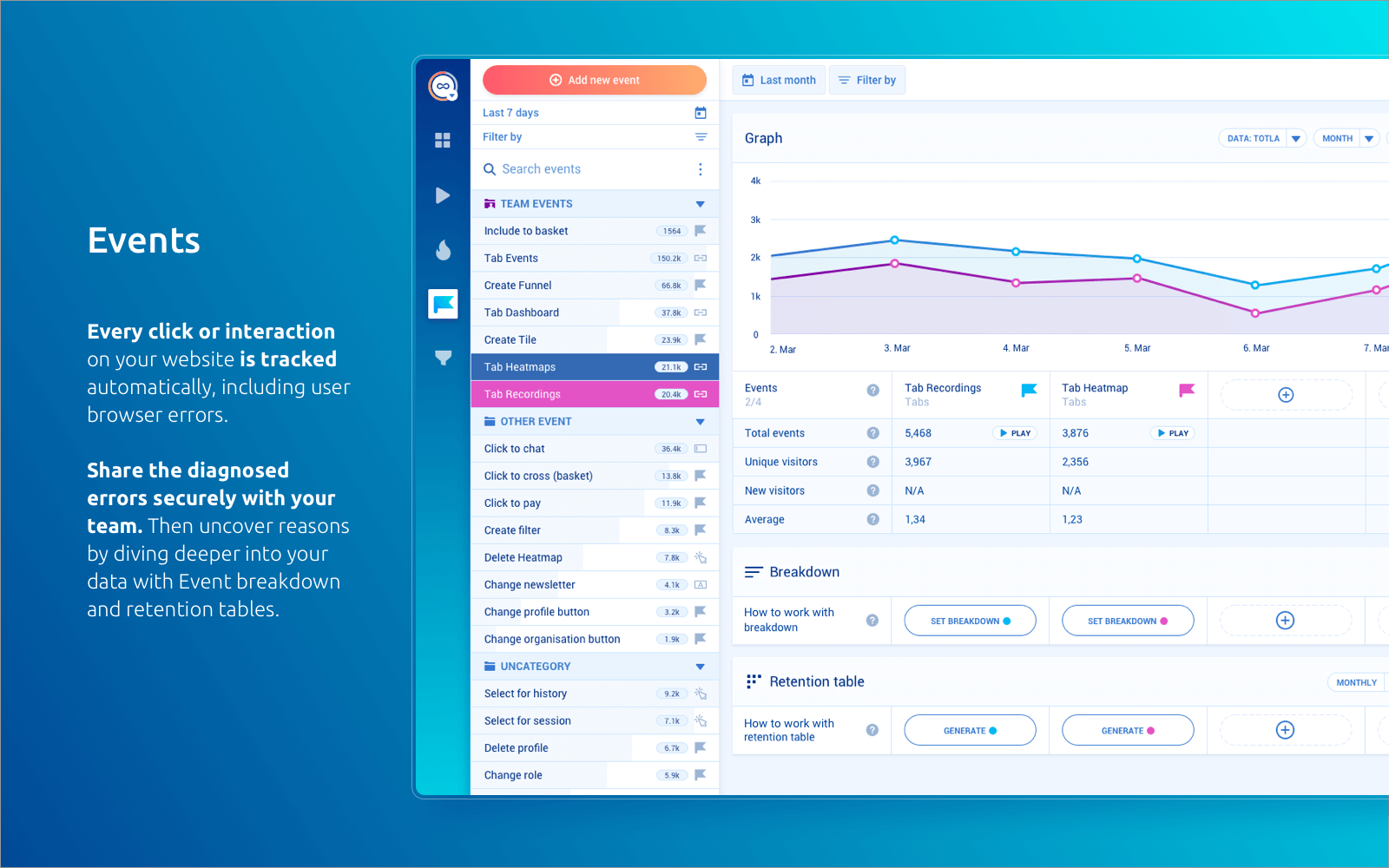   |