Coremetrics / IBM Digital Analytics (discontinued)
Score 7.9 out of 10
N/A
Based on the former Coremetrics, IBM Digital Analytics is a discontinued analytics product. IBM acquired Coremetrics in 2010, and re-branded the platform to the IBM Digital Marketing Optimization Solution. Product support was ultimately provided by Acoustic, but the product is not a part of the company's plans going forward.
N/A
Webtrends Analytics
Score 4.4 out of 10
N/A
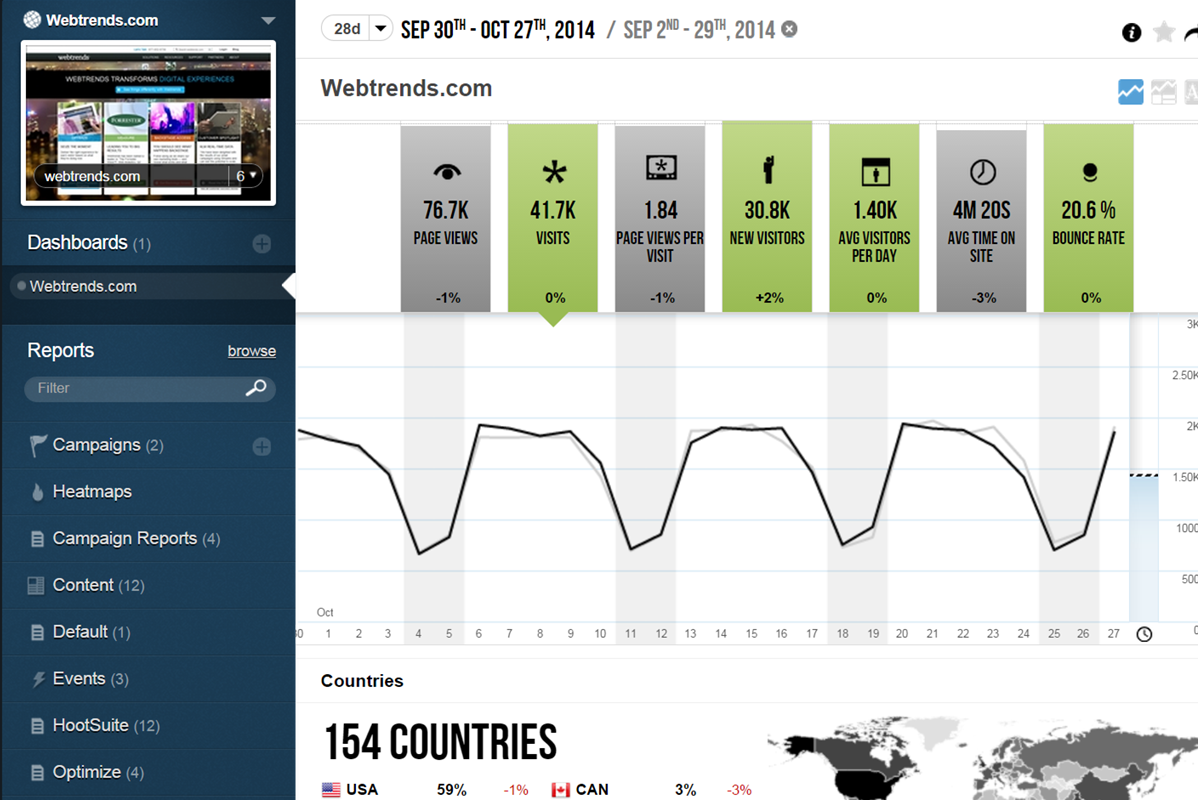
WebTrends provides an enterprise web analytics platform and, according to Forrester, has a strong focus on support for mobile and social channels and a very open platform. Webtrends competes directly with Adobe Site Catalyst, IBM Coremetrics. and comScore DigitalAnalytix.
N/A
Pricing
Coremetrics / IBM Digital Analytics (discontinued)
Webtrends Analytics
Editions & Modules
No answers on this topic
No answers on this topic
Offerings
Pricing Offerings
Coremetrics / IBM Digital Analytics (discontinued)
Webtrends Analytics
Free Trial
No
No
Free/Freemium Version
No
No
Premium Consulting/Integration Services
No
No
Entry-level Setup Fee
No setup fee
No setup fee
Additional Details
—
—
More Pricing Information
Community Pulse
Coremetrics / IBM Digital Analytics (discontinued)
Webtrends Analytics
Considered Both Products
Coremetrics / IBM Digital Analytics (discontinued)
Chose Coremetrics / IBM Digital Analytics (discontinued)
Webtrends and Omniture were on the shortlist. Webtrends tagging implementation seemed a little less flexible than Omniture and Coremetrics. When it finally came down to pricing and desired features, Omniture and Coremetrics were not significantly different, so we based the …
Verified User
Anonymous
Chose Coremetrics / IBM Digital Analytics (discontinued)
Omniture and Webtrends were also considered. When business needs are met by both Coremetrics and Omniture, the latter tends to be more expensive. Webtrends is often a good choice when server logs are also used with page tags. Server logs is an older technology which tends to …
Webtrends Analytics
No answer on this topic
Best Alternatives
Coremetrics / IBM Digital Analytics (discontinued)
Coremetrics / IBM Digital Analytics (discontinued)
Webtrends Analytics
Likelihood to Recommend
As mentioned earlier, transactional heavy web assets such as eStores are particularly strong candidates.
IBM CXA along with other, similar tools, is not set-and-forget. The solution must be well managed in order to deliver value. Purchase of the solution is one thing; driving analytic results is another. If a company's staff are not strong analytical thinkers, CXA will not help. IBM CXA is not just a technology platform - it is a basis to design strong customer touchpoints and interactions. You need to be customer journey design literate to get the best from this.
Scenarios 1. If you want to use web server log files as input to your web analytics, then Webtrends will provides a good product, with great ease of implementation. Don't even think about being cheap on hardware, and make sure Webtrends runs on real servers, not in a VM environment. 2. If you want to use Data Tagging, similar to Google Analytics or Site Catalyst, Webtrends has a powerful product, just be prepared to pay. 3. If you are new to Web Analytics, but it is the strategic direction, start with Webtrends on Premises. Questions to Ask 1. What are you trying to accomplish? 2. Can you place a dollar value on the benefit that you expect/need from Webtrends? 3.Can you live with Webtrends running SaaS?
Webtrends Analytics makes complex situations understandable to a non-technical audience. The vast capabilities and ways to slice data is both a great tool, but can also cause a user/users many hours of frustration.
Visual data display is clean, to the point, and not overly convoluted with unneeded variables and standard (defualt) settings. Everything the end user sees is customizeable.
Exports of raw data collections was easy and accurate. Once the parameters of data collection are finally set up and working, its easy to get what you want from the UI and is delievered in a variety of options.
The new UI is slow, buggy, incomplete, is not intuitive, and has limited support or explanation.
The demo videos for the new UI showcase features that are not even available in the new UI and support said those features may never be available so they are not sure either why they are shown in the demo videos.
Tag management is extremely manual leaving a lot of room for human error.
Support across the board for the legacy UI and new UI are not very helpful. They typically do not take the time to understand the root of your problem and commonly default to the response "that feature is not available". For example, you cannot currently delete reports in the new UI even though there is a delete button available. Support says the feature is not available, so if you want anything deleted you have to submit a list to support and they will delete it for you. This is extremely frustrating when you are creating "test" reports in the new UI and then you have no option to delete them when done.
Webtrends is not great at providing statistical data for analysis. You need to enable Log File Delivery or create an analysis export to perform this. This could theoretically be done with Streams.
Webtrends has difficulty identifying multi-visit users due to the inherent fragility of cookie-based tracking.
Webtrends Analytics does not provide Pathing capabilities for segments, only for the aggregate. However, this can be worked around with Scenario functionality selectively fired by a tag management system.
Segmentation by high-cardinality parameters tends to cause issues with table limits. Even after scrubbing and scrutinizing data, we commonly see up of 10K rows per dimension. Due to this, we use Webtrends Analytics to roll up data into larger segments and export all of our log data into our database for heavy duty number crunching.
It is still a best in class analytics platform, but working with IBM contracting has proven to be quite a hassle at times... There are proven pros and cons to each of the major systems and vendors (most I already listed). I always recommend to establish the business questions you are trying to answer, determine which platform answers them best and decide whether it is worth the dollar investment
The obstacles to renewing are 1) finding people to manage it who know it well and 2) frustration because of the lack of on-the-fly analysis. Usually, renewal prices are reasonable and the cost of switching to something else when you have a somewhat complicated setup far outweigh the renewal costs, especially if your implementation is sound and your reports are humming along. A lot of renewal decisions are going to hinge on the new product that will start to roll out this month.
If I could give it a 0, I would. Not having an intuitive user interface made it impossible to convince non-analytic business users to use the tool on their own. Even as a seasoned analyst, frequent calls were needed to get what should be simple tasks done. Account managers don't understand the tool either, and have to refer you to technical support
As reports are templated, the system is pretty quick. Sometimes you have to wait a bit for a report to render. Or you might have to re-load the page. But there is no real issue here and the system is on par with other similar systems.
The v9 admin interface and v10 reporting interface work as well as expected, but have a tendency to be pokey, especially for bulky reports and whenever you're connected to wifi. I much prefer using the REST API for all reporting for this reason, which simply dumps out the data and doesn't bother with the user interface.
Overall, the level of support is very good and I would say it is a strong asset of the solution. However, you can sometimes feel that there is a difference of level among the support team.
The Webtrends Support Engineers are expert at what they do, and we get to speak to someone on the support team quickly. They provide great solutions when available, and when there is no solution, which can happen, they describe work-arounds.
The in-person training was comprehensive enough to get you started, but I strongly recommend having a more experienced person when beginning with the tool.
Online training is really great. One of the best assets that they have. Lots of great videos, pop quizzes at the end of each module. Fantastic. Other tools have similar features, but not as good.
Webtrends provides several free webinars over the course of the year, many of which I would expect to pay for. The people providing the webinars seem to have a good feel for real-world application of the product.
Careful planning and patience. Use a non-public test site to fine tune tags and reporting. Despite best laid plans, there will be surprises when you collect the data, run the analysis and begin generating reports using the tool. Perform a tag audit to ensure tags fire as desired.
IBM Analytics is a great tool for measuring and analyzing web traffic along with consumer behavior to a degree. When compared to other solutions and tools available in the market today, I'd suggest checking out Kissmetrics or even Google Analytics over this tool. Ultimately, it will come down to the end user and if they are comfortable in the environment of the backend and workflows of IBM Digital Analytics.
Webtrends has its work cut out for itself considering you have the behemoth Google Analytics and Google Analytics Premium having a strong offering and brand recognition for the price of free. After reviewing the paid service I'd suggest you start off with GA as a cheaper alternative that is just as robust, if not much more flexible in regards to the reporting and goal tracking needs for our company.
This solution can support large amount of data and transaction. The way that user management features are built, it shows it is meant for large organizations.
Using IBM Digital Analytics has allowed us to optimize marketing spend for our clients and provide us the insight to reduce the spend on vendors that are not performing well or not bringing in qualified traffic.
Using IBM Digital Analytics data to power on-site product recommendations has increased the percentage of total sales from recommendation zones to around 10% compared to around 1% with manually merchandised zones.
Using IBM's TruePath Funnels to analyze the checkout process for various clients has allowed us to see where visitors are dropping out of the checkout process and make improvements to increase conversion rate.
Webtrends has had a positive impact on site visitation because it allowed us to understand the sources by domain for site traffic and find out ways to increase visits from those domains.
Webtrends has also allowed us to understand areas of optimization on the site, which has had a positive impact on the overall user journey on the site, likely leading to longer site duration and engagement.