
TrustRadius: an HG Insights company

ADP Vantage (legacy)

Score6.4 out of 10

170 Reviews and Ratings

What is ADP Vantage (legacy)?

ADP Vantage combined HR, payroll, benefits, talent management and time & attendance. It is a legacy product.

Media

Screenshot of Pay group Selection
ADP Vantage (legacy)
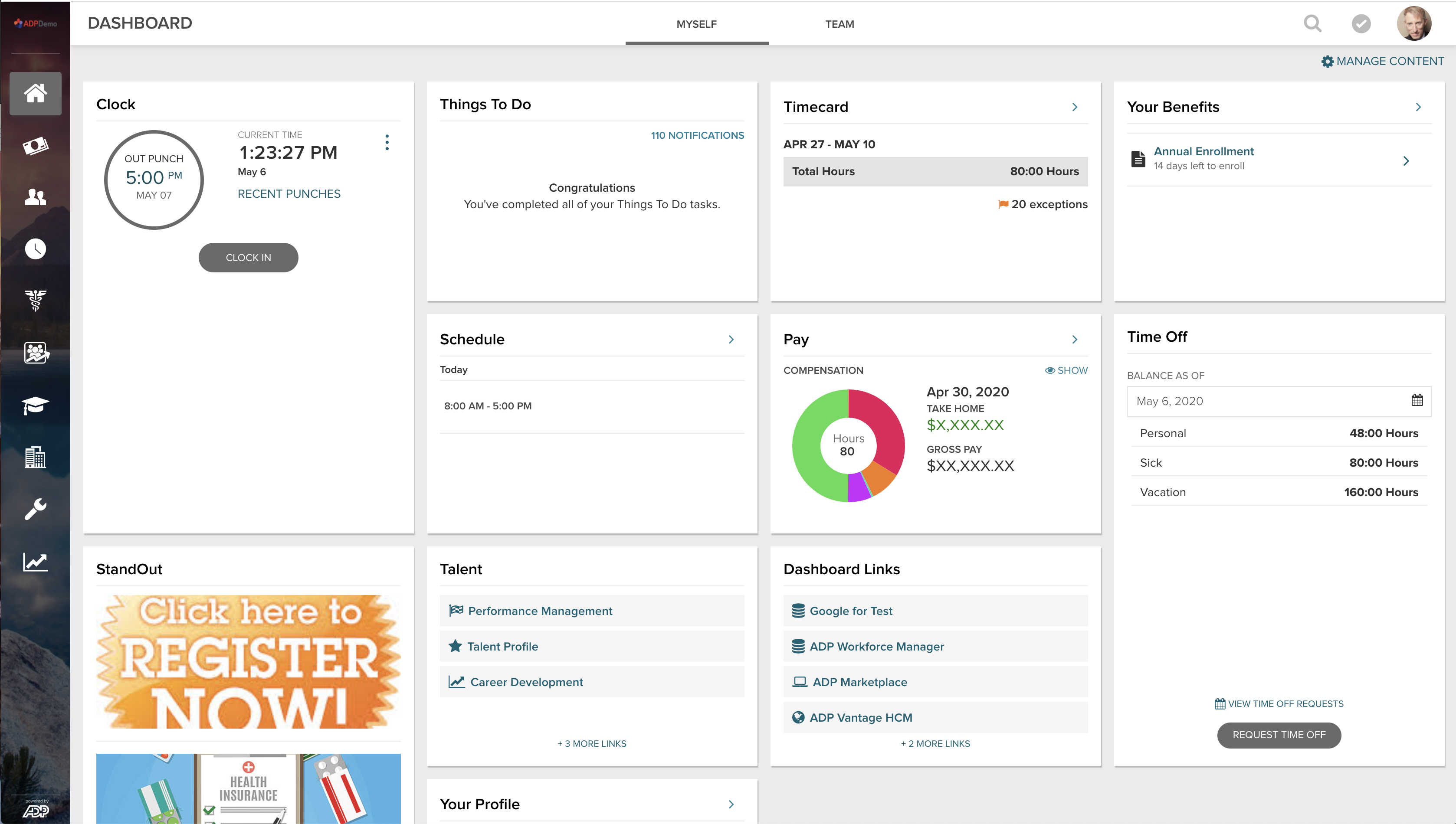
Screenshot of Myself Dashboard:
Self-service views empower your people to take charge of their employee experience.
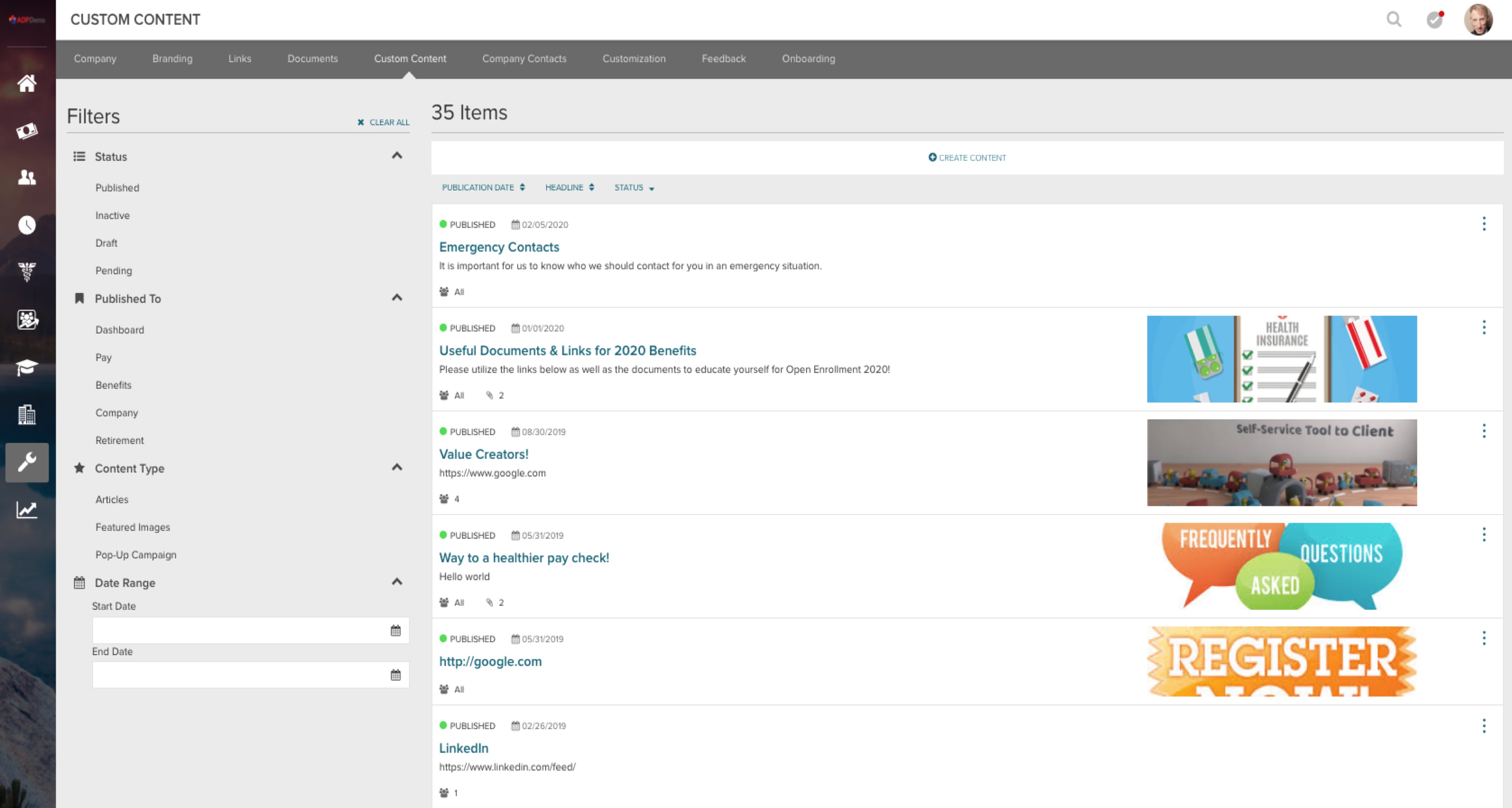
Screenshot of Admin Custom Content:
Deep but simple configuration, easily yet precisely tailored to current or future needs.
Screenshot of ADP Mobile App: Highly rated on the App Store
View your pay and much more anytime and virtually anywhere.

1 / 5

Screenshot of Pay group Selection

Top Performing Features

  • Tracking of all physical assets

    Tracking of track laptops, pagers, phones, and other company equipment.

    Category average: 8.2

  • Employee recognition

    thank a team member

    Category average: 7.6

  • Create succession plans/pools

    Managers can create and manage pools of potentially high-performing individuals.

    Category average: 8

Areas for Improvement

  • Applicant Tracking

    Applicant tracking allows recruiters to assign applicants to various stages so others can see status at a glance

    Category average: 7.7

  • Performance plans

    Supervisors have ability to build individual performance plans including, goals, competencies, etc..

    Category average: 7.6

  • Pre-built reports

    Pre-built reports is the provision of a variety of canned reports on employee retention, and other key metrics.

    Category average: 7.2

One-stop-shop for everything HCM

Pros

  • One-stop-shop solution for all HR needs
  • Very customizable, setup time was minimal
  • User-friendliness for end consumers (employees)
  • Interoperable with existing corporate systems

Cons

  • User interface, still feels primitive
  • Customer care is very generic, not meant for employer specific questions
  • Lack predictive, prescriptive recommendations

Return on Investment

  • More process-related efficiencies
  • Better effectiveness
  • Significant cost savings due to vendor consolidation

Usability

ADP Review

Pros

  • Ambassador Rewards is a great program that practitioners can participate in.
  • MyADP has a great look and feel but needs to be rolled out and not everything is there yet for our company.
  • Self Service is the best part about ADP. Supervisors/Managers can submit items to be approved. Practitioners in ADP set up the workflow for the activities they can submit.
  • I like the control practitioners have when it comes to security settings.

Cons

  • ADP in general LOVES to roll out new products however it is very clear the new products are not tested by people that actually would use the product. Also they tend to roll out products that are NOT ready to be rolled out. ADP Vantage in general is a great example of this. ADP wanted to be a contender in the product solutions of everything is 1 product and it is seamless. That is NOT true about ADP Vantage. ADP Vantage is not real time when it comes to benefits talking to payroll. Ben Calc still needs to run in the background and be set to payroll. ADP Vantage should have never been marketed the way it was. Unfortunately our company bought into it and we have the product we have and now have to work with what we have.
  • Another example of ADP rolling out new products before they are ready is My ADP. I tested this thoroughly before and I had to send a 17 page document to my service team to fix items that were not correct. Its frustrating to say the least.
  • ADP loves to change your service team on you. We have had it rough since day 1 with ADP.... our service team is who we rely on to get answers to issues. ADP will just switch them without any notices. Mary Ladwig was a great service rep for benefits and without notice Mary was pulled from my account and I was given a different rep. Not only did ADP do this without notice but they did it right before Open Enrollment the absolute worst time for ADP to pull a rep. We have had the most challenging Open Enrollment and it is purely because ADP decided to pull my rep and then give me a completely inexperienced rep for Open Enrollment implementation.
  • ADP Reporting is horrible. There is nothing to say other than it is not user friendly.
  • ADP loves a good release to try and fix issues. However 99.9% of the time the release causes more issues that ADP did not test for.

Return on Investment

  • Overall ADP is one of the more expensive systems out there. We decided to take the chances and go with them. We make it work but there is always more that you want out of your system.
  • If you want it ADP may have it but how much are you willing to pay for it. Its not always worth the $$.

Usability

Usability

Accuracy is key!!

Pros

  • The dedicated service team allows for faster response to issues.
  • It provides easy navigation for all employees, managers, and practitioners.
  • Time cards, benefits, and payroll are all part of VantageHCM -- instead of three separate systems.

Cons

  • It could provide a better reporting functionality for practitioners.
  • I would like notifications from ADP when certain areas of the system are not working or are running slow.
  • I would like more detailed instructions on how to do certain things, such as a new state tax setup.

Return on Investment

  • It's allowed us to rethink how we process payroll and our internal payroll deadlines.
  • We use it to utilize all tools provided when processing payroll to ensure accuracy.
  • There was not enough training during implementation -- we still have to create numerous SR's on a weekly basis.

Usability

Alternatives Considered

ADP SmartCompliance, ADP Workforce Now and ADP Enterprise eTIME

Other Software Used

Microsoft 365 (formerly Office 365)

Usability

Vantage review

Pros

  • Reporting
  • Customized to meet our needs

Cons

  • Different functions don't talk to each other - benefits, tax
  • Multiple entry in various systems - tax, payroll, benefits

Return on Investment

  • Too costly for what we had implemented

Usability

Six Years with ADP Vantage

Pros

  • ADP Vantage has a wonderful reporting feature called "Field Grabber". This allows even very inexperienced users to create the reports they need.
  • ADP Vantage has a robust security management tool. We can set up users into a standard profile or easily create unique profiles for special circumstances.
  • ADP Vantage gives the client access to manage their own setup, for the most part. We can manage our setup to incorporate changes in our processes.

Cons

  • ADP Vantage can improve it's effective dating options. Many users don't understand what date to use and end up selecting a date that causes a problem with the data. It would be nice if we could set parameters to this field on certain screens.
  • It is not easy to audit any user activity ADP Vantage. It's a complex report to run that needs to be deciphered, not easy to read for the occasional ADP user.
  • Several fields are not as they are named, so it is not as user-friendly as it appears. For example, in Garnishments, if you have a Federal Tax Levy Agreement it has to be entered as Lien Type of Child Support order with a Sub Type of Private Order. No one would figure that out on their own.

Return on Investment

  • In standardizing our processes, we have cut down on payroll errors. From 40+ off-cycle checks per pay to about 5.
  • The Workflows have eliminated the need for email and papers being shuffled around for approvals. This saves time and money.

Usability

Usability