

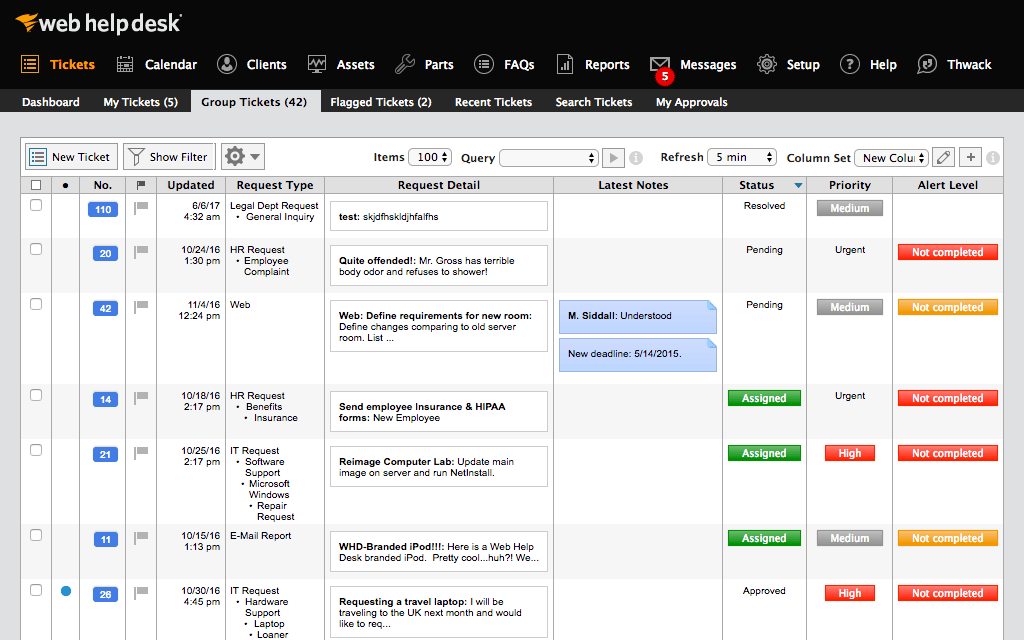


WHD Saves the day!

Use Cases and Deployment Scope
I use SolarWinds Web Help Desk (WHD) across the entire organization, teachers/principals are responsible for submitting a ticket when experiencing a technology issue or request. We did use it for laptop and Chromebook inventory, it included helpful information such as purchase order, price, date and location deployed. We used to use an excel spreadsheet to keep track of tickets, who was responsible for resolving them and any notes the user had.
Pros
- Active Directory Integration
- Asset managment
- User and tech both receive emails upon entry
- Easy to use interface
- Great reporting functions
Cons
- Because of AD integration, users sometimes try logging in with their email address and not AD credentials. The user then calls stating they can't put a ticket in, it would be nice if there was a method of matching the AD Email field with a login.
- Setting up new techs with the building they are responsible for can be a little messy
- I would like to see the UI updated. It looks old, even in the latest releases.
Return on Investment
- I enjoy I can continue running the software on my internal servers, the cloud is more expensive while providing minimal benefit to our organization
- Cost per technician license is minimal
Usability
Other Software Used
SolarWinds Serv-U, SolarWinds IP Address Manager (IPAM), FortiClient, HPE Alletra, Aruba ClearPass, FortiEDR, Aruba Networks Wireless WAN


