
TrustRadius: an HG Insights company

vCita

Score8.5 out of 10

15 Reviews and Ratings

What is vCita?

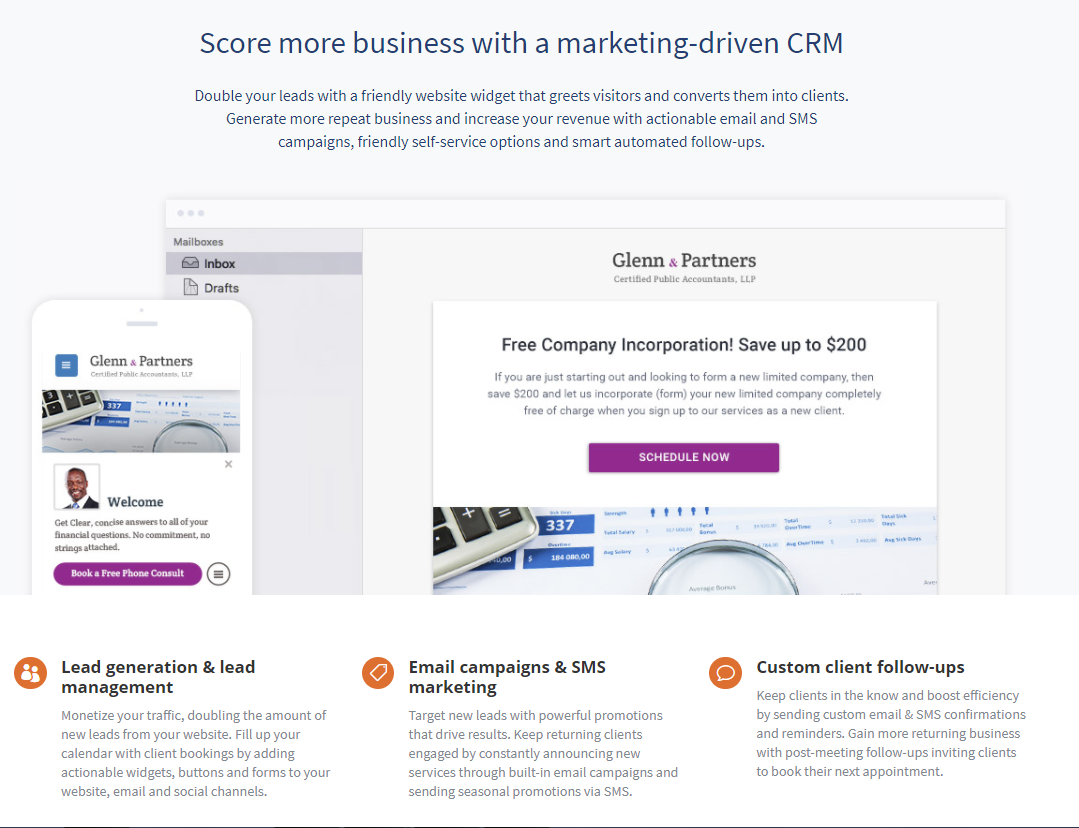
vCita is a marketing-focused CRM for service providers. According to the vendor, the product helps service providers move clients through every stage of the sales cycle: from the first point of contact to closing, upselling and follow-up.

vCita is a lightweight CRM with the following features:

- Manage appointments, payments, and clients
- Access info & respond to clients on the go with a mobile app
- Invite clients to view information / perform actions on a personalized client portal
- Assign clients or leads to staff members
- Get instant notifications for every "red flag" - let nothing slip through the cracks
- Set follow-up reminders for future tasks
- Add tags, client custom-fields & notes
- Share and receive documents online
- Sync with Gmail, iCal and other calendars
- Build a client base with a lead-capturing widget
- Accept appointment requests from verified prospects 24/7
- Reduce no-shows with SMS & email reminders
- Send email, SMS & coupon marketing campaigns

Media

Exclusively designed for service providers & service-based businesses
The only marketing-driven CRM for small businesses

1 / 2

Top Performing Features

  • Role-based user permissions

    Permissions to perform actions or access or modify data are assigned to roles, which are then assigned to users, reducing complexity of administration.

    Category average: 8

  • Customer data management / contact management

    The software acts as a single source for all customer data and enables users to access that data efficiently.

    Category average: 8.5

  • Billing and invoicing management

    This includes automated invoice creation and billing.

    Category average: 7.6

Areas for Improvement

  • API for custom integration

    An API (application programming interface) provides a standard programming interface for connecting third-party systems to the software for data creation, access, updating and/or deletion.

    Category average: 7.6

  • Reporting

    Software provides a broad range of standard and the ability to build custom reports.

    Category average: 7.6

  • Custom fields

    Users can create custom fields to store additional information on standard and custom objects.

    Category average: 7.8

vCita is a winner!

Use Cases and Deployment Scope

We use vCita for the following: 1. Online payment portal - which allows us to accept payments faster. 2. Appointment scheduling - which makes appointment scheduling easier and more efficient. 3. Messaging with clients - which allows us to communicate very quickly. 4. Exchanging documents with clients - which allows us to keep documents in one place. The online payment portal makes payments much easier and faster.

Pros

  • Online payments.
  • Appointment scheduling.
  • Messaging.
  • Receiving and sending documents.

Cons

  • Fillable pdf forms that don't require downloading and remain online.
  • More online payment link choices - currently only works with Square, Stripe, and PayPal.
  • Confirming user email addresses prior to accepting profile (rather than allowing incomplete or non-existent email addresses).

Return on Investment

  • Positive - improves overall client satisfaction.
  • Positive - improves speed with which payments are received.
  • Negative - requires some modifications to incorporate with website.

Other Software Used

QuickBooks Desktop Pro, Time Matters, Microsoft 365 (formerly Office 365)

Usability

We LOVE vCita

Use Cases and Deployment Scope

We are a Christian nonprofit organization that offers life and spiritual coaching for adults who are dealing with issues that have become obstacles to the life they truly want to live. We have a team of coaches who meet one-on-one or with small groups. We needed a web-based solution to help us manage client relationships. This needs to include appointment management, communication, and financial transactions. Ideally, we needed a telehealth tool that would give us the ability to manage both face-to-face and virtual appointments. It had to be scalable for the future and useful for clients not only in our city or state but accessible to a national, even international client base.

Pros

  • Client Management
  • Appointment Scheduling
  • Form creation and Deployment

Cons

  • Payment collection: We want to have an option to allow clients to choose the amount they wish to pay.
  • Improved ease of use with forms.

Return on Investment

  • Increase in the number of completed financial transactions.
  • Decrease in the loss of time with clients due to technical issues.
  • Reduction of lost time due to ease of onboarding.

Other Software Used

Grammarly, Keeper, Adobe Creative Cloud Express (formerly Adobe Spark)

Usability

Easy-Peasy Client Management when it COUNTS~!

Use Cases and Deployment Scope

VCita Rocks My Business! I use this for communicating with EVERY bride, and bridal is a field in which perfect customer service is required. I integrated the VCita contact form on my website, and my brides rave about my easy-peasy booking, contact, and payment through their personal client portal with vCita!

Pros

  • Integration of Contact/Client Portal Into Website.
  • Keeps all of my Client Data in ONE Place (easy!)
  • Ability to Store Images/Documents on a Client's File.
  • Ability to have Internal Only Notes on a Client's File.

Cons

  • I don't have anything to say here!

Return on Investment

  • My customers are happy with the communication and ease!

Usability

vCita brings victory in business

Use Cases and Deployment Scope

I have used vCita for nearly ten years, and I have been pleased with their products and services. They helped me with the flood of emails I used to get for booking sessions and needed a separate merchant account for payment. They also make it easier for my assistant to use my account through her portal.

Pros

  • Answer my questions and requests.
  • Keep me posted on renewals for their service.
  • Continually add new features over the years.

Cons

  • They've become more restrictive with their live customer service hours.

Return on Investment

  • Made it easier for me to be booked and stay booked.

Alternatives Considered

Genbook, Acuity Scheduling, a Squarespace company and Square Appointments

Other Software Used

Google Calendar, Zoom, PayPal Payments Pro, Square POS

Usability

vCita Empowers your Customers and Gives You More Time

Pros

  • Great for online appointment bookings.
  • Good for taking payments.
  • Good for onboarding new clients.
  • Integrates with your website.
  • Integrates with Facebook Pages.

Cons

  • Expensive for the features you get.
  • Some features appear disjointed.
  • Not a complete system yet.

Return on Investment

  • The initial cost was high compared to other options but the features in the base level allowed even the smallest of business to grow into the paid version of the service.
  • The time saved with self service bookings and profile management for customers has been a big plus and made the purchase of the service worthwhile.
  • The constant improvements to the platform have been enough to continue to use the service as it develops into a competent CRM.

Alternatives Considered

Zoho CRM and Insightly

Other Software Used

Zoho Assist, Zoho Desk, Streak, Insightly