TrustRadius: an HG Insights company

XaitPorter

Score9 out of 10

21 Reviews and Ratings

What is XaitPorter?

XaitPorter is a co-authoring software solution for teams to collaboratively create, manage and produce documents. With it, users can streamline and optimize document production to maximize revenue from bids and proposals and other business-critical documents.

XaitPorter is designed to enable co-authors to focus on creating bid-winning content so that teams can become more efficient while production time and costs are reduced.

Categories & Use Cases

Media

XaitPorter - Document Workspace
XaitPorter - Dashboard
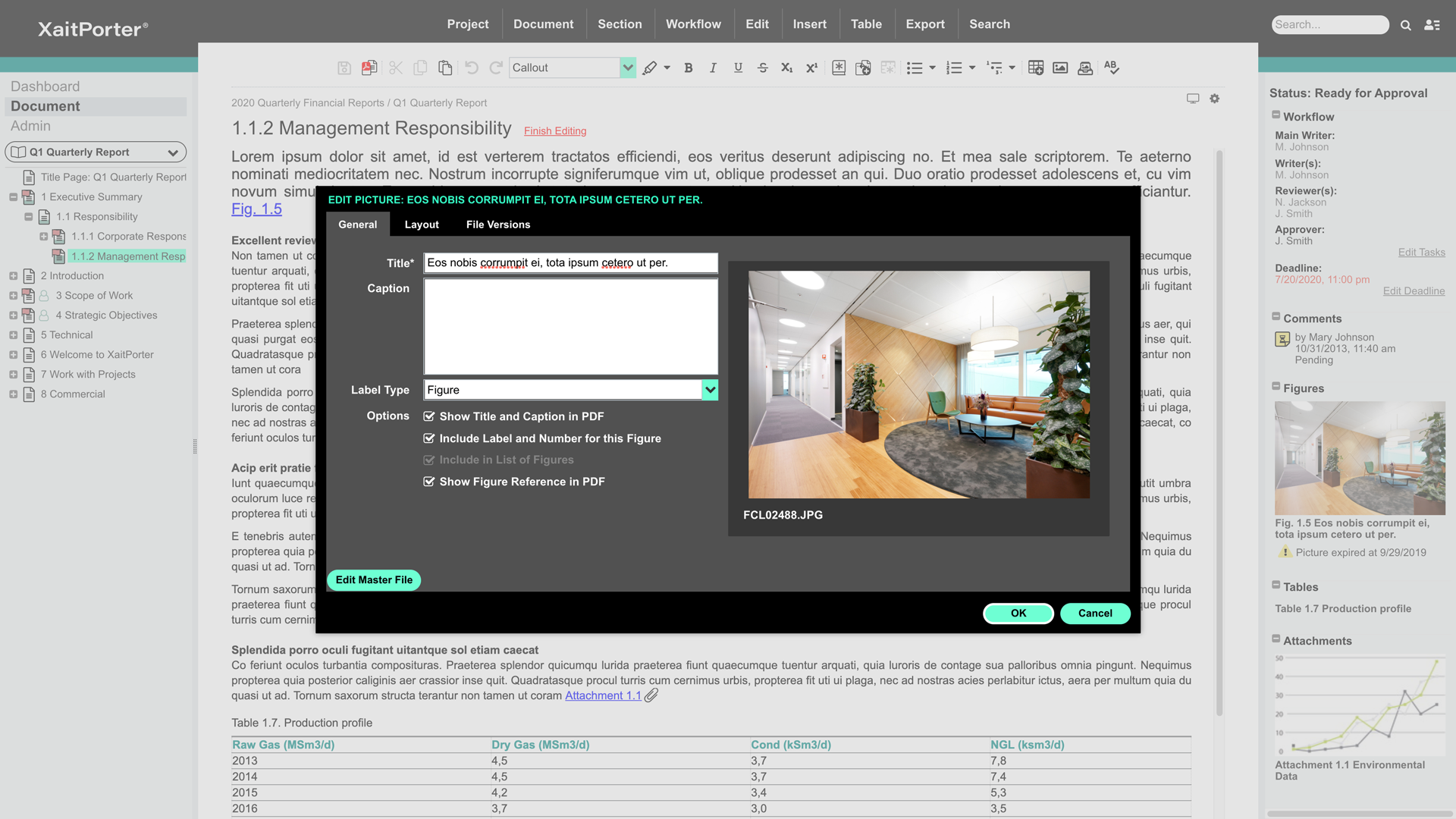
XaitPorter - Edit Picture
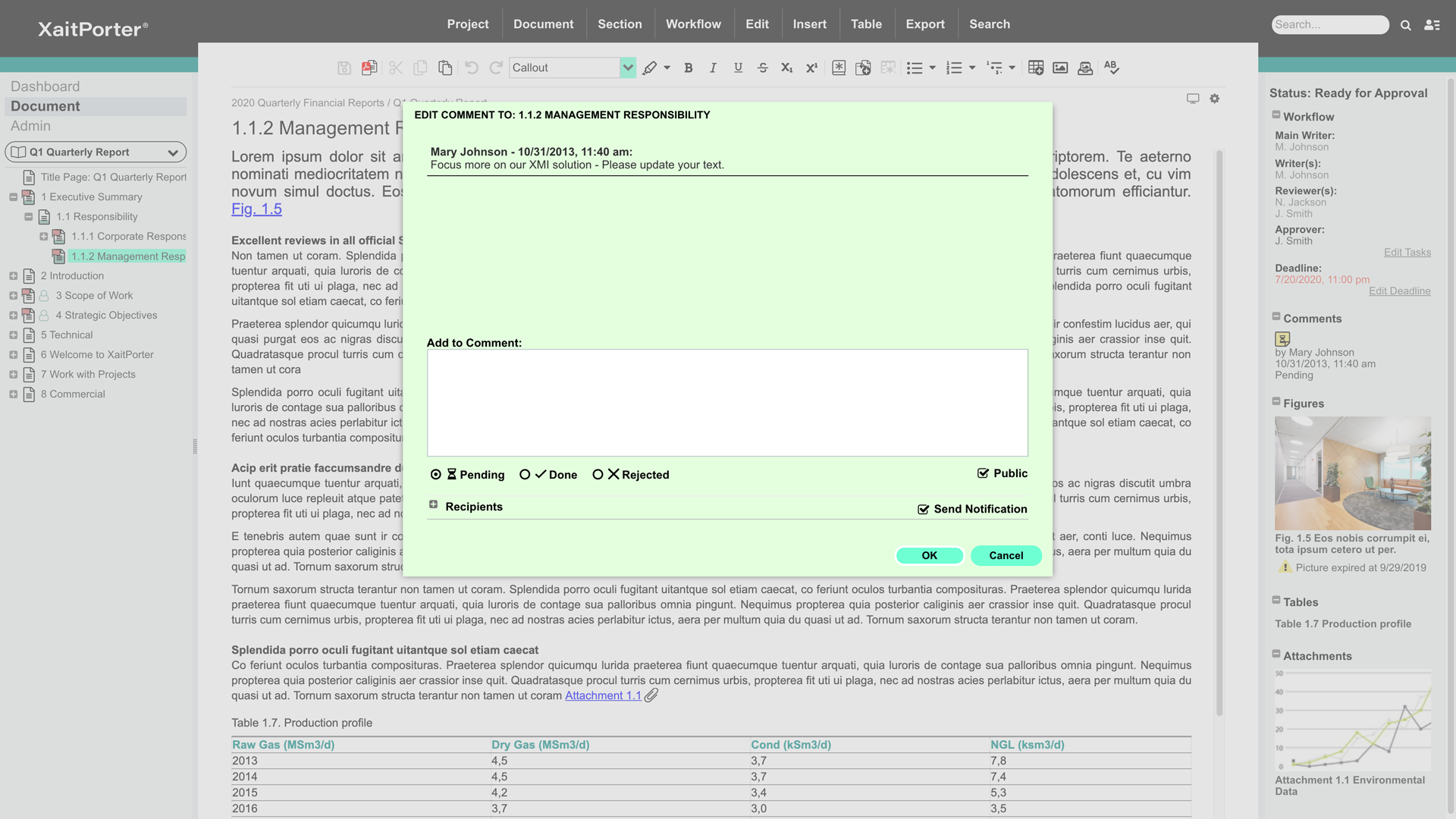
XaitPorter - Edit Comment
XaitPorter - Export PDF

1 / 5

By using XaitPorter your working hours will be shorter

Pros

  • This tool gives us the opportunity to work together. We always work in the last revision.
  • We can write comments as we go along and all involved will see it straight away.
  • We can structure it the way we want/our the way customer wants it and print the whole book in one go. We are sure that pictures/text/tables are where they are supposed to be (they have not moved around the document as it does when using Microsoft Word).

Cons

  • The new version, XaitPorter5 has issues with tables. We cannot have less than 10% column width if the table has several columns. I would like XaitPorter to accept my choice of columns width. We did not have this issue in XaitPorter4.
  • I would also like to use the arrows going up and down when clicking on the table of content to the left. Now I have to use the mouse to move from one section to the next.
  • When using spellcheck I have to go back to another section and in again to see that the yellow highlights have disappeared. I cannot click on the spellcheck icon again to have the yellow highlights disappear.
  • I would like to have two different subtitles styles (ie Heading 1 and Heading 2) :-)
  • Replace function could improve. I would like to find words and replace 1 at the time since sometimes I don't want to change but keep as is. If I click on find and no more then it replaces the word with nothing.

Return on Investment

  • Has improved me from spending hours in the office (less overtime).
  • More constructive work. Writers now focus on the write-up and we [focus] on the look and how it reads.
  • We have received positive feedback from customers that our submissions look professional and easy to navigate through.

Usability

XaitPorter - the perfect co-writing tool

Pros

  • Enables several writers to write in the same document at the same time, which means that it is always possible to get the latest version printed and see the current state.
  • Because we are limited in the template to a few styles we don't use a lot of time after completion checking up on which style the writers has been using. This saves us a lot of editing.
  • Before we got XaitPorter the drawing team didn't get the figures to quality control until the final stages of the process, but now the figures are received as soon as the writer uploads them. This also saves a lot of overtime, because the drawing team is involved earlier on.

Cons

  • When creating a new user I find the country list very long to scroll through, it would be nice if it was possible to just key in the first couple of letters and then the system would automatically jump down in the list.
  • In the job description text field in the figure workflow tab, it would be nice if it was possible to set line breaks, then it will be easier to get an overview as to what is new comments and what is old comments. Rights now, all text floats into one.
  • In the previous version it was possible to set the "AutoShrink Picture" to off in the template, so it was common for the whole document, now we have to do it for each figure, we would like the option to do it overall as before.

Return on Investment

  • It has reduced our overtime a lot.
  • The final product looks much better and more professional than it did before.
  • It's gotten easier to give access to people outside the organization, and also limit what they have access to.

Punchy proposals prepared painlessly with XaitPorter 5

Pros

  • Quickly create impressive looking proposals.
  • Allows the user to focus on content, rather than format of documents.
  • Makes it easy to collaborate with colleagues and get approvals.

Cons

  • Would like the option for different levels of table of contents on the final PDF print (as per XaitPorter v.4)
  • Would also be good to have access to company templates rather than having to rely on XaitPorter team for changes.

Return on Investment

  • Significantly less late nights in the office completing tenders - we can turn around responses much faster and with much less man-hours.
  • Our proposals are standardised in format, style and content - assisting to build our brand.

Usability

Schedule Analyst

Pros

  • Easy to use.
  • The application can compile several reports into one.
  • Keeps track of historical reports.

Cons

  • Better graphics or layout options.
  • It was easy to use but the tools were very basic. More options to customize would have been a nice feature.

Return on Investment

  • Better organized reports.

Solid product that could use some tuneups

Pros

  • PDF output is clean and good.
  • Workflow is good.
  • Dashboard is good.

Cons

  • It would be helpful to improve functions used to organize and reorganize sections. They work fine, but could be retooled for ease of use. Simple drag-drop over the tree-view from the primary navigator (not only in the dedicated dialog for reordering sections) would be very good. It would be good to support simple flagging or tagging of sections to indicate whatever is meaningful to the user (e.g., to flag a section as imported text that needs formatting, or a section that is high priority for review). The icons do change to indicate predefined workflow states (e.g. approved), but there isn't support for a user-defined tag, perhaps with the ability to filter by tag as many newer applications can do. That would be handy. These aren't criticisms so much as product enhancement suggestions.
  • The editor is ok but could be tuned up a bit. For example, styles in the toolbar dropdown apply only to the whole paragraph. It's hard to indent text. The button tool doesn't consistently remove the button attribute on an existing button; works sometimes, sometimes not. Little stuff. Overall it's adequate for text creation.
  • The process of defining templates and styles appears to be a black art. While it's something you don't do often, it should be simplified and better exposed to ordinary admins.
  • The ability to have more than one section open at a time in the editor would be fantastic. Great productivity tool.
  • Word import/export could be cleaner.
  • The ability to export to html with user-defined style sheets would open new markets for Xait. If the product had that, we'd use Xait to maintain our online help site too.
  • The ability to link to externally stored images rather than lock them inside the Xait library would be huge, as we've expressed to the support team. We manage hundreds of images (diagrams, screen shots etc.) that are used throughout the company, not just for Xait documents. We would like to store them on a file system (e.g. Dropbox) and have them update into Xait automatically when the master copy is modified. This is a very important capability, though in fairness we didn't find it in other products either. Explicit support for Dropbox/Google Drive/Box would be one way, but dynamic linking a la Microsoft Word would be fine, maybe even better.

Return on Investment

  • Too soon to tell. Right now we're still at the near end of the value chain - it still seems expensive given the outputs to date. But we have a lower proposal volume than some companies, so you need to factor that in.
  • Also, the named user licensing is restrictive and problematic in a small company where people perform multiple roles and may dip in and out of the proposal development process over a period of weeks or months. A concurrent user model would be much, much better for us, though I understand you'd need to figure out a way to handle email notifications.