
Eric Gibson
Sr. CWS Technology Consultant
Chose Brainshark
Much easier to learn, use, publish content. It does not have many advanced capabilities or support for HTML5 or VR

| Product | Rating | Most Used By | Product Summary | Starting Price |
|---|---|---|---|---|
 Brainshark | N/A | Brainshark is a video presentation platform for sales enablement, now from BIgTinCan (acquired August 2021). | N/A | |
 Cirrus Insight | Mid-Size Companies (51-1,000 employees) | Cirrus Insight integrates Salesforce with Gmail, Google Calendar, and Google Contacts. Instantly View Contextual Salesforce Information in Your Inbox. Save Emails & Attachments to Salesforce with a Click. Sync Your Google & Salesforce Calendars. Create & Edit Salesforce Records on the Fly. Customize Your Salesforce Workflow in Gmail. Add Google Contacts to Salesforce. Salesforce Tasks Integration. Salesforce Templates Integrated with Gmail. | $27 per user/month |
| Brainshark | Cirrus Insight | |||||||||||||||
|---|---|---|---|---|---|---|---|---|---|---|---|---|---|---|---|---|
| Editions & Modules | No answers on this topic |
| ||||||||||||||
| Offerings |
| |||||||||||||||
| Entry-level Setup Fee | No setup fee | $500 per installation | ||||||||||||||
| Additional Details | — | Pricing based on annual billing. | ||||||||||||||
| More Pricing Information | ||||||||||||||||
| Brainshark | Cirrus Insight | |
|---|---|---|
| Considered Both Products |  Brainshark Eric Gibson Sr. CWS Technology Consultant Chose Brainshark Much easier to learn, use, publish content. It does not have many advanced capabilities or support for HTML5 or VR  Lori Houser Sales Training & Development Chose Brainshark Brainshark met all of our current needs, had an impressive roadmap for future integrations that aligned with ours and pricing was a good fit.  Richard Gichangi Marketing Manager Chose Brainshark Brainshark is affordable and it's a simple tool to use. It further gives you the option to record the training sessions and use them later for further training activities. You are able to create your own content and use it to coach and train your staff in a reputable manner …  Betsy Abney Wealth Management Academy Assistant Advocate Chose Brainshark Most systems we looked at only housed training you already had or bought... or you could buy their training, but they did not offer a way to build your own training AND keep it updated and house it in a logical way. I what we use in Brainshark as two parts (and we don't use it …  Brad Shafton Senior Manager, User Services Chose Brainshark Have not had to compare to any alternatives to date.  Tina Callisto Training Lead Chose Brainshark I haven't found a tool that has the integrated content development and hosting tools that Brainshark has. We use Captivate for content development and did not have a standard hosting tool. Captivate requires advanced content development tools that limited use to training …  Michael Helton Something Interesting Involving Learning and Technology Chose Brainshark That is a HUGE list of products. I have implemented 2 full LMS systems and a number of smaller systems and I have to say Brainshark is by far the best for easy content delivery.  Elizabeth Brochu Assistant Director, Marketing Chose Brainshark I have not evaluated any other - I've been using Brainshark at different companies for over 10 years. There is no better.  Sarah Jolly Business and Communication Analyst Chose Brainshark At our company the only tool we had like this was to manually send PowerPoint presentations to each other, which are static and easily lost in your inbox. Brainshark has given us a great and interactive way to share this information so that our audience can better absorb, …  Stephanie VanGilder Sr. Business Operations Specialist Chose Brainshark We didn't really compare a lot of products.  Christi Chambers Program Manager Chose Brainshark n/a - We have not used another tool like Brainshark.  Ben Klein Project Manager Chose Brainshark They are not quite as robust and detailed in terms of capabilities in managing users as Blackbaud, but this is MUCH more user-friendly, and it feels like we, as a client, really matter to them and are a top priority. We have had nothing but good experiences with Brainshark and …  Brianna Rendine Learning Systems Technologies Analyst Chose Brainshark We never used or looked at any other tools.  Justin James Technical Sales Engineer Chose Brainshark There are a lot of sites that allow you to host/share content in the loud. What won for me was their tracking, analytics, and reporting. At the time there was nobody even close to Brainshark and I have not seen anything since that would make me want to switch. I look forward to … |  Cirrus Insight  Brian Hasenbauer Vice President of Marketing Chose Cirrus Insight We used Cirrus Insights for a period of time and then switched to Salesforce Inbox because Salesforce Inbox was included in our Salesforce license which made the change easier to do since there was no financial impact of making the switch. We didn't spend very much time …  Jeff Bramhall Team Lead, Inside Sales Chose Cirrus Insight We use Outreach to drive campaigns now. We've been successful with it for several reasons: 1- Our business operations team knows it and is able to coach us on how to use it 2- We use it across several departments (Marketing, SDE team, AE team, Customer Success - though we may be …  Sasha Chait Director of Development Chose Cirrus Insight N/A I haven't use any competitors.  Jason Miller Director of Business Development Chose Cirrus Insight We use gmail as our corporate email server and was by far the best option for our combined use of gmail and Salesforce.  Pedram Mizani, MD, MHSA Chief Clinical Officer Chose Cirrus Insight Poor. If this is not fixed, I’ll move to Salesforce Gmail integration  David Jacoby President & Co-Founder Chose Cirrus Insight More robust and better UI.  Blake Cohen Sr. Customer Success Manager Chose Cirrus Insight Yesware regularly sent me alerts that my emails had been opened by someone who I hadn't sent them to, from locations they couldn't possibly have been. I also don't recall its Salesforce activity logging working as smoothly, though I last used Yesware more than 12 months ago so …  Kelsie Hamilton Program Associate Chose Cirrus Insight We were just using the free email to Salesforce option, which sends your email to an inbox within Salesforce. Then you are required to address it to the correct location. It's a two step process, so that was cumbersome. Or, some of my coworkers would drag the email onto their …  Evan Carlson Account Executive Chose Cirrus Insight Cirrus Insight works for us because we use Outlook and MailTrack does not work with Outlook last time I checked.  Graham Hill Corporate Sales Representative Chose Cirrus Insight We have Outreach and can't tell you why we switched  Dailius Wilson Director - BD Chose Cirrus Insight Cirrus Insight is a light-weight affordable tool that offers reasonable bang for your buck. However it does not have the reliability of other more enterprise-like platforms nor does it have the advanced features that are becoming of an email support tool - such as more advanced …  Chad Griffeth President Chose Cirrus Insight While I really liked Toutapp's social integration, it left a lot to be desired with the SFDC integration, which was a higher priority for me. It does what both Boomerang and Yesware do IMO for my purposes in one, easy to use app that doesn't dominate my screen.  Monika Covelli Sales Associate Chose Cirrus Insight integration, and convenience  Craig Grella Co-Founder Chose Cirrus Insight Appirio was already being used by our organization. We'd also tried using various email connectors. |
| Brainshark | Cirrus Insight | |
|---|---|---|
| Small Businesses |  Lead411 Score 9.1 out of 10 |  Salesflare Score 6.0 out of 10 |
| Medium-sized Companies |  Paperflite Score 9.3 out of 10 |  Mailtrack Score 9.7 out of 10 |
| Enterprises | Paperflite Score 9.3 out of 10 |  Groove, a Clari company Score 6.2 out of 10 |
| All Alternatives | View all alternatives | View all alternatives |
| Brainshark | Cirrus Insight | |
|---|---|---|
| Likelihood to Recommend | 9.0 (0 ratings) | 5.0 (0 ratings) |
| Likelihood to Renew | 8.2 (0 ratings) | 9.1 (0 ratings) |
| Usability | 10.0 (0 ratings) | 9.1 (0 ratings) |
| Availability | 9.1 (0 ratings) | 9.1 (0 ratings) |
| Performance | 9.1 (0 ratings) | 9.1 (0 ratings) |
| Support Rating | 9.0 (0 ratings) | - (0 ratings) |
| Online Training | 9.1 (0 ratings) | - (0 ratings) |
| Implementation Rating | 8.7 (0 ratings) | 9.1 (0 ratings) |
| Brainshark | Cirrus Insight | |
|---|---|---|
| Likelihood to Recommend |
Lori Houser Sales Training & Development |
|
| Pros |
Justin James Technical Sales Engineer |
|
| Cons |
|
Dailius Wilson Director - BD |
| Likelihood to Renew |
Tina Callisto Training Lead |
Craig Grella Co-Founder |
| Usability |
|
Craig Grella Co-Founder |
| Reliability and Availability |
 S. Renee Conley Administrative Assistant |
Craig Grella Co-Founder |
| Performance | No answers on this topic |
Craig Grella Co-Founder |
| Support Rating |
| No answers on this topic |
| Online Training |
S. Renee Conley Administrative Assistant | No answers on this topic |
| Implementation Rating |
|
Craig Grella Co-Founder |
| Alternatives Considered |
Betsy Abney Wealth Management Academy Assistant Advocate |
Blake Cohen Sr. Customer Success Manager |
| Return on Investment |
|
Kelsie Hamilton Program Associate |
| ScreenShots | Cirrus Insight Screenshots 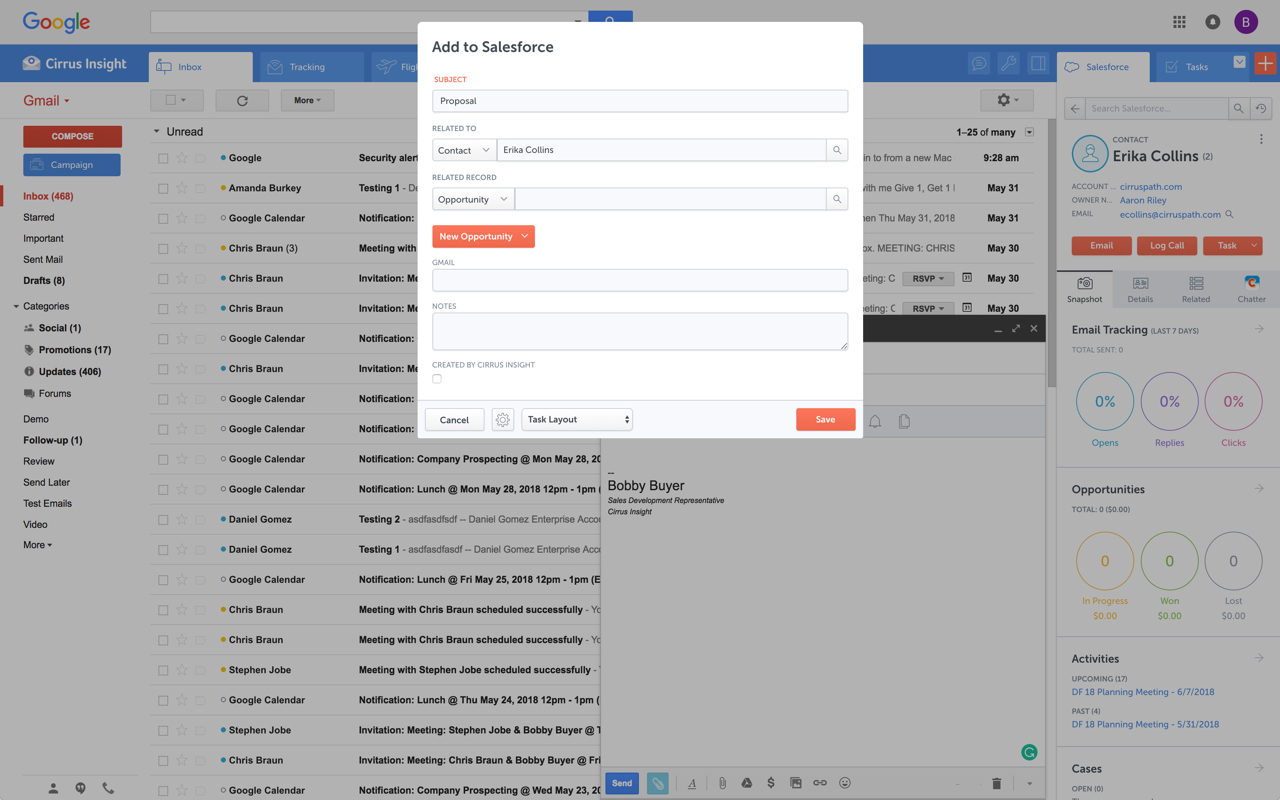   |