TrustRadius: an HG Insights company

Hippo CMMS

Score2 out of 10

10 Reviews and Ratings

What is Hippo CMMS?

Hippo CMMS is a maintenance management software tool for organizations of all sizes. It is a SaaS solution offering a customized interface designed to suit users' operational maintenance needs. The vendor states that Hippo’s UX design principle has always been the same: features only have value if they're easy to find and use, and so they state their layout is clean and intuitive, making the software a breeze to learn.

Hippo CMMS has been providing maintenance software to organizations in manufacturing, healthcare, education, hospitality, sports and recreation, property management, and municipalities since 2004. Hippo CMMS has designed their computerized maintenance management system software with the intention of "making the complex simple." While offering the features required by organizations to streamline operations, Hippo is still designed to be intuitive. Hippo CMMS can be used by everyone within an organization, whether they're tech-driven VPs and CIOs, or not the so tech-savvy. The system enables work orders processing, carrying out maintenance requests, managing preventive maintenance and spare parts, and report generation by employees at all levels.

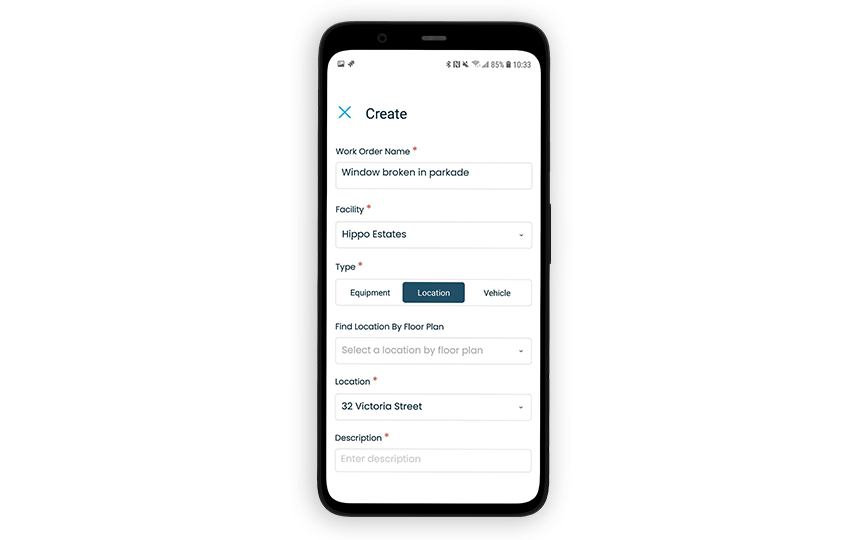
Hippo CMMS comes with all the modules and features necessary to streamline maintenance operations: a maintenance request portal, on demand work order management, preventive maintenance, inventory management, fleet maintenance, mobile work order management, reporting and extraction tools.

Hippo CMMS training and support staff work with clients during implementation, from start to finish, and continue supporting them throughout their subscription. Hippo offers an array of services to make sure implementation goes smoothly: site audits, data migration, software customization, and on-site and web-based training.

Media

1 / 5

Hippo and the human services non-profit

Pros

  • Communication - a requestor can see as many or as few details as they need
  • Ease of use - little onboarding or technical knowledge needed for requestors to utilize the platform
  • Technical support - Hippo support staff are the backbone of the platform and resolve issues very quickly

Cons

  • Fleet management - would like to be able to transfer vehicles between locations as you can with equipment
  • Full functionality on the mobile platform as is available on desktop
  • More flexibility in modification to different client needs

Most Important Features

  • Communication
  • Transparency
  • Reporting

Return on Investment

  • More efficient delivery of services
  • Less downtime
  • Less need for interpersonal follow-up on open issues

Hippo CMMS easy to use and customer friendly and great value.

Pros

  • Staff input task of repairs
  • Keeping track of tasks and time.
  • Works really well for PM tasks.

Cons

  • Reporting could be a lot better. Try to find past tasks is hard.

Most Important Features

  • Staff being able to input a task
  • keeping track of task completed and time.
  • Being able to schedule tasks.

Return on Investment

  • Saves a lot of time complete tasks
  • Gives department ability to show the amount of time spent working in different tasks.

Hippo CMMS maintenance software review

Pros

  • Tracks machine maintenance costs.
  • Keeps preventative maintenance work orders on track.
  • Keeps history of all past work orders for review in case a problem you've already dealt with comes up again.

Cons

  • On the work order history print out, I would like to see more detail. Like the date range for instance.

Return on Investment

  • Helps us set a maintenance budget.
  • Keeps maintenance employees on track with user needs.

Alternatives Considered

eMaint, Capterra and Samsara VS2

Okay product when it works.

Use Cases and Deployment Scope

We use Hippo as our CMMS to manage our demand work orders, planned maintenance, and vehicle maintenance. Our organization uses single sign-on and users can create work requests, while our technical team can respond, log their time, and schedule work.

Pros

  • Easy interface
  • Simple

Cons

  • While staff can enter their time, there is no way to access how much time an individual spends on a task, or how much time they have logged in a given period.
  • Their technical support is atrocious. There is really no way to reach a human. The support portal is completely automated, and just sends articles. There is no way to escalate. You can go for weeks unable to access the software with no help.
  • The product is not customizable.

Most Important Features

  • Work orders
  • Planned maintenance
  • Work costs

Return on Investment

  • Very negative because of the frequent outages and lack of support.

Great product for the cost

Pros

  • Ease of use
  • Track maintenance
  • Failures of unit tracking

Cons

  • Reports could be easier to access
  • Report filters are vague
  • Some features are slow to return notification sometimes

Return on Investment

  • Allows tracking something that we did not have before
  • Decision making is now with hard data
  • Replacement and repair cost have been reduced with tracking of maintenance.