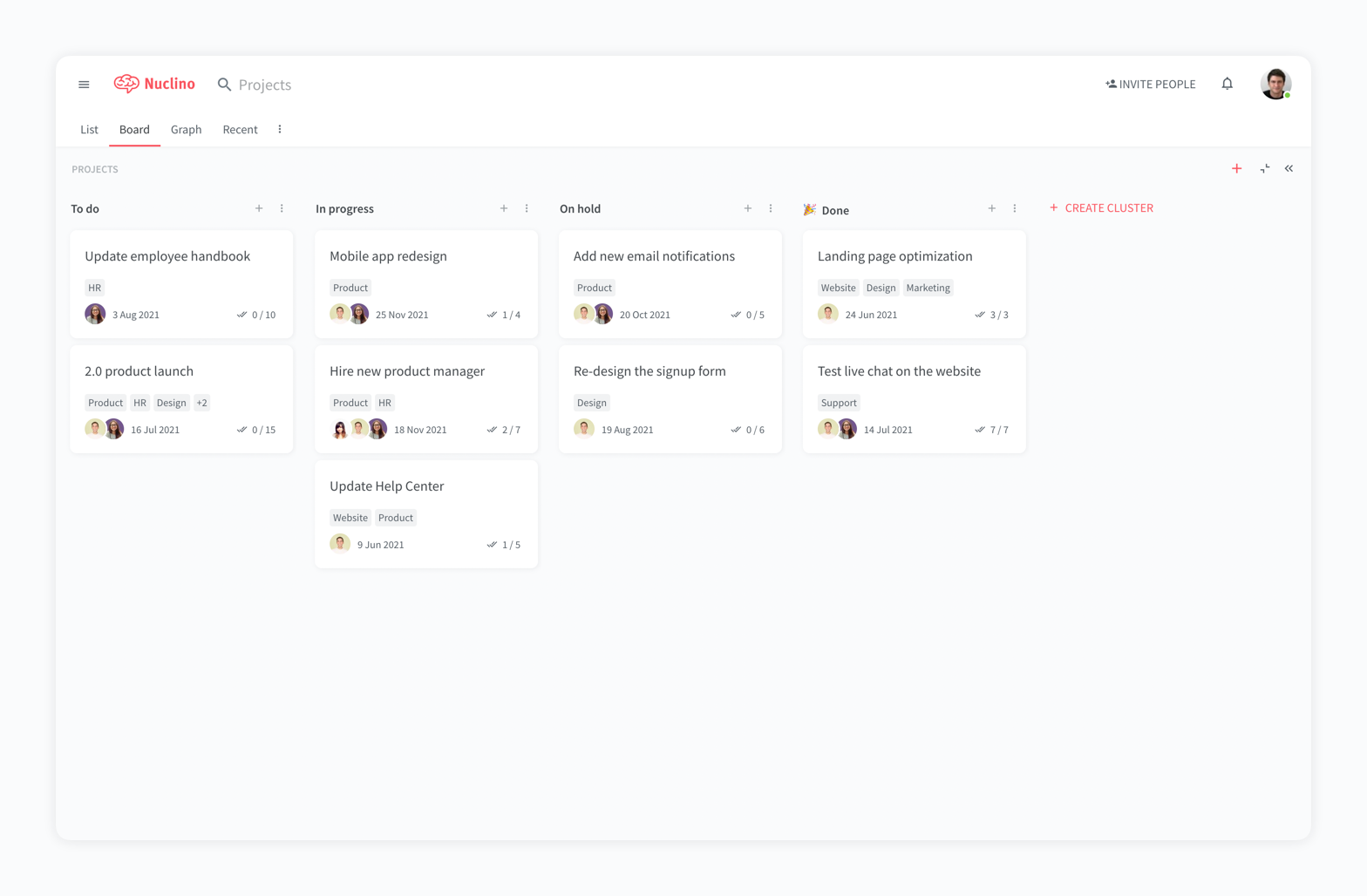
Nuclino is a unified workspace where teams can organize knowledge, manage projects, and share ideas. Progress can be tracked in a Kanban board, work structured in a hierarchical list, or data organized in a visual graph — Nuclino adapts to a team's workflow.
Presented as simple and lightweight by design, Nuclino focuses on the essentials, doing away with clunky menus and rarely-used settings, to minimize the learning curve for new users.
Teams from across the globe can use Nuclino to work on all kinds of projects, from designing video games to building space supercomputers for NASA.
Co-founder and CMO in Corporate at PropserGroups (1-10 employees employees)
Use Cases and Deployment Scope
I've been using Nuclino to reach one goal and that is to have all in once place knowledgebase and Doc collboration system. What I love most about Nuclino is that it keeps it simple and clean. It's not clogged and crowded with too many features, options, settings, etc. Clean, all in one place. Highly recommended especially for startups trying to manage their costs and get started with the least amount of hassle.
Pros
Doc collaboration
knowledgebased
Getting rid of Google Docs and Google Sheets
Cons
More integations are always welcome
API integration to external apps
Email marketing features down the road, A CRM Maybe
Return on Investment
Havne't used it for a long time so too early to judge that.
spatial consultant in Information Technology at exponential destiny (11-50 employees employees)
Use Cases and Deployment Scope
I use Nuclino to organize my game development programme, i intend to run a homeschool programme using roblox, and i use Nuclino for the game design document, the technical specifications and of course brainstorming. I also use Nuclino to centralise all my documnetation for centralisation. Before Nuclino I used Notion, which caused a lot of overwhelm.
Pros
like it says on its website, it is purposely simple
its clean interface makes me focus on my work
its so beautiful , the interface i mean
i love how it looks on its dark mode
Cons
i wish they could integrate google for login, on pc,
the onboarding
i wish they could add ai agents
Return on Investment
it improved my game development cycle in half the time
it streamlined my workflow
it improved my focus
Usability
Alternatives Considered
Evernote
Other Software Used
Geo-Tag Google My Business Photos, 1Spatial, Evernote
A de minimis incentive was given to thank the reviewer for their time. The incentive was not used to bias or drive a particular response, nor was the incentive contingent on a positive endorsement. More Info
Verified User
Project Manager in Information Technology (51-200 employees employees)
Use Cases and Deployment Scope
We use Nuclino as a knowledge base and collaboration platform. It addresses business problems such as documentation of projects, business processes and works well as a sharing and collaboration tool. We mainly use it for project management, but also in some cases to document business processes.
So far, we have only used it for internal documentation only. Other systems seem to have more advanced functionality for sharing information and collaborating with external partners, operators and suppliers.
Pros
The system is extremely fast. The application loads and displays data in milliseconds. This makes the system easy to work with.
It's also easy to edit documentation and information, as information can be editing directly without the use of an "edit" button.
Pricing: Loading speed, ease of use and quick editing are its main advantage that makes it stand out from competitors. Having said that, the pricing is very good as well.
Cons
While editing is easy and quick, some accidental changes may happen. Maybe some AI functionality for detecting obvious mistakes should be added.
Improved functionality for collaborating and sharing data with external partners would be an improvement.
The application seems to favor the writers, which in many cases is refreshing and makes work easier and quicker. In some cases, other systems are a better match, especially when many users should be allowed to make changes, but are mainly using the application for gathering knowledge and hardly want to do any editing themselves.
Return on Investment
We have seen noticeably higher satisfaction among employees who have been less happy with overly complex systems in the past (particularly system developers and employees who need to produce documentation as fast as possible without getting annoyed or distracted).
Some of our teams now spend less time on documentation and more time delivering actual results. The teams/employees who need less speed and a more "rigid" systematic approach prefer solutions that are more suited for that purpose instead.
Usability
Alternatives Considered
Atlassian Confluence, Google Workspace, Microsoft Teams, Microsoft SharePoint and Notion
Other Software Used
Visma.net ERP, Fiken, ClickUp, Google Drive, Google Forms, Microsoft 365 Business Premium, ChatGPT, Google Gemini, Microsoft Copilot, Google Chrome, Slack, Miro, Mural, draw.io, Microsoft SharePoint, Microsoft Intune
A de minimis incentive was given to thank the reviewer for their time. The incentive was not used to bias or drive a particular response, nor was the incentive contingent on a positive endorsement. More Info
Verified User
Employee in Information Technology (201-500 employees employees)
Use Cases and Deployment Scope
I work at a school and have been tasked to re-organizing our internal documentation.
I have so far used Nuclino to personally collect & gather all the various information that has spread out to various different sharepoint & other folders over the years and Nuclino has been super useful with this task.
I'm hoping to make this application our official wiki, but that is still a work in progress :)
Pros
Organizing
Ease of use
Simplicity
Responsiveness
Cons
switching overe workspaces is bit tedious at the moment
more granular control over what users can edit inside workspace -> specific items or any item under a specific collection
currently its not clear who edited an item last -> footer that updates each time item has been edited and by whom
support for smartsheets. only because we use them ;)
on prem version? (easier to sell this to my boss)
Usability
Alternatives Considered
Atlassian Confluence, Notion, Google Drive, DokuWiki and GitBook