TrustRadius: an HG Insights company

Hexnode UEM

Score8.3 out of 10

22 Reviews and Ratings

What is Hexnode UEM?

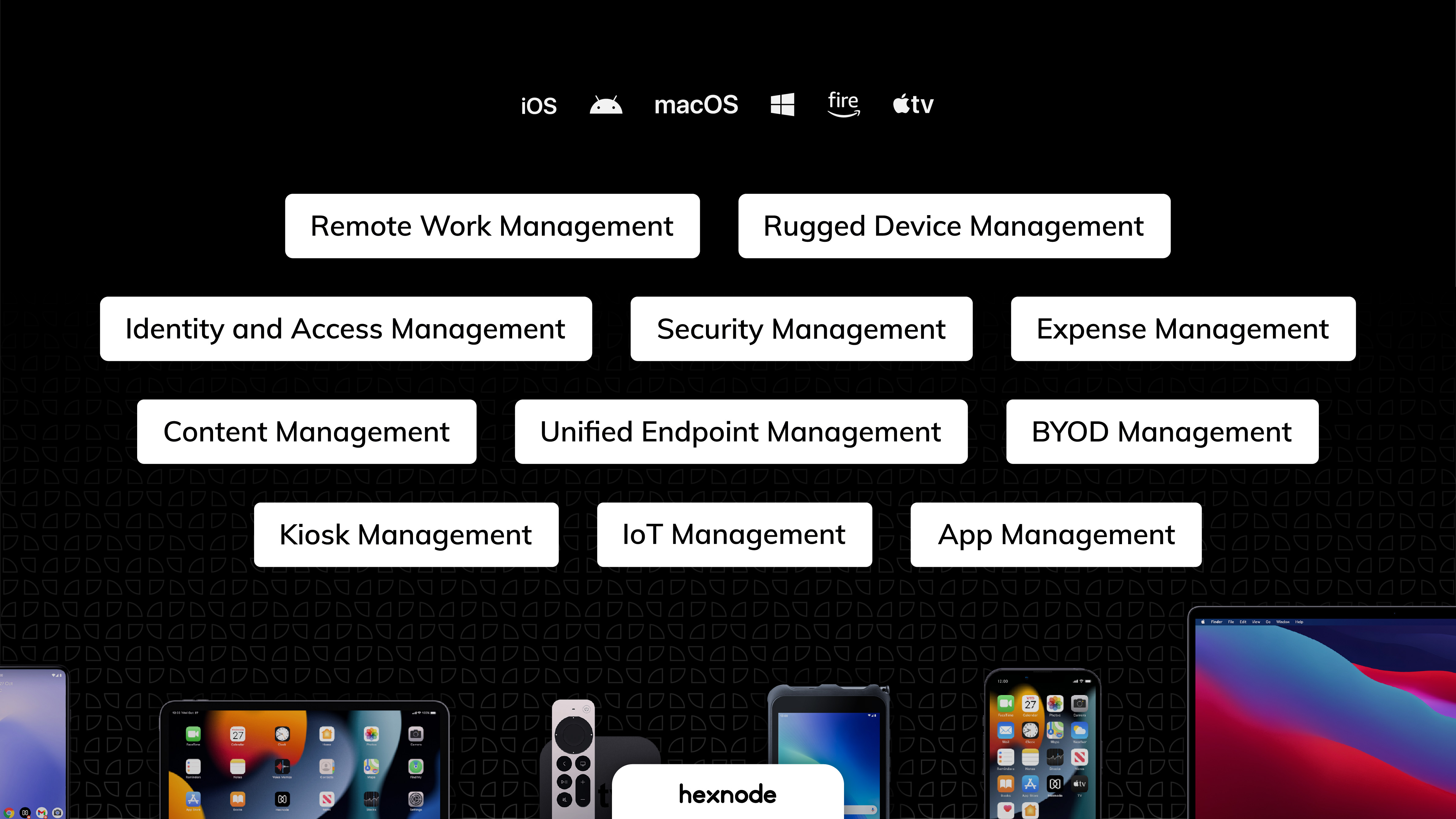
Hexnode is a Unified Endpoint Management solution from Mitsogo Inc. that aims to simplify the way people work with the help of intelligent tools. The management platform streamlines the device lifecycle model to offer its support at every stage, from device onboarding to the end of its life. It also gives a hands-free experience with automatic enrollment using Zero-touch enrollment, Knox Mobile Enrollment, and ABM and endpoint management with the help of dynamic group allocation in the case of policies. Furthermore, Hexnode supports all major device platforms and helps secure, monitor, and manage both BYOD and corporate-owned devices alike. Hexnode boasts users among SMBs and companies across the globe, and is offering its services to several industries, including education, healthcare, airlines, banking, retail, government, and logistics.


Supported Operating Systems:

  • Amazon fireOS Management

  • Android Management

  • iOS Management

  • macOS Management

  • tvOS Management

  • Windows Management

  • Linux Management

  • ChromeOS Management

  • visionOS Management


Hexnode Offerings:

  • Bring Your Own Device
  • Identity Access Management
  • Mobile Device Management
  • Mobile Application Management
  • Mobile Security Management
  • Mobile Email Management
  • Mobile Kiosk/Lockdown Management
  • Mobile Expense Management
  • Mobile Content Management
  • Patch Management (Windows and Mac)
  • Remote work functionality
  • Remote Monitoring and Management
  • Rugged device Management
  • Unified Endpoint Management

Media

Hexnode UEM
Hexnode Solutions
Why choose Hexnode?
Hexnode Kiosk
Hexnode Integrations

1 / 5

Hexnode UEM: A Wonderful and Effective MDM Solution

Use Cases and Deployment Scope

We are utilizing Hexnode UEM to monitor our fleet of Samsung tablets throughout the company. We use Hexnode UEM to remotely monitor the tablets and install the various applications that the users will be needing. We are able to monitor the tablet usage and ensure it is functioning properly along with providing remote support for our users as needed.

Pros

  • Device Management
  • Application Installation
  • Patch Management
  • Remote Support

Cons

  • Simplify the initial experience with Hexnode
  • Very minor issues/glitches may arise with the setup of devices in Hexnode UEM
  • Notifications about tablets being offline

Return on Investment

  • We are saving money after switching from our last provider
  • Remote monitoring of our users and their tablets

Usability

Alternatives Considered

Miradore Management Suite

Other Software Used

NinjaOne

Hexnode UEM Review

Use Cases and Deployment Scope

We use Hexnode UEM for MDM (Mobile Device Mangement). We mostly manage Microsoft tablets remotely. The UI is good, but it could be smoother. Whenever our client faces any issues with the tablet, we reach out to them and ensure that their tablet is online so we can take remote of it. Once the remote session initiates, we are able to work on the device without any lag.

Pros

  • Remote Device Management
  • Ease of Use
  • User Experience

Cons

  • The command pushed under Action History takes time (longer than usual) to deploy despite the internet is good.
  • We can't switch to any other tab while taking the device on remote.
  • Sometimes, the enrollment process is bit clumsy.

Return on Investment

  • Overall, the app is working fine so there is no such negative impact.
  • The delay in getting the commands executed is annoying sometimes.
  • There is no latency during remote session which helps us in troubleshooting real time.

Usability

Alternatives Considered

Esper

Other Software Used

Esper, HubSpot CRM, Slack, Microsoft Teams, Calendly, Atlassian Jira

Robust MDM Fleet Management Solution

Use Cases and Deployment Scope

Useful for monitoring a fleet of OSX or Win machines, ensuring security applications are installed, and that device configurations are compliant. Automatic reporting is useful to get compliance reports, as well as instant reporting when a device moves out of compliance. Onboarding and offboarding operations automation is handy, with the ability to preprovision standard applications and configurations on new machines, as well as to remote wipe during device offboarding.

Pros

  • Fleet compliance monitoring
  • Remote onboarding
  • Remote offboarding
  • Automatic fleet configuration

Cons

  • No Linux Support
  • Remote operations may need to be applied multiple times to work
  • Inaccurate system statistics

Return on Investment

  • Less Carbon Based Automation
  • Easier audit reporting
  • Easier device on/off boarding

Usability

Alternatives Considered

Drata

Nice User Experience

Use Cases and Deployment Scope

We use Hexnode to manage our 660 tablets deployed at our locations across the US. We love how we can group tablets by location using Hexnode, allowing us to assign a tablet to a location and Hexnode automatically downloads the appropriate applications to each device. Hexnode also allows easy updating of apps making support a breeze.

The ease of getting in and out of kiosk mode allows us to service the devices with an on-site team member, saving us from sending a truck-roll to the location.

Pros

  • Kiosk mode
  • Remote management of software
  • Remote management of updates

Cons

  • Remote view is a bit laggy
  • Apple Device support, but may be more on Apple's side
  • Better notifications when a tablet is offline/under-charged

Return on Investment

  • Limits the need for truck-rolls
  • Able to support tablets immediately with limited or no downtime
  • Ease of access across multiple platforms

Usability

Easy Tool for Remotely Protecting Devices

Use Cases and Deployment Scope

We use Hexnode to monitor our shared ios devices and training computers that are handled by a large number of employees. We are still implementing this at all our locations but we currently have about 60 devices, which about 50 are ipads, about 5 are shared iphones, and 5 are training windows devices. Before Hexnode, we had some issues with theft, but now that we have a geofence on everything so we can lock them if they leave location, and are able to lock things down what they can install so they are not as tempting to steal in the first place.

Pros

  • Kiosk mode ipads
  • Remote Management
  • Geofencing

Cons

  • It was a little confusing to get started
  • Windows kiosk not as easy to use
  • Difficult to remove activation lock

Return on Investment

  • We already had someone try to walk away with an ipad after deploying Hexnode, and we were immediately able to force an activation lock telling them to bring it back and they did.
  • It has saved us a lot of time setting up ios devices as we have a limited amount of IT staff and Hexnode makes it take probably around ten minutes an ipad.
  • Employee experience has improved since we can reset code remotely and they no longer have to send the ipads back to the corporate office to get reset.

Usability

Other Software Used

Verkada Access Control, Microsoft 365, Squarespace